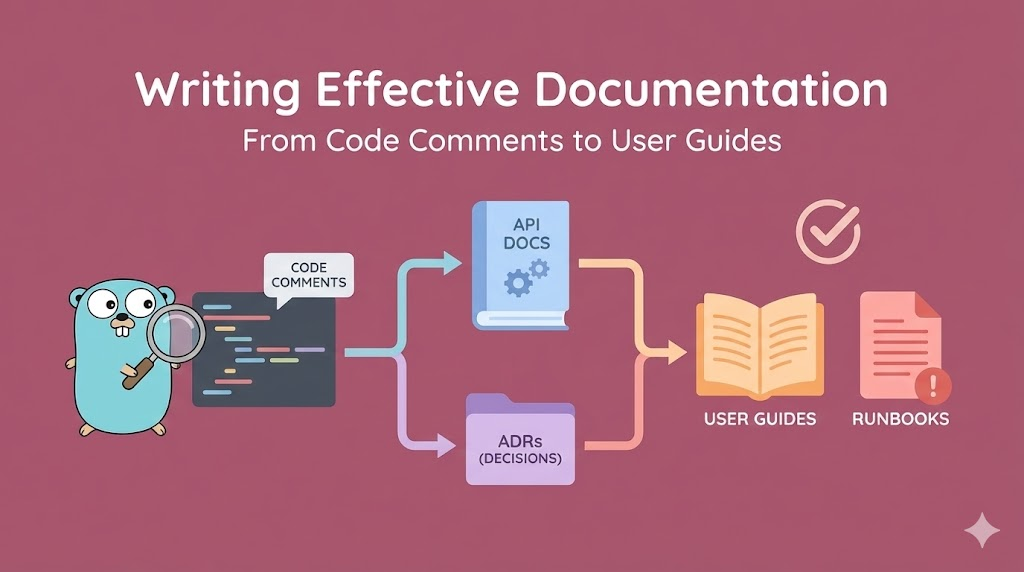
Writing Effective Documentation: From Code Comments to User Guides
A comprehensive guide to documentation that actually works. Master self-documenting code, API documentation, Architecture Decision Records (ADRs), and runbooks. Learn what developers actually need to understand and maintain systems, written from a senior engineer's perspective.
Table of Contents
Writing Effective Documentation: From Code Comments to User Guides
The Complete Guide to Documentation That People Actually Read and Use
🎯 Introduction: Why Documentation Fails (And How to Fix It)
Let me start with a painful truth: Most documentation is useless.
Not because it’s hard to write. Not because writers aren’t skilled.
But because documentation is written for the writer’s future memory, not for the reader’s understanding.
The Problem: Documentation Theater
Organizations create documentation and think the job is done:
Manager: "We need documentation."
Team: "OK, we'll document everything."
[Team writes 50 pages of docs]
Manager: "Great, documentation done!"

Reality:
- No one reads the docs
- Docs become outdated immediately
- When someone needs help, they ask Slack instead
- Docs sit in repository, gathering digital dust

Why? Because documentation isn't about having documents.
It's about helping people understand and do things.
What This Guide Is About
This is not a style guide. Not about grammar or formatting.
This is: How to write documentation that people actually use.
We will cover:
✅ Self-documenting code - Code so clear you barely need comments
✅ Code comments - When and how to write them (spoiler: rarely)
✅ API documentation - Making APIs intuitive and explainable
✅ Architecture Decision Records (ADRs) - Recording why decisions were made
✅ Runbooks - Step-by-step guides for operations
✅ User guides - Documentation for non-technical users
✅ README files - The entry point to your project
The perspective: What does someone new to this codebase actually need to know?
🏗️ Part 1: Self-Documenting Code - The Best Documentation is Code Itself
The highest form of documentation is code that explains itself.
If you need to write a comment to explain code, the code is probably unclear.
The Philosophy: Code Clarity Over Cleverness
Clever code (hard to read):
int calc(int x, int y) {
    return (x ^ y) + ((x & y) << 1);
}

Clear code (easy to read):
int calculateSum(int firstNumber, int secondNumber) {
    return firstNumber + secondNumber;
}

Intermediate (too clever):
int x = a << 1;  // multiply by 2
Developers admire clever code. But clever code is hard to understand.
The goal: Code that a junior developer reads and immediately understands.
Rule 1: Naming is Everything
The most powerful tool for self-documentation is meaningful names.
Variable Names
❌ Bad:
int d;  // duration
string u;  // user
bool f;  // flag

✅ Good:
int durationInSeconds;
string userName;
bool isActive;
Why?
Reason 1: Self-explanatory
- "durationInSeconds" - I immediately know what this is
- "d" - I need to search for context

Reason 2: Searchable
- Searching for "durationInSeconds" finds all uses
- Searching for "d" finds every letter in the file

Reason 3: Intention-revealing
- "isActive" suggests it's a boolean (true/false)
- "active" could be many things (noun, adjective, etc.)
Function Names
❌ Bad:
function process(data) {
function handle(request, response) {
function doStuff() {

✅ Good:
function validateUserEmail(email) {
function extractUserIdFromRequest(request) {
function calculateMonthlyRevenue(transactions) {
Why?
"process" - What does this do? I need to read the code.
"validateUserEmail" - I know exactly what it does without reading.

"handle" - Generic, could mean anything
"extractUserIdFromRequest" - Specific, clear intention

"doStuff" - Please no.
Class/Type Names
❌ Bad:
class Manager
class Processor
class Util

✅ Good:
class UserAuthenticationManager
class PaymentProcessor
class DateUtilities
Specific names make code self-documenting.
Rule 2: Structure Code for Readability
How you organize code affects how understandable it is.
Group Related Functionality
❌ Bad (scattered logic):
class User {
    constructor(name) { this.name = name; }

    getAge() { ... }

    validateEmail() { ... }

    calculateBillingAmount() { ... }

    isActive() { ... }

    sendNotification() { ... }

    getProfile() { ... }
}

User has 7 unrelated methods. Hard to understand at a glance.

✅ Good (grouped by concern):
class User {
    constructor(name) { this.name = name; }

    // Lifecycle methods
    isActive() { ... }
    getAge() { ... }

    // Validation
    validateEmail() { ... }

    // Profile access
    getProfile() { ... }

    // Billing
    calculateBillingAmount() { ... }

    // Notifications
    sendNotification() { ... }
}

Related methods grouped together. Much clearer.
Keep Functions Small
❌ Bad (100 lines in one function):
function processPayment(order) {
    // validate order
    // calculate tax
    // apply discounts
    // process card
    // send email
    // update database
    // log transaction
    // handle errors
    [... 100 lines ...]
}

You need to read all 100 lines to understand what happens.

✅ Good (small, focused functions):
function processPayment(order) {
    validateOrder(order);
    const total = calculateTotal(order);
    processCard(order.card, total);
    sendConfirmationEmail(order.customer);
    updateInventory(order);
    logTransaction(order, total);
}

Each line is a clear step. Easy to understand flow.
The rule: If you need to scroll to see the entire function, it’s too big.
Rule 3: Use Types (When Available)
Static typing is documentation.
❌ JavaScript (unclear what parameters are):
function sendEmail(email, subject, body, includeAttachments) {
    // ... what type is includeAttachments? boolean? string?
    // ... what should email be? string? object?
}

✅ TypeScript (clear types):
function sendEmail(
    email: string,
    subject: string,
    body: string,
    includeAttachments: boolean
): Promise<void> {
    // Types make it clear what's expected
}

Or with interfaces (more complex types):
interface EmailConfig {
    recipient: string;
    subject: string;
    body: string;
    attachments?: Attachment[];
    priority: "normal" | "high" | "urgent";
}

function sendEmail(config: EmailConfig): Promise<void> {
    // Much clearer than loose parameters
}
Types serve as executable documentation. They’re checked by the compiler.
Rule 4: Handle Errors Explicitly
Error handling is documentation of what can go wrong.
❌ Bad (silent failure):
function getUserById(id) {
    return users[id];  // What if id doesn't exist? Returns undefined silently.
}

✅ Good (explicit error):
function getUserById(id) {
    const user = users[id];
    if (!user) {
        throw new Error(`User not found: id=${id}`);
    }
    return user;
}

The explicit error tells readers:
- This function can fail
- It fails when user doesn't exist
- The error message shows what went wrong
Rule 5: Avoid Magic Numbers and Strings
Magic numbers are unexplained constants.
❌ Bad:
if (user.age > 18 && user.score > 75 && user.accountDays > 365) {
    // What are 18, 75, 365?
    // What do they mean?
    // Where did these numbers come from?
}

✅ Good:
const MINIMUM_AGE = 18;
const MINIMUM_CREDIT_SCORE = 75;
const MINIMUM_ACCOUNT_AGE_DAYS = 365;

if (user.age > MINIMUM_AGE &&
    user.score > MINIMUM_CREDIT_SCORE &&
    user.accountDays > MINIMUM_ACCOUNT_AGE_DAYS) {
    // Immediately clear what these thresholds mean
}
Named constants are self-documenting.
Rule 6: Reduce Complexity
Complex code requires explanation. Simple code doesn’t.
❌ Complex (needs explanation):
const result = obj.filter(x => x.p === 'active')
                  .map(x => x.a)
                  .reduce((acc, x) => acc + x.v, 0);

What does this do? You need to trace through it.

✅ Simple (clear intention):
const activeItems = obj.filter(x => x.status === 'active');
const amounts = activeItems.map(item => item.amount);
const total = amounts.reduce((sum, amount) => sum + amount, 0);

Or even clearer:
function calculateTotalActiveAmount(items) {
    return items
        .filter(item => item.status === 'active')
        .map(item => item.amount)
        .reduce((sum, amount) => sum + amount, 0);
}
Clear is better than clever.
💬 Part 2: Code Comments - When to Write Them (Spoiler: Rarely)
Comments are often a code smell.
Not because comments are bad. But because if you need a comment, the code is probably unclear.
When NOT to Write Comments
Don’t Comment What Code Does (It’s Obvious)
❌ Bad comment (states the obvious):
// Add 5 to x
x = x + 5;

// Increment counter
counter++;

// Filter users where isActive is true
const activeUsers = users.filter(u => u.isActive);

The comment just restates what the code already says.

✅ Instead: Make the code clear
const adjustedValue = baseValue + DEFAULT_ADJUSTMENT;
counter++;
const activeUsers = users.filter(u => u.isActive);
Don’t Comment Bad Code (Fix It Instead)
❌ Bad:
// This is a bit complex but it works
const x = arr.map(a => a.includes('x') ? a.split('x')[1] : null)
            .filter(a => a)
            .reduce((acc, a) => acc + a, '');

// Complex comment trying to explain complex code

✅ Good: Refactor to be clear
function extractValuesBetweenXDelimiters(items) {
    return items
        .map(item => splitOnDelimiter(item, 'x'))
        .filter(value => value !== null)
        .reduce((accumulated, value) => accumulated + value, '');
}

If code is confusing, refactor it. Don't comment it.
Don’t Comment Implementation Details
❌ Bad:
// Check if length > 5
if (password.length > 5) {

The code already shows what's being checked.

✅ Better: Use a named constant and function
function isPasswordLongEnough(password) {
    const MINIMUM_PASSWORD_LENGTH = 5;
    return password.length > MINIMUM_PASSWORD_LENGTH;
}

if (isPasswordLongEnough(password)) {

No comment needed. The code is clear.
When TO Write Comments
1. Explain the WHY (Not the WHAT)
❌ Bad (WHAT - obvious from code):
// Set flag to true
isProcessed = true;

✅ Good (WHY - not obvious from code):
// Mark as processed so we don't send duplicate notifications
// (See issue #456 for context on why duplicates were causing problems)
isProcessed = true;
The code says WHAT. Comments should explain WHY.
2. Explain Non-Obvious Decisions
✅ Good comment (explains a non-obvious choice):
// We use `any` type here because the API returns inconsistent field names
// depending on the endpoint version. Type safety would require conditional types
// which adds complexity. Once we migrate to API v2, this can be properly typed.
const response: any = await fetchUserData();
This explains WHY a normally-bad practice (using any) is acceptable here.
3. Warn About Dangers or Trade-offs
✅ Good comment (warns about danger):
// WARNING: This function must be called with exclusive lock on the database.
// Concurrent calls will cause race condition and data corruption.
// See synchronizeUserData() which handles locking correctly.
function unsafeSyncUserData(userId) {
    // ...
}

This warning helps developers use the function correctly.
4. Document Non-Obvious Algorithms
✅ Good comment (explains complex algorithm):
// This implements the Luhn algorithm for credit card validation.
// See: https://en.wikipedia.org/wiki/Luhn_algorithm
// The algorithm:
// 1. Reverse the digits
// 2. Double every second digit
// 3. Sum all digits (for doubled digits, sum the two digits)
// 4. If total % 10 == 0, card is valid
function validateCreditCardNumber(cardNumber) {
    // ... implementation ...
}
This gives context and reference for an algorithm that isn’t self-documenting.
5. Note Temporary Hacks or Workarounds
✅ Good comment (documents temporary hack):
// HACK: Database returns null for empty strings due to legacy bug #789.
// Remove this check once database is fixed (estimated Q2 2026).
// Contact backend team before removing.
const actualValue = value === null ? '' : value;
This tells future developers: this is temporary, here’s when to remove it, who to contact.
Comment Format: Make Them Useful
Bad Comments (Unhelpful)
❌ // TODO
❌ // FIXME
❌ // NOTE
❌ // HACK

These are vague. They don't help future readers.
Good Comments (Helpful)
✅ // TODO: #456 Migrate to API v2 and remove any type (estimated 2 weeks)
✅ // FIXME: #789 Database returns null for empty strings, remove workaround after fix
✅ // NOTE: This must be synchronized with updateUserProfile() to avoid inconsistency
✅ // HACK: Temporary workaround for third-party library bug, upgrade to v3.0 when released
Include:
- Ticket number (traceable)
- Reason (understandable)
- Timeline (actionable)
The Comment Audit: How Many Is Too Many?
If comments are > 20% of code:
- Code is probably too complex
- Refactor instead of commenting more

If comments are < 5% of code:
- Probably healthy (code is clear)
- Only documenting important why's

Good ratio: 5-10% of code is comments
- Not over-commenting
- Not ignoring important context
📚 Part 3: API Documentation - Making Endpoints Intuitive and Clear
An API without documentation is useless. An API with bad documentation is worse than useless.
Principle 1: Your API Documentation Should Be a Map
A good API doc answers these questions:
1. What is this API for? (High-level purpose)
2. How do I authenticate? (Security)
3. What endpoints exist? (Navigation)
4. What does each endpoint do? (Individual instructions)
5. What parameters does it accept? (Input)
6. What does it return? (Output)
7. What can go wrong? (Error handling)
8. Show me an example (Concrete example)
Missing any of these = developers need to contact you for help.
Standard 1: OpenAPI/Swagger Specification
Modern API documentation uses OpenAPI (formerly Swagger).
Why? Because it’s:
- Machine-readable (can generate documentation automatically)
- Standard (understood by tools)
- Interactive (users can try endpoints directly)
Example OpenAPI spec:
openapi: 3.0.0
info:
  title: User API
  description: API for managing user accounts
  version: 1.0.0

servers:
  - url: https://api.example.com
    description: Production server

paths:
  /users:
    get:
      summary: Get list of users
      description: Returns a paginated list of users
      parameters:
        - name: page
          in: query
          description: Page number (starts at 1)
          schema:
            type: integer
            minimum: 1
            default: 1
        - name: limit
          in: query
          description: Number of results per page
          schema:
            type: integer
            minimum: 1
            maximum: 100
            default: 20
      responses:
        "200":
          description: Success
          content:
            application/json:
              schema:
                type: object
                properties:
                  data:
                    type: array
                    items:
                      type: object
                      properties:
                        id:
                          type: string
                        name:
                          type: string
                        email:
                          type: string
                  pagination:
                    type: object
                    properties:
                      page:
                        type: integer
                      total:
                        type: integer
        "400":
          description: Invalid parameters
        "401":
          description: Unauthorized
        "500":
          description: Server error

    post:
      summary: Create a new user
      requestBody:
        required: true
        content:
          application/json:
            schema:
              type: object
              properties:
                name:
                  type: string
                email:
                  type: string
                  format: email
              required:
                - name
                - email
      responses:
        "201":
          description: User created
          content:
            application/json:
              schema:
                type: object
                properties:
                  id:
                    type: string
                  name:
                    type: string
                  email:
                    type: string
        "400":
          description: Invalid input
        "409":
          description: Email already exists
This specification:
✅ Defines every endpoint
✅ Lists all parameters
✅ Shows all possible responses
✅ Includes error cases
✅ Has examples for each
Tools like Swagger UI automatically generate interactive documentation from this.
Principle 2: Every Endpoint Needs These Details
For each API endpoint, document:
1. Purpose (One Line)
✅ "Get user by ID"
❌ "User endpoint"
2. Description (One Paragraph)
✅ "Returns a single user's profile including name, email, and account status.
   Does not return sensitive fields like password hash or API keys."
❌ "Gets the user"
3. Authentication Required?
✅ "Requires Bearer token in Authorization header"
❌ No mention of auth
4. Parameters
✅ List each parameter with:
  - Name: userId
  - Type: string (UUID format)
  - Description: "The unique identifier of the user"
  - Required: yes
  - Example: "550e8400-e29b-41d4-a716-446655440000"

❌ "Pass user id"
5. Request Example
✅
GET /users/550e8400-e29b-41d4-a716-446655440000
Authorization: Bearer eyJhbGciOiJIUzI1NiIs...

❌ No example shown
6. Response Example
✅
{
  "id": "550e8400-e29b-41d4-a716-446655440000",
  "name": "Alice Johnson",
  "email": "alice@example.com",
  "status": "active",
  "createdAt": "2024-01-15T10:30:00Z"
}

❌ "Returns user object"
7. Error Cases
✅
400 Bad Request: Invalid userId format
401 Unauthorized: Missing or invalid authentication token
404 Not Found: User with given ID does not exist
500 Internal Server Error: Database connection failed

❌ "May return errors"
Principle 3: Group Endpoints by Resource
/users
  GET /users - List all users
  POST /users - Create user
  GET /users/{id} - Get specific user
  PUT /users/{id} - Update user
  DELETE /users/{id} - Delete user

/users/{id}/profile
  GET /users/{id}/profile - Get profile
  PUT /users/{id}/profile - Update profile

/users/{id}/settings
  GET /users/{id}/settings - Get settings
  PUT /users/{id}/settings - Update settings

Grouping makes it clear what belongs together.
Principle 4: Document Common Patterns
Don’t document the same thing over and over:
Instead of documenting authentication in every endpoint:

Write ONCE in a section called "Authentication":
"All endpoints require a Bearer token in the Authorization header.
 Tokens are obtained by calling POST /auth/token.
 Tokens expire after 1 hour."

Then reference it: "See Authentication section for details."
Principle 5: Provide Working Examples
Documentation is useless without examples developers can run:
❌ Bad:
"Pass the user ID in the URL and call the endpoint."

✅ Good:
cURL:
curl -H "Authorization: Bearer YOUR_TOKEN" \
  https://api.example.com/users/550e8400-e29b-41d4-a716-446655440000

JavaScript:
const response = await fetch(
  'https://api.example.com/users/550e8400-e29b-41d4-a716-446655440000',
  {
    headers: {
      'Authorization': `Bearer ${token}`
    }
  }
);
const user = await response.json();

Python:
import requests
headers = {'Authorization': f'Bearer {token}'}
response = requests.get(
  'https://api.example.com/users/550e8400-e29b-41d4-a716-446655440000',
  headers=headers
)
user = response.json()
Examples in multiple languages help everyone.
🏛️ Part 4: Architecture Decision Records (ADRs) - Documenting the Why
An ADR is a record of an important decision and why it was made.
Not just WHAT you decided, but WHY. This is crucial.
Why ADRs Matter
Current state (no ADRs):
Codebase uses PostgreSQL for everything.

New developer asks: "Why PostgreSQL? Why not MongoDB?"

Senior developer responds: "Good question. I think it was because...
Actually, I don't remember. Whoever decided this isn't here anymore."

Months later, another developer suggests switching to MongoDB.
Everyone spends 2 weeks evaluating.
Discovers the original reason was "relational data structure."
Could have saved 2 weeks with documentation.

---

With ADRs:
Codebase uses PostgreSQL for everything.

New developer asks: "Why PostgreSQL?"

Points to ADR-003: "Database Selection Decision"
Reads: "We chose PostgreSQL because our data is highly relational.
Customer records link to orders, which link to items, which link to reviews.
PostgreSQL handles these relationships efficiently.
MongoDB was considered but rejected because it would require duplicating
customer data across multiple collections, leading to inconsistency issues.
Cost: PostgreSQL $500/month vs MongoDB $400/month, difference acceptable."

Developer now understands: Don't suggest MongoDB, the tradeoff was already considered.
ADR Format
A standard ADR has these sections:
1. Title
ADR-001: Database Selection for Core Application

Simple, clear title starting with ADR number.
2. Status
Proposed | Accepted | Superseded | Deprecated

Proposed: Still deciding
Accepted: Decided and in use
Superseded: We made a different decision later (ADR-025 supersedes this)
Deprecated: No longer relevant but kept for history
3. Context
Explain the problem and situation:
Our application needs to store customer data, orders, and transactions.
Data structure is highly relational.
We need to store 10M+ records with complex queries.
Current system uses flat files, no longer scales.
4. Decision
State clearly what was decided:
We will use PostgreSQL as our primary database.
We will use Redis for caching frequently accessed data.
We will not use a NoSQL database for primary storage.
5. Rationale
Explain WHY this decision was made:
PostgreSQL was chosen because:

1. Relational Structure: Our data has complex relationships
   (customers → orders → items → reviews).
   PostgreSQL handles these relationships efficiently.
   MongoDB would require denormalizing data (duplicating records),
   leading to inconsistency issues.

2. ACID Transactions: Financial data must be consistent.
   PostgreSQL guarantees ACID compliance.
   MongoDB doesn't guarantee consistency across multiple documents.

3. Cost: PostgreSQL managed service = $500/month.
   MongoDB = $400/month.
   Additional $100/month acceptable for consistency guarantee.

4. Querying: Complex reports require complex joins.
   PostgreSQL optimizes for joins.
   MongoDB slow for complex queries across documents.

5. Ecosystem: Team experienced with PostgreSQL.
   Learning curve for MongoDB would add 2-3 months.

Alternatives Considered:
- DynamoDB: No, too expensive for scale needed (~$2000/month)
- MySQL: Works, but PostgreSQL has better performance on our workload
- Cassandra: Over-engineered, too complex for our needs
- MongoDB: See rationale above

Consequences:
- Positive: Consistent, reliable, team familiar
- Negative: Scaling to extreme scale requires sharding (complex)
6. Consequences
What are the implications?
Positive:
- Consistent data (ACID transactions)
- Team knows the technology
- Cost-effective
- Good performance for queries we need

Negative:
- If we exceed 10M records, sharding becomes necessary (complex)
- Vertical scaling more limited than MongoDB
- PostgreSQL expertise required for optimization

Neutral:
- Different backup strategy than previous system
- Requires DBA for large scale (we'll hire)
7. Alternatives Considered
Show you thought this through:
Option A: MongoDB
- Pro: Flexible schema, easier for unstructured data
- Con: No ACID guarantees, requires denormalization
- Con: Slower on complex queries
- Rejected because: Data is highly relational, ACID needed

Option B: DynamoDB
- Pro: Fully managed, unlimited scale
- Con: Limited query capability ($2000+/month cost)
- Rejected because: Over-engineered, too expensive

Option C: Cassandra
- Pro: Horizontal scalability
- Con: Complex, requires expertise, overkill for our needs
- Rejected because: We don't need Cassandra's level of scale yet
8. References
Link to related decisions or documentation:
Related:
- ADR-002: Caching Strategy (decided we'd use Redis)
- ADR-004: Database Backup Strategy
- Document: Database Performance Analysis (why PostgreSQL is faster)
Complete ADR Example
# ADR-003: Payment Processing Service - Stripe vs PayPal vs Square

**Status:** Accepted

**Context:**
We need to process credit card payments for our SaaS platform.
Currently using manual payment entry (not scalable).
Expect 1000+ transactions/month within 6 months.
Need PCI compliance without managing sensitive data ourselves.

**Decision:**
We will use Stripe as our payment processor.
We will use Stripe's hosted checkout (reduces PCI scope).
We will store only Stripe token IDs, never raw card data.

**Rationale:**

1. Integration: Stripe has excellent documentation and SDKs.
   Setup takes days, not weeks.

2. Security: Stripe handles PCI compliance.
   We never touch raw card data.
   Reduces our liability significantly.

3. Features: Stripe supports recurring billing, invoicing, and disputes.
   All in one platform (don't need multiple services).

4. Reliability: 99.99% uptime SLA.
   Stripe-to-bank settlement is fast (2 business days).

5. Cost: 2.9% + $0.30 per transaction.
   At 1000 transactions/month avg $100 = $2900 in fees.
   PayPal: 2.2% + $0.30 = $2300 (cheaper but worse ecosystem).
   Square: 2.9% + $0.30 = same as Stripe.

6. Ecosystem: Stripe integrates with 100+ platforms.
   If we ever use accounting software (FreshBooks), it connects to Stripe.

**Consequences:**

Positive:

- No PCI compliance burden
- Security done right from start
- Webhook system for payment status updates
- Good dashboard for tracking transactions

Negative:

- Platform lock-in (switching later is effort)
- Cost increases as transaction volume grows
- Stripe controls pricing (could increase fees)

**Alternatives Considered:**

Option A: PayPal

- Pro: Slightly cheaper (2.2% vs 2.9%)
- Con: Worse developer experience
- Con: Reputation issues (slower support)
- Rejected: Better long-term to use Stripe

Option B: Square

- Pro: Same cost and features as Stripe
- Con: Smaller ecosystem
- Con: Less developer-friendly
- Rejected: Stripe is more developer-friendly

Option C: Build ourselves

- Pro: No fees, complete control
- Con: PCI compliance nightmare ($$$)
- Con: 6 months of development
- Con: Ongoing security burden
- Rejected: Too risky, too expensive

**References:**

- https://stripe.com/docs
- Stripe vs PayPal comparison: [internal document]
- ADR-001: API Architecture (related)
When to Write an ADR
Write an ADR when you’re deciding:
✅ Technology selection (database, framework, library)
✅ Architecture pattern (monolith vs microservices)
✅ Deployment strategy
✅ Security approach
✅ API design
✅ Major process changes

❌ Routine implementation details
❌ Variable naming (covered in code comments)
❌ Method organization (covered in code structure)
Storing ADRs
ADRs should be:
Location: In the repository (not in Confluence or Google Docs)
Why: Version control, tracked with code, reviewed like code

Organization:
docs/adr/
  ADR-001-database-selection.md
  ADR-002-caching-strategy.md
  ADR-003-payment-processor.md
  README.md (index of all ADRs)

README.md contents:
# Architecture Decision Records

| ADR | Title | Status |
|-----|-------|--------|
| ADR-001 | Database Selection | Accepted |
| ADR-002 | Caching Strategy | Accepted |
| ADR-003 | Payment Processor | Accepted |
| ADR-004 | API Authentication | Proposed |
🔧 Part 5: Runbooks - Step-by-Step Guides for Operations
A runbook is an operational manual. Step-by-step instructions for how to do something.
Runbooks are for:
- How to deploy
- How to debug production issues
- How to handle emergencies
- How to backup/restore
- How to scale up
- How to perform maintenance
Runbook Format
1. Title and Purpose
# Runbook: Deploy to Production

Purpose: Deploy the application to production environment
Audience: Deployment engineers, DevOps team
Frequency: Multiple times per day (as needed)
Emergency?: No (this is planned deployment)
2. Prerequisites
What needs to be true before you start:
Prerequisites:
- You have AWS credentials with deployment permissions
- You have CLI tools installed: docker, kubectl, aws-cli
- The application has passed all CI/CD checks
- You have the deployment checklist (below)
- You have notified the team on Slack: #deployments
3. Steps (Numbered, Clear)
Each step should be actionable (not require interpretation):
❌ Bad (unclear):
1. Deploy the app
2. Make sure it works
3. Rollback if needed

✅ Good (actionable):
1. Pull the latest code from main branch
   Command: git checkout main && git pull origin main

2. Verify tests pass locally
   Command: npm test
   Expected: "All tests passed" message
   If tests fail: Stop, investigate, fix before continuing

3. Build Docker image
   Command: docker build -t app:latest .
   Expected: Docker image created without errors
   If fails: Check Dockerfile, run docker logs

4. Push Docker image to registry
   Command: docker push 123456789.dkr.ecr.us-east-1.amazonaws.com/app:latest
   Expected: Image appears in ECR console
   If fails: Check AWS credentials with: aws sts get-caller-identity

5. Deploy to Kubernetes
   Command: kubectl apply -f deployment.yaml --namespace=production
   Expected: New pods starting, old pods terminating gracefully
   If fails: Check with: kubectl describe deployment app

6. Wait for all replicas to be ready
   Command: kubectl get deployment app --namespace=production --watch
   Wait for: READY column shows 3/3
   Timeout: If not ready after 5 minutes, investigate
   Command: kubectl describe pod -n production -l app=app

7. Health check
   Command: curl https://api.example.com/health
   Expected: Returns {"status":"healthy"} with 200 status code
   If unhealthy: Check logs with: kubectl logs -l app=app --namespace=production

8. Smoke test critical user flow
   - Navigate to https://app.example.com in browser
   - Login with test account (user: test@example.com, password: in 1Password)
   - Create a test item
   - Verify it appears in list
   - If any step fails: Proceed to Rollback section

9. Announce deployment completion
   Post in Slack #deployments channel: "Deployed commit <hash> to production"
4. Verification Steps
How do you know it worked?
Verification:
☐ Application is responding to requests
☐ No increased error rate (check DataDog dashboard)
☐ No increased latency (check New Relic dashboard)
☐ Critical business flow works (users can login, create orders, etc.)
☐ No customer complaints in support (check Zendesk)
☐ Logs are clean (no unexpected errors)
5. Rollback Procedure
What to do if something goes wrong:
Rollback (Emergency Only):

1. Announce rollback in Slack
   Message: "@here Rolling back due to <reason>"

2. Revert to previous version
   Command: kubectl set image deployment/app \
            app=123456789.dkr.ecr.us-east-1.amazonaws.com/app:v1.2.3 \
            --namespace=production

3. Wait for pods to restart
   Command: kubectl get deployment app --namespace=production --watch
   Wait for: All pods running again (should take 30-60 seconds)

4. Health check after rollback
   Command: curl https://api.example.com/health
   Expected: {"status":"healthy"} with 200 code

5. Verify old version works
   - Test critical user flow again
   - If passes: rollback successful

6. Post-mortem (within 24 hours)
   - What went wrong?
   - Why didn't we catch it in testing?
   - How do we prevent next time?
   - Document in: docs/incidents/2026-01-10-deployment-failure.md
6. Emergency Contacts
Who to contact if something goes wrong:
If you need help:
- Deployment issues: @devops-team on Slack
- Application errors: @backend-team on Slack
- Database issues: @database-team (on-call: check PagerDuty)
- Network issues: @platform-team on Slack

On-call rotation:
- Check PagerDuty escalation policy
- Don't guess, contact the right person
Common Runbooks Every Team Needs
1. Deployment Runbook
   - How to deploy to each environment
   - Rollback procedure

2. Incident Response Runbook
   - System is down, what do you do?
   - How to investigate
   - Who to notify
   - Escalation path

3. Database Maintenance Runbook
   - How to backup
   - How to restore from backup
   - How to run migrations
   - How to check database health

4. Scaling Runbook
   - How to scale up when traffic increases
   - How to scale down when traffic decreases
   - How to detect when scaling is needed

5. Security Incident Runbook
   - Suspected breach, what do you do?
   - How to isolate system
   - How to investigate
   - How to notify users

6. Third-party Integration Failures
   - Payment processor down, what do you do?
   - Email service down, what do you do?
   - For each external dependency, have a runbook

7. User Data Requests
   - GDPR request: export user data
   - GDPR request: delete user data
   - Steps to fulfill each request
Runbook Best Practices
1. Test Runbooks Regularly
Untested runbooks are useless:
- They have typos
- Commands don't work
- They're out of date

Monthly: Pick a runbook
Run through all steps exactly as written
If anything is wrong, fix it
Mark as "tested on [date]" at top of document
2. Keep Runbooks in the Repository
❌ Word document on someone's laptop (lost if they leave)
❌ Google Doc that gets deleted (permission issues)
❌ Internal wiki that goes offline (not accessible during emergency)

✅ Markdown in git repository (versioned, backed up)
✅ Accessible 24/7
✅ Everyone has access
3. Version Runbooks
At top of each runbook:
# Runbook: Deploy to Production

Version: 2.3
Last updated: 2026-01-10 by Alice
Last tested: 2026-01-09
Next review: 2026-02-10

This way you know if the runbook is current.
📖 Part 6: README Files - Your Project’s First Impression
A README is the entry point to your project.
A good README answers: “What is this and how do I use it?”
Essential README Sections
1. Project Title and One-Line Description
# Payment Processing Service

Fast, reliable payment processing for SaaS applications.
Not:
# Project Repo2. Quick Start (Get Running in 5 Minutes)
## Quick Start

### Installation
```bash
git clone https://github.com/company/payment-service.git
cd payment-service
npm install
Configuration
Copy the example config:
cp .env.example .envRun
npm run startApplication starts on http://localhost:3000
Test
npm test
Someone should be able to clone and run in 5 minutes.

#### 3. Project Structure
Project Structure
src/
  api/            - REST API endpoints
  services/       - Business logic
  models/         - Data models
  utils/          - Utility functions
  middleware/     - Express middleware
  tests/          - Test files

docs/
  API.md          - API documentation
  ARCHITECTURE.md - System architecture
  adr/            - Architecture decisions

scripts/
  migrate.sh      - Database migrations
  deploy.sh       - Deployment script
4. Features
## Features

✅ Process credit cards securely (PCI-DSS compliant)
✅ Support recurring billing
✅ Handle disputes and chargebacks
✅ Webhook notifications for payment status
✅ Admin dashboard for transaction management
✅ API rate limiting (1000 req/min)
✅ 99.9% uptime SLA
5. API Overview
## API Overview

### Create Payment
```bash
POST /api/payments
{
  "amount": 1000,
  "currency": "USD",
  "cardToken": "tok_visa",
  "description": "Monthly subscription"
}

Response:
{
  "id": "pay_123",
  "status": "succeeded",
  "amount": 1000
}
Link to full API docs: Full API Documentation
#### 6. ConfigurationConfiguration
Create .env file:
DATABASE_URL=postgresql://user:password@localhost/db
STRIPE_API_KEY=sk_test_123...
LOG_LEVEL=info
PORT=3000
NODE_ENV=development
See Configuration Guide for all options.
#### 7. DevelopmentDevelopment
Prerequisites
- Node.js 18+
- PostgreSQL 13+
- Docker (for running PostgreSQL locally)
Setup
npm install
npm run migrate      # Run database migrations
npm run seed         # Seed test data
npm run start:dev   # Start with auto-reload
Running Tests
npm test             # Run all tests
npm run test:watch   # Watch for changes
npm run test:coverage # Generate coverage report
Code Quality
npm run lint         # Run linter
npm run format       # Format code
npm run type-check   # TypeScript checking
See Development Guide for detailed instructions.
#### 8. DeploymentDeployment
Production
npm run build
npm run deploy:prod
Staging
npm run deploy:stagingSee Deployment Guide for manual steps and rollback procedures.
#### 9. ContributingContributing
We welcome contributions!
- Fork the repository
- Create a feature branch:
git checkout -b feature/your-feature - Follow Code Standards
- Write tests for new functionality
- Submit a pull request
See CONTRIBUTING.md for detailed guidelines.
#### 10. License and ContactLicense
MIT License - see LICENSE file
Contact and Support
- Issues: GitHub Issues
- Questions: Email support@company.com
- Slack: #payment-service on company workspace
- On-call: Check PagerDuty for escalation
### README Anti-Patterns❌ “This is a payment service” (not descriptive enough) ✅ “Payment processing for SaaS: PCI-compliant, recurring billing, webhook support”
❌ “Clone and run” (no actual instructions) ✅ “git clone … && npm install && npm start”
❌ “See documentation for details” (documentation doesn’t exist) ✅ Link to actual documentation files
❌ 50 pages of detail (too long, no one reads) ✅ Quick start (5 min) + links to detailed guides
❌ Outdated (last updated 2023) ✅ “Last updated 2026-01-10 by Alice”
---

## 🎯 Conclusion: The Documentation Philosophy

Let me tie this together with a unified philosophy:

### The Principle: Documentation is for Readers, Not Writers
Bad philosophy: “I’m documenting this so I remember it later.”
Good philosophy: “I’m documenting this so someone else (or future me) can understand and use it without asking me questions.”
This changes everything.

### The Hierarchy of Documentation
Best: Code so clear it needs no explanation Good: Code + minimal comments explaining why OK: Code + comments + external documentation Bad: Unclear code + lots of comments trying to explain it Worst: No documentation at all
Strive for the top.
### Documentation Maintenance

Documentation rots. It becomes outdated.
Rule: If code changes, documentation must change. Not: “I’ll update docs later” But: Include doc updates in PR/commit.
Setup: Automated checks
- Broken links in documentation (automated check)
- Outdated examples (manual review in PRs)
- Missing API documentation (check if new endpoints have docs)
### Where to DocumentIn code: Why decisions were made (comments) In repository: How to run, deploy, contribute (README, guides) In API spec: Endpoints, parameters, examples (OpenAPI) In records: Architectural decisions and tradeoffs (ADRs) In runbooks: How to operate the system (step-by-step)
Each place serves a purpose. Use all of them.
### Documentation as Communication

Good documentation is about **communication**.

When you write documentation, you're answering these questions:- Why does this exist?
- How does it work?
- How do I use it?
- What can go wrong?
- Who do I ask for help?
Answer all five, and you have good documentation.

---

## 🚀 Next Steps

Documentation is a skill that improves with practice.
Week 1: Review your existing project
- Read through your README
- Ask: Would a new person understand this?
- Identify gaps in documentation
Week 2: Write one good example
- Pick an API endpoint or feature
- Write clear documentation for it
- Include working code example
Week 3: Refactor one complex function
- Find a function with bad name or confusing logic
- Refactor to be self-documenting
- Remove comments explaining what it does
- Add one comment explaining why it works this way
Week 4: Create first runbook
- Pick one operational task (deploy, rollback, scale)
- Write step-by-step runbook
- Test it (run through all steps)
- Have teammate review
This builds documentation practice incrementally.
**Remember:** The best documentation is documentation people actually read and use.

Make your documentation so clear that people prefer reading it to asking you questions.

That's the goal.Related articles
By relevance
Go at Google: Engineering Practices, Culture, and How They Build at Planet Scale
Learn how Google engineers code, manage projects, and collaborate. Discover Google's testing philosophy, code review culture, documentation practices, and organizational patterns that enable 100,000+ engineers.

Essential Go Packages: Building Fast, Clean Code Without Bloat
Master the Go packages that matter: error handling, JSON, logging, testing, databases, validation, and performance. Learn which packages to use for different scenarios and why.

App Store & Google Play: The Complete Publication Guide for Developers
Everything developers need to publish apps to Google Play and App Store: signing, tracks, review rules, ASO, CI/CD with fastlane, staged rollouts, and production incidents.

CLAUDE.md: Make Your Repository AI-Ready and Cut Token Waste
Learn how to configure CLAUDE.md and .claude/ files to give AI agents the context they need, reduce token consumption, and get faster, more accurate responses.