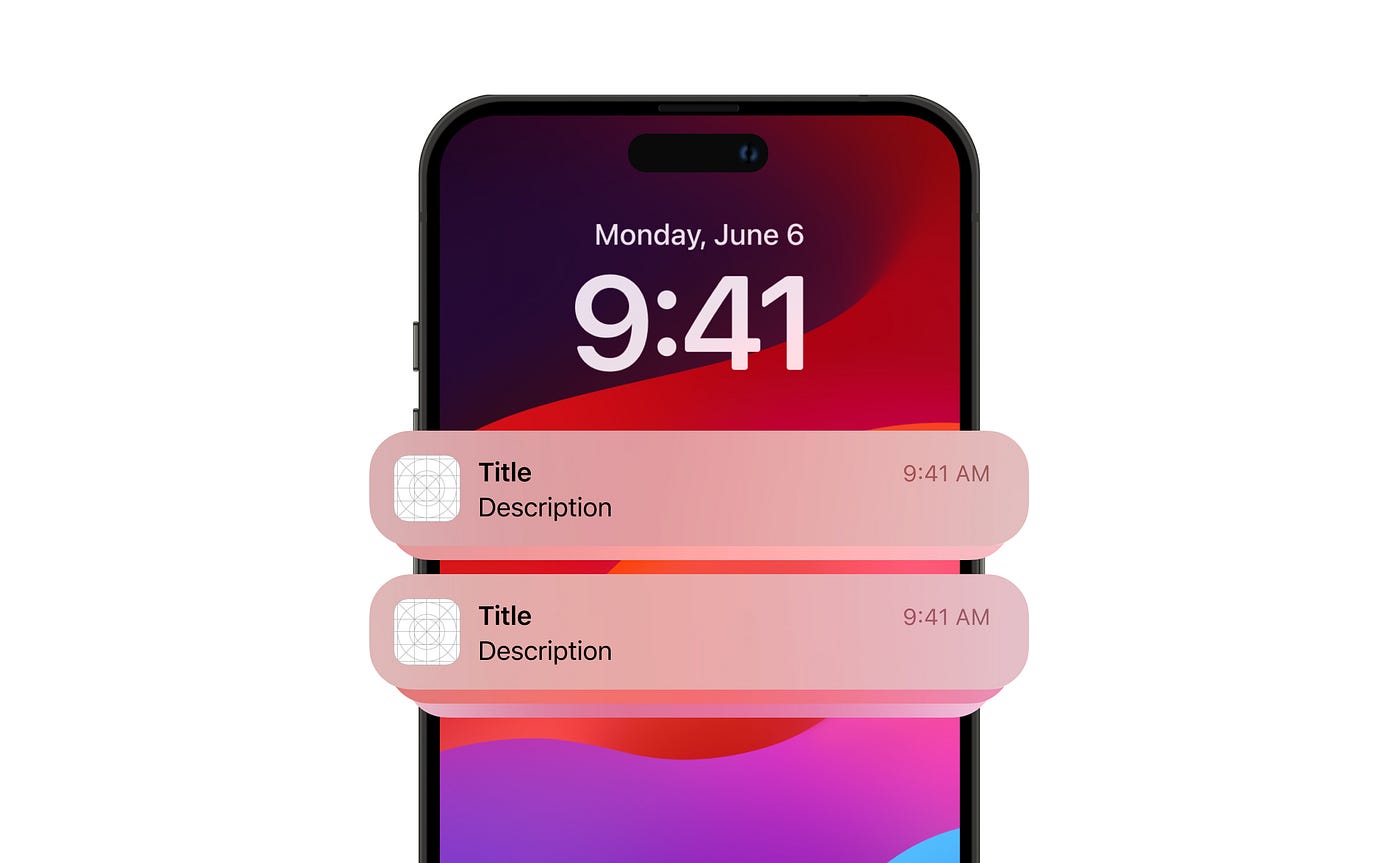
Demystifying Push Notifications: The Complete Guide
A comprehensive theoretical exploration of push notifications: how they work, the infrastructure behind them, why mobile devices handle them so well, the services involved, and the fascinating journey from simple alerts to the sophisticated notification systems we use today.
Every day, billions of push notifications travel across the planet. A message from a friend. A breaking news alert. A reminder about an abandoned shopping cart. A security code for two-factor authentication. These small rectangles of information have become so ubiquitous that we rarely stop to consider the remarkable engineering that makes them possible.
When you receive a notification on your phone, what actually happens? How does a server on the other side of the world know how to reach your specific device? Why do notifications arrive even when apps are closed? How do mobile operating systems manage to receive messages for hundreds of apps without draining the battery in minutes? What infrastructure exists between the moment a company decides to send you a notification and the moment your phone buzzes?
The answers to these questions reveal one of the most sophisticated pieces of infrastructure in modern computing—a global system of persistent connections, message queues, device registries, and carefully optimized protocols that work together to deliver billions of messages daily with remarkable reliability.
This article is a deep theoretical exploration of push notifications. We will trace their history from simple polling mechanisms to today’s sophisticated real-time systems. We will examine the architecture that makes them work, understand why mobile devices handle them so efficiently, compare the major services that power them, and look at where this technology is heading. No code. Just the mental models you need to truly understand how push notifications work.
The Evolution of Instant Communication
Before we can appreciate push notifications, we must understand what came before them and why the transition was necessary. The story of push notifications is really the story of the internet’s evolution from a pull-based to a push-based communication model.
The Early Internet: You Had to Ask
In the early days of the internet, all communication was pull-based. If you wanted to know if you had email, you opened your email client and it checked the server. If you wanted news, you visited a news website. If you wanted to know if your friend was online, you logged into a chat service. The user always initiated the communication.
This model worked reasonably well when people accessed the internet from desktop computers for defined periods. You would sit down, check your email, browse some websites, and disconnect. The internet was something you visited, not something that was always with you.
sequenceDiagram
    participant U as User
    participant C as Client App
    participant S as Server

    Note over U,S: Pull-Based Model (1990s)

    U->>C: "Do I have new mail?"
    C->>S: Check for new messages
    S-->>C: Here are your messages
    C-->>U: Display messages

    Note over U,S: User must explicitly ask
    Note over U,S: No updates between checks
    Note over U,S: Server is passive
The Problem with Polling
As internet usage grew and applications became more interactive, developers needed ways to show users updates in real-time. The first solution was polling—having the client application repeatedly ask the server if anything new had happened.
Polling is conceptually simple. Every few seconds (or minutes), the client sends a request to the server: “Anything new?” The server responds with either new data or an indication that nothing has changed. If you set the polling interval short enough, updates appear nearly instantaneous.
But polling has fundamental problems that become severe at scale.
Wasted Resources
In most applications, most polling requests return nothing. If you check for new messages every 5 seconds but only receive a message every few hours, 99.9% of your requests are wasted. Each request consumes bandwidth, server processing, and battery power—all for no useful information.
Latency vs. Efficiency Tradeoff
If you poll every 30 seconds, updates can be delayed by up to 30 seconds. If you poll every second, updates are fast but you are making 1,800 requests per hour per user. There is no good solution—either updates are slow or resources are wasted.
Battery Drain
For mobile devices, polling is devastating. Each network request requires waking the radio, which consumes significant power. A phone polling multiple servers for multiple apps would drain its battery in hours.
flowchart TB
    subgraph Polling["Polling Model Problems"]
        direction TB

        subgraph Waste["Resource Waste"]
            R1[Request 1: No data]
            R2[Request 2: No data]
            R3[Request 3: No data]
            R4[Request 4: No data]
            R5[Request 5: NEW DATA!]
            R6[Request 6: No data]
        end

        subgraph Battery["Battery Impact"]
            Wake[Wake Radio] --> Send[Send Request]
            Send --> Wait[Wait Response]
            Wait --> Process[Process Response]
            Process --> Sleep[Sleep Radio]
            Sleep --> Wake
        end

        subgraph Scale["Scale Problem"]
            U1[User 1: 720 req/hour]
            U2[User 2: 720 req/hour]
            U3[User 3: 720 req/hour]
            UN[User N: 720 req/hour]

            U1 & U2 & U3 & UN --> Server[Server Overwhelmed]
        end
    end
Long Polling: A Better Approach
Long polling emerged as an improvement. Instead of the server immediately responding “no new data,” it holds the connection open until new data arrives or a timeout occurs. When data arrives, it is sent immediately. When the timeout occurs, the client reconnects.
This dramatically reduces the number of requests while improving latency. New data arrives as soon as it exists, not at the next polling interval. Server load decreases because most connections sit idle waiting for data rather than processing empty requests.
sequenceDiagram
    participant C as Client
    participant S as Server

    Note over C,S: Long Polling Model

    C->>S: Any new data? (Connection stays open)
    Note over S: Server waits...
    Note over S: ...and waits...
    Note over S: Data arrives!
    S-->>C: Here's your new data!

    C->>S: Any new data? (New connection)
    Note over S: Timeout after 30 seconds
    S-->>C: No new data (timeout)

    C->>S: Any new data? (Reconnect immediately)
Long polling was better, but still imperfect. Each user requires a dedicated server connection. Connections can drop and require reconnection. Mobile devices still needed to maintain network activity. It was a bridge technology, not a final solution.
WebSockets: True Bidirectional Communication
WebSockets, standardized in 2011, provided true bidirectional communication. After an initial HTTP handshake, the connection upgrades to a persistent socket where both client and server can send messages at any time without the overhead of HTTP headers.
For web applications, WebSockets revolutionized real-time communication. Chat applications, collaborative tools, live dashboards—all became possible with efficient, low-latency bidirectional messaging.
But WebSockets still require the client to maintain an active connection. For a browser tab, this is fine. For a mobile app, it is problematic. An app cannot maintain a WebSocket connection when it is not running, and keeping connections alive in the background drains battery and consumes data.
flowchart LR
    subgraph Evolution["Evolution of Real-Time Communication"]
        direction LR

        P[Polling<br/>1990s] --> LP[Long Polling<br/>2000s]
        LP --> WS[WebSockets<br/>2011]
        WS --> Push[Push Notifications<br/>2009+]
    end

    subgraph Characteristics["Key Characteristics"]
        direction TB

        PC[Polling:<br/>Simple but wasteful]
        LPC[Long Polling:<br/>Better but still overhead]
        WSC[WebSockets:<br/>Efficient but needs<br/>active connection]
        PushC[Push:<br/>Works when app<br/>is closed]
    end
The Mobile Revolution Changes Everything
The introduction of the iPhone in 2007 and the App Store in 2008 fundamentally changed computing. Suddenly, people carried internet-connected computers everywhere. Apps needed to notify users about events even when the app was not open.
But mobile devices faced unique constraints. Battery life is precious. Cellular data has costs. Memory and processing power are limited. Running background processes for every installed app would make phones unusable.
The solution required a paradigm shift: instead of each app maintaining its own connection to its server, the operating system would maintain a single connection to a centralized service, and that service would relay messages to the appropriate apps.
This was the birth of modern push notifications.
How Push Notifications Actually Work
Push notifications seem simple from the user’s perspective—a message appears on the screen. But behind that simple experience is a sophisticated system involving multiple parties, persistent connections, cryptographic tokens, and carefully designed protocols.
The Core Architecture
Understanding push notifications requires understanding the key players and their relationships.
The Application Server
This is the backend system that decides when to send notifications and what they should contain. It might be a social media platform deciding to notify you about a new message, an e-commerce site reminding you about an abandoned cart, or a news organization alerting you about breaking news.
The application server does not communicate directly with user devices. It cannot—there are too many devices, they are frequently offline, their network addresses change constantly, and establishing direct connections would be impractical.
The Push Service
The push service is the intermediary that makes everything work. Apple runs Apple Push Notification Service (APNs) for iOS devices. Google runs Firebase Cloud Messaging (FCM) for Android devices. Microsoft runs Windows Push Notification Services (WNS) for Windows devices. Mozilla and others provide push services for web browsers.
These services maintain persistent connections to billions of devices worldwide. They accept messages from application servers and route them to the correct devices. They handle the complexity of device connectivity, message queuing, and delivery confirmation.
The Client Application
This is the app installed on the user’s device. It registers with the push service to receive a unique token, shares that token with the application server, and handles incoming notifications when they arrive.
The Operating System
The operating system is the unsung hero. It maintains the persistent connection to the push service, receives incoming messages, routes them to the correct application, and displays notifications to the user. It does this while aggressively optimizing for battery life.
flowchart TB
    subgraph YourBackend["Your Application Server"]
        Logic[Business Logic]
        Queue[Notification Queue]
        Logic --> Queue
    end

    subgraph PushProvider["Push Service Provider"]
        direction TB
        API[Push API]
        Router[Message Router]
        Connections[Device Connections]
        Storage[Message Storage]

        API --> Router
        Router --> Connections
        Router --> Storage
    end

    subgraph Device["User's Device"]
        direction TB
        OS[Operating System]
        PushClient[Push Client]
        YourApp[Your App]
        Notification[Notification Display]

        PushClient --> OS
        OS --> YourApp
        OS --> Notification
    end

    Queue -->|HTTPS Request| API
    Connections <-->|Persistent Connection| PushClient

    style PushProvider fill:#e1f5fe
    style Device fill:#e8f5e9
The Registration Flow
Before any notifications can be sent, devices must register with the push service. This registration process establishes the connection that will be used for future notifications.
When a user installs your app and opens it, the app asks the operating system for a push notification token. The operating system, which already has a connection to the push service, requests a unique token for this app on this device. The push service generates this token and returns it through the operating system to your app.
Your app then sends this token to your application server. Your server stores the token, associating it with the user’s account. Now, whenever you want to send a notification to this user, you can use this token to identify their device.
sequenceDiagram
    participant App as Your App
    participant OS as Operating System
    participant Push as Push Service
    participant Server as Your Server

    Note over App,Server: Device Registration Flow

    App->>OS: Request push permission
    OS-->>App: User grants permission

    App->>OS: Request push token
    OS->>Push: Generate token for this app/device
    Push-->>OS: Here's the unique token
    OS-->>App: Token: "abc123xyz..."

    App->>Server: Register token for user
    Server->>Server: Store: User ID → Token
    Server-->>App: Registration confirmed

    Note over Server: Server now knows how to<br/>reach this user's device
The Token: Your Device’s Address
The push token is a crucial piece of the puzzle. It is a unique identifier that tells the push service exactly which device should receive a message. But it is not a simple device ID—it is a carefully designed construct with important properties.
Uniqueness: Each token uniquely identifies a specific app on a specific device. If you install the same app on two phones, each gets a different token. If you install two different apps on the same phone, each gets a different token.
Opacity: The token’s internal structure is not meant to be parsed by your application. It is a blob of data that only the push service understands.
Expiration: Tokens can expire or become invalid. When a user uninstalls an app, reinstalls the operating system, or gets a new device, old tokens stop working. Your server must handle token invalidation gracefully.
Privacy: The token does not reveal the user’s phone number, email, or identity. It only allows sending notifications to that specific app installation.
flowchart TB
    subgraph TokenCharacteristics["Push Token Properties"]
        direction TB

        subgraph Identity["Unique Identity"]
            D1[Device 1 + App A] --> T1[Token: abc123]
            D1a[Device 1 + App B] --> T2[Token: def456]
            D2[Device 2 + App A] --> T3[Token: ghi789]
        end

        subgraph Lifecycle["Token Lifecycle"]
            Created[Token Created] --> Valid[Token Valid]
            Valid --> Used[Token Used for Notifications]
            Used --> Invalid[Token Invalidated]

            Invalid --> R1[App Uninstalled]
            Invalid --> R2[OS Reinstalled]
            Invalid --> R3[Token Expired]
            Invalid --> R4[New Device]
        end
    end
Sending a Notification
When your application server decides to send a notification, it constructs a message containing the content to display and the target token, then sends this to the push service via HTTPS.
The push service receives the message, validates your credentials (proving you are authorized to send notifications for this app), and looks up the token in its database. If the device is currently connected, the notification is delivered immediately through the persistent connection. If the device is offline, the message is queued for later delivery.
When the device comes online (or wakes up for periodic check-ins), it receives the queued notifications. The operating system delivers them to the appropriate apps and displays them to the user.
sequenceDiagram
    participant Server as Your Server
    participant Push as Push Service
    participant Device as User's Device
    participant OS as Operating System
    participant App as Your App

    Note over Server,App: Notification Delivery Flow

    Server->>Push: Send notification<br/>Token: abc123<br/>Message: "New message!"

    Push->>Push: Validate credentials
    Push->>Push: Look up token abc123

    alt Device Online
        Push->>Device: Deliver via persistent connection
        Device->>OS: Incoming notification
        OS->>App: Wake app (optional)
        OS->>OS: Display notification
    else Device Offline
        Push->>Push: Queue message
        Note over Push: Wait for device...
        Device->>Push: Device comes online
        Push->>Device: Deliver queued messages
        Device->>OS: Incoming notifications
        OS->>OS: Display notifications
    end
The Persistent Connection
The persistent connection between devices and push services is the heart of the system. Understanding how it works explains why push notifications are so efficient.
Mobile operating systems maintain a single, shared connection to the push service. This connection uses a protocol optimized for mobile networks—typically MQTT or a proprietary protocol with similar characteristics. The connection is designed to:
Minimize Data Usage: The connection sends tiny “heartbeat” packets periodically to stay alive, but these are measured in bytes, not kilobytes.
Survive Network Changes: When you switch from WiFi to cellular or move between cell towers, the connection can recover without full re-establishment.
Wake Efficiently: Mobile radios can remain in low-power states while the connection persists. The operating system and cellular modem coordinate to wake only when data actually arrives.
Multiplex Apps: A single connection serves all apps on the device. One hundred installed apps do not require one hundred connections—they share one.
flowchart TB
    subgraph Device["Mobile Device"]
        direction TB

        App1[App 1]
        App2[App 2]
        App3[App 3]
        AppN[App N]

        OSLayer[Operating System Push Client]

        App1 & App2 & App3 & AppN --> OSLayer
    end

    subgraph Connection["Single Shared Connection"]
        Pipe[Persistent Connection<br/>Optimized Protocol<br/>Heartbeats: ~20 bytes/min]
    end

    subgraph PushService["Push Service"]
        Gateway[Connection Gateway]
        Router[Message Router]

        Gateway --> Router
    end

    OSLayer <--> Pipe
    Pipe <--> Gateway

    Note1[Without shared connection:<br/>100 apps = 100 connections<br/>= Battery death]

    Note2[With shared connection:<br/>100 apps = 1 connection<br/>= Efficient]

    style Connection fill:#fff3e0
Why Mobile Devices Handle Push Notifications So Well
One of the most remarkable aspects of push notifications is how well mobile devices handle them. Your phone can receive notifications from hundreds of apps instantly while lasting all day on a single charge. This is not accidental—it is the result of deep integration between hardware, operating system, and cellular networks.
The Radio Power Challenge
Mobile radios are power-hungry. Transmitting and receiving data requires significant energy. But the relationship between radio activity and power consumption is not linear—it is stepped.
Mobile radios operate in several power states. In high-power states, they can transmit and receive at full speed. In low-power states, they consume minimal energy but cannot send or receive data. Transitioning between states takes time and energy.
The key insight is that it is often more efficient to batch small communications together than to send them individually. Each communication requires transitioning to a high-power state, so fewer transitions mean less power consumed.
stateDiagram-v2
    [*] --> Idle: Device sleeping

    Idle --> RRC_Idle: Network check needed
    RRC_Idle --> RRC_Connected: Data to send/receive
    RRC_Connected --> RRC_Idle: Inactivity timer (5-10s)
    RRC_Idle --> Idle: Longer inactivity (seconds)

    note right of Idle
        Power: ~0.5mW
        No data possible
    end note

    note right of RRC_Idle
        Power: ~50mW
        Can receive paging
    end note

    note right of RRC_Connected
        Power: ~500mW
        Full data transfer
    end note
How Push Notifications Minimize Radio Usage
Push notification systems are designed specifically to minimize radio state transitions. Here is how:
Batching at the Network Level: Cellular networks aggregate multiple push notifications destined for the same device and deliver them together. Instead of five separate wakeups for five notifications, the device wakes once and receives all five.
Heartbeat Optimization: The persistent connection needs periodic heartbeats to stay alive, but these are timed carefully. Operating systems negotiate heartbeat intervals with push services and cellular networks to minimize wakeups while keeping connections alive.
Carrier Collaboration: Apple and Google work with cellular carriers to optimize push delivery. Carriers can hold notifications briefly to batch them with other traffic, reducing the number of times the radio must wake.
Priority Levels: Not all notifications are equally urgent. Push services support priority levels—high-priority notifications wake the device immediately, while lower-priority ones can be delayed until the device is already awake for other reasons.
flowchart TB
    subgraph Inefficient["Without Optimization"]
        direction LR
        N1a[Notif 1] --> W1[Wake]
        N2a[Notif 2] --> W2[Wake]
        N3a[Notif 3] --> W3[Wake]
        N4a[Notif 4] --> W4[Wake]

        W1 & W2 & W3 & W4 --> Bad[4 Radio Wakeups<br/>High Battery Drain]
    end

    subgraph Efficient["With Batching"]
        direction LR
        N1b[Notif 1]
        N2b[Notif 2]
        N3b[Notif 3]
        N4b[Notif 4]

        N1b & N2b & N3b & N4b --> Batch[Batch Together]
        Batch --> W5[Single Wake]
        W5 --> Good[1 Radio Wakeup<br/>Low Battery Drain]
    end
Operating System Integration
The operating system plays a crucial role in efficient notification handling. Both iOS and Android have deeply integrated push notification support at the system level.
Single Connection Manager: The operating system, not individual apps, manages the connection to push services. This ensures proper batching and prevents apps from establishing redundant connections.
Wake Lock Management: When a notification arrives, the OS wakes only the minimum necessary components. The screen might remain off while the notification is processed and queued for display.
Process Lifecycle: Apps do not need to run continuously to receive notifications. The OS maintains the connection and can briefly wake an app to process a notification before putting it back to sleep.
Notification Coalescing: Multiple notifications for the same app can be combined or managed together, reducing the visual and cognitive load on the user.
flowchart TB
    subgraph OSIntegration["Operating System Push Integration"]
        direction TB

        subgraph Kernel["Kernel Level"]
            Radio[Radio Driver]
            Power[Power Manager]
            Wake[Wake Lock System]
        end

        subgraph System["System Level"]
            PushDaemon[Push Daemon]
            NotifManager[Notification Manager]
            AppManager[App Process Manager]
        end

        subgraph Apps["App Level"]
            App1[App 1<br/>Not Running]
            App2[App 2<br/>Not Running]
            App3[App 3<br/>Not Running]
        end

        Radio --> PushDaemon
        PushDaemon --> Power
        Power --> Wake
        PushDaemon --> NotifManager
        NotifManager --> AppManager
        AppManager --> App1 & App2 & App3
    end

    Note[Apps don't need to run<br/>OS handles everything]
The Doze Mode Innovation
Android introduced Doze mode to further optimize battery life. When the device is stationary and unused for extended periods, it enters increasingly aggressive power-saving states.
In Doze mode, network access is restricted to periodic “maintenance windows.” Notifications are batched and delivered during these windows rather than immediately. This can delay non-urgent notifications by minutes or even hours when the device is deeply idle.
High-priority notifications can bypass Doze mode, ensuring truly urgent messages still arrive immediately. But the default behavior prioritizes battery life over instant delivery.
stateDiagram-v2
    [*] --> Active: Device in use

    Active --> Idle: Screen off, stationary
    Idle --> LightDoze: 30+ minutes
    LightDoze --> DeepDoze: Hours unused

    note right of Active
        All notifications immediate
    end note

    note right of LightDoze
        Maintenance every 15 min
        Notifications batched
    end note

    note right of DeepDoze
        Maintenance every 1-2 hours
        Only high-priority bypasses
    end note

    LightDoze --> Active: Device used
    DeepDoze --> Active: Device used
iOS Background App Refresh
iOS takes a different approach with Background App Refresh. Instead of scheduled maintenance windows, iOS learns when users typically use each app and schedules background activity accordingly.
If you usually check a news app in the morning, iOS might refresh it in the early morning so content is ready when you open it. If you rarely use an app, iOS deprioritizes its background activity.
Push notifications interact with this system—a notification can trigger immediate background app execution, but the system limits how much work apps can do to protect battery life.
The Major Push Notification Services
Understanding the major push services—their architectures, capabilities, and constraints—is essential for anyone working with push notifications. While the concepts are similar, the implementations differ in important ways.
Apple Push Notification Service (APNs)
APNs was introduced with iOS 3.0 in 2009, making it one of the first modern push notification services. It remains the only way to send push notifications to iOS devices.
Architecture
APNs operates through Apple’s global data center network. Application servers connect to APNs via HTTP/2, which allows efficient multiplexing of many notifications over a single connection. Notifications are sent as JSON payloads with headers indicating the target device and delivery preferences.
Apple devices maintain persistent connections to APNs. On iOS, this connection is managed entirely by the operating system—apps cannot access it directly. The connection uses a binary protocol optimized for efficiency.
flowchart TB
    subgraph YourInfra["Your Infrastructure"]
        Server[Application Server]
    end

    subgraph Apple["Apple Infrastructure"]
        direction TB

        APNS_API[APNs HTTP/2 API]

        subgraph Clusters["Data Center Clusters"]
            DC1[US Data Center]
            DC2[EU Data Center]
            DC3[APAC Data Center]
        end

        APNS_API --> DC1 & DC2 & DC3
    end

    subgraph Devices["iOS Devices"]
        iPhone1[iPhone User A]
        iPhone2[iPhone User B]
        iPad1[iPad User C]
    end

    Server -->|HTTP/2 + JWT Auth| APNS_API
    DC1 & DC2 & DC3 <-->|Binary Protocol| iPhone1 & iPhone2 & iPad1
Authentication
APNs supports two authentication methods. Token-based authentication uses JSON Web Tokens (JWT) signed with keys you download from Apple. Certificate-based authentication uses TLS client certificates. Token-based is now preferred as tokens do not expire like certificates.
Delivery Semantics
APNs provides best-effort delivery. If a device is offline, APNs queues one notification per app. When the device reconnects, it receives the most recent notification, not all queued notifications. This is intentional—old notifications are often no longer relevant.
APNs also provides feedback about invalid tokens. When you send to a token that is no longer valid (the user uninstalled your app), APNs tells you so you can stop sending to that token.
Payload and Features
APNs payloads are JSON with a maximum size of 4KB. They can include alert text, badge numbers, sounds, and custom data for your app to process. Rich notifications can include images, videos, and interactive elements.
APNs supports:
- Silent notifications that wake your app without alerting the user
- Time-sensitive notifications that bypass focus modes
- Critical alerts for emergencies that override Do Not Disturb
- Location-based notifications triggered by geographic regions
Firebase Cloud Messaging (FCM)
FCM is Google’s push notification service, successor to Google Cloud Messaging (GCM). It handles Android devices and can also deliver to iOS (via APNs), web browsers, and other platforms.
Architecture
FCM’s architecture is more complex than APNs because it supports multiple platforms. Your server connects to FCM via HTTP or XMPP protocols. FCM then routes messages appropriately—directly to Android devices, through APNs for iOS, or to browser push services for web.
flowchart TB
    subgraph YourServer["Your Application Server"]
        Logic[Business Logic]
    end

    subgraph FCM["Firebase Cloud Messaging"]
        direction TB

        API[FCM API<br/>HTTP/XMPP]
        Router[Platform Router]

        AndroidGateway[Android Gateway]
        APNsBridge[APNs Bridge]
        WebPushBridge[Web Push Bridge]

        API --> Router
        Router --> AndroidGateway
        Router --> APNsBridge
        Router --> WebPushBridge
    end

    subgraph APNS["Apple APNs"]
        AppleServers[Apple Servers]
    end

    subgraph Devices["End Devices"]
        Android[Android Devices]
        iOS[iOS Devices]
        Browser[Web Browsers]
    end

    Logic -->|Send Notification| API
    AndroidGateway --> Android
    APNsBridge --> AppleServers --> iOS
    WebPushBridge --> Browser
Topics and Conditions
FCM offers powerful targeting capabilities beyond individual tokens. You can subscribe devices to topics and send notifications to all subscribers without knowing their individual tokens. You can also combine topics with conditions: “Send to users subscribed to ‘news’ AND ‘sports’ but NOT ‘politics’.”
Message Types
FCM distinguishes between notification messages and data messages. Notification messages are displayed automatically by the Android system when your app is in the background. Data messages are always delivered to your app’s code, giving you full control over presentation.
This distinction matters for app behavior. Notification messages are simpler but less flexible. Data messages require more work but offer complete control.
Priority Levels
FCM supports normal and high priority messages. High priority messages wake sleeping devices immediately. Normal priority messages may be delayed during Doze mode or battery saver states. Overusing high priority can lead to throttling.
Delivery Tracking
FCM provides analytics about message delivery through Firebase Console. You can see how many messages were sent, how many were delivered, and how many resulted in app opens. This visibility helps optimize notification strategies.
Web Push
Web push is a standards-based system that allows websites to send notifications to users even when the browser is closed. It works across Chrome, Firefox, Edge, Safari, and other modern browsers.
Architecture
Unlike mobile push, web push is an open standard with multiple implementations. Each browser vendor operates their own push service, but they all implement the same Web Push protocol.
flowchart TB
    subgraph YourServer["Your Application Server"]
        Logic[Notification Logic]
        VAPID[VAPID Keys]
    end

    subgraph PushServices["Push Services"]
        direction TB

        Google[Google Push Service<br/>Chrome]
        Mozilla[Mozilla Push Service<br/>Firefox]
        Microsoft[WNS<br/>Edge]
        Apple[Apple Push Service<br/>Safari]
    end

    subgraph Browsers["User Browsers"]
        Chrome[Chrome Browser]
        Firefox[Firefox Browser]
        Edge[Edge Browser]
        Safari[Safari Browser]
    end

    Logic -->|Web Push Protocol| Google
    Logic -->|Web Push Protocol| Mozilla
    Logic -->|Web Push Protocol| Microsoft
    Logic -->|Web Push Protocol| Apple

    Google --> Chrome
    Mozilla --> Firefox
    Microsoft --> Edge
    Apple --> Safari
VAPID Authentication
Web push uses Voluntary Application Server Identification (VAPID) for authentication. You generate a key pair and include your public key when users subscribe to push. When sending notifications, you sign them with your private key. This proves the notification came from you without requiring registration with each browser vendor.
Encryption
All web push payloads are encrypted end-to-end. When a user subscribes, you receive their public key. You encrypt the notification payload so only their browser can decrypt it. Even the push service cannot read the content.
Limitations
Web push has significant limitations compared to mobile push. Users must explicitly subscribe (no silent registration). Browsers must be running (at least in the background) to receive notifications. Payload sizes are limited to 4KB. And the user experience varies significantly across browsers and platforms.
Comparison Summary
flowchart TB
    subgraph Comparison["Push Service Comparison"]
        direction TB

        subgraph APNs["Apple APNs"]
            A1[iOS/macOS/watchOS only]
            A2[HTTP/2 API]
            A3[4KB payload]
            A4[Certificate or JWT auth]
            A5[Best-effort delivery]
            A6[Rich notification support]
        end

        subgraph FCMBox["Firebase Cloud Messaging"]
            F1[Android + iOS + Web]
            F2[HTTP or XMPP API]
            F3[4KB payload]
            F4[Server key auth]
            F5[Topics and conditions]
            F6[Detailed analytics]
        end

        subgraph WebPush["Web Push"]
            W1[All modern browsers]
            W2[Standard Web Push Protocol]
            W3[4KB payload]
            W4[VAPID auth]
            W5[End-to-end encryption]
            W6[Requires browser running]
        end
    end
The Infrastructure Behind Push Services
Push notification services operate one of the largest real-time messaging systems on the planet. Understanding their internal architecture reveals the engineering challenges they solve.
Global Distribution
Push services must be globally distributed. A device in Tokyo should connect to nearby servers, not servers in California. Latency matters for real-time notifications, and forcing traffic to cross oceans would degrade performance.
Both Apple and Google operate data centers worldwide. Devices connect to the geographically nearest data center. These data centers synchronize to ensure messages reach their destination regardless of where they are sent or received.
flowchart TB
    subgraph Global["Global Push Infrastructure"]
        direction TB

        subgraph NorthAmerica["North America"]
            NA1[US-East DC]
            NA2[US-West DC]
        end

        subgraph Europe["Europe"]
            EU1[EU-West DC]
            EU2[EU-Central DC]
        end

        subgraph Asia["Asia Pacific"]
            AP1[Singapore DC]
            AP2[Tokyo DC]
            AP3[Sydney DC]
        end

        NA1 <--> NA2
        EU1 <--> EU2
        AP1 <--> AP2 <--> AP3

        NA1 & NA2 <--> EU1 & EU2
        EU1 & EU2 <--> AP1 & AP2 & AP3
    end

    Device1[Device in New York] --> NA1
    Device2[Device in London] --> EU1
    Device3[Device in Tokyo] --> AP2
Connection Management
Managing billions of persistent connections is extraordinarily challenging. Each connection consumes memory and requires periodic maintenance. At the scale of APNs or FCM, even small inefficiencies multiply into massive resource requirements.
Push services use connection multiplexing, connection pooling, and custom protocols to minimize per-connection overhead. Connections are distributed across thousands of servers, with load balancers routing devices to appropriate servers based on capacity and geographic proximity.
Token to Connection Mapping
When your server sends a notification with a token, the push service must determine which server currently holds the connection for that device. This requires a distributed mapping system that tracks:
- Which device corresponds to each token
- Which server each device is connected to
- Whether the device is currently online
This mapping must be updated in real-time as devices connect, disconnect, and move between servers. The system must be highly available—if the mapping service fails, no notifications can be delivered.
flowchart LR
    subgraph TokenRouting["Token to Connection Routing"]
        direction TB

        subgraph Send["1. Send Request"]
            Server[Your Server]
            API[Push API]
            Server -->|Token: abc123| API
        end

        subgraph Lookup["2. Token Lookup"]
            TokenDB[(Token Database)]
            API -->|Lookup abc123| TokenDB
            TokenDB -->|Device: xyz<br/>Server: Gateway-7| API
        end

        subgraph Route["3. Route to Server"]
            Gateway7[Gateway Server 7]
            API -->|Forward notification| Gateway7
        end

        subgraph Deliver["4. Deliver"]
            Device[Device xyz]
            Gateway7 -->|Push via connection| Device
        end
    end
Message Queuing
Devices are frequently offline. They might be in airplane mode, in areas with no coverage, or simply turned off. Push services must queue messages for later delivery.
But queuing creates challenges. How long should messages be kept? What happens when a device is offline for weeks? Should all messages be delivered or just the most recent?
Different services make different choices. APNs keeps only the most recent notification per app—if you send five notifications while a device is offline, only the last one is delivered. FCM can keep multiple messages but has storage limits and time-to-live settings.
stateDiagram-v2
    [*] --> Received: Notification arrives at push service

    Received --> CheckOnline: Check device status

    CheckOnline --> DeliverNow: Device online
    CheckOnline --> Queue: Device offline

    Queue --> Stored: Store in queue
    Stored --> CheckTTL: Periodic check

    CheckTTL --> StillValid: TTL not expired
    CheckTTL --> Expired: TTL expired

    Expired --> Discard: Remove from queue

    StillValid --> DeviceOnline: Device comes online
    DeviceOnline --> Deliver: Deliver queued messages

    DeliverNow --> Deliver
    Deliver --> [*]
    Discard --> [*]
Rate Limiting and Fairness
Push services implement rate limiting to prevent abuse and ensure fairness. If one application tries to send millions of notifications per second, it could overwhelm the infrastructure and impact all users.
Rate limits operate at multiple levels:
- Per-application limits (how many notifications your app can send per minute)
- Per-device limits (how many notifications can be delivered to one device)
- Per-token limits (preventing spam to a single user)
Push services also implement feedback mechanisms. If you consistently send to invalid tokens or if users frequently dismiss your notifications, your sending privileges may be reduced.
The Complete Notification Journey
Let us trace a notification from creation to display, understanding each step in the process.
sequenceDiagram
    participant Backend as Your Backend
    participant Queue as Message Queue
    participant Worker as Push Worker
    participant FCM as FCM/APNs
    participant CDN as Push Infrastructure
    participant Cell as Cell Tower
    participant Device as User Device
    participant OS as Device OS
    participant App as Your App
    participant UI as Notification UI

    Note over Backend,UI: Complete Push Notification Journey

    Backend->>Queue: Queue notification job
    Queue->>Worker: Job ready
    Worker->>Worker: Lookup user tokens
    Worker->>FCM: Send notification request

    FCM->>FCM: Authenticate sender
    FCM->>FCM: Validate token
    FCM->>FCM: Route to correct server

    FCM->>CDN: Forward to device region
    CDN->>Cell: Transmit to device
    Cell->>Device: Radio wakeup + data

    Device->>OS: Incoming push data
    OS->>OS: Decrypt and validate
    OS->>App: Deliver to app (optional)
    OS->>UI: Display notification

    Note over UI: User sees notification!
Step 1: Your Backend Decides to Notify
Something triggers a notification—a new message, a completed order, a security event. Your application logic determines who should be notified and what the notification should say.
For high-volume applications, notifications are typically queued rather than sent immediately. A message queue decouples the notification decision from the notification delivery, allowing your main application to continue without waiting for push delivery.
Step 2: Looking Up Tokens
Your push worker retrieves the device tokens for the target user. A user might have multiple tokens—one for their phone, one for their tablet, one for their work phone. Each token must receive the notification.
Token management is critical. You must track:
- Which tokens belong to which users
- When tokens were last known to be valid
- Platform information (iOS vs. Android) to format messages appropriately
Step 3: Sending to the Push Service
Your worker sends the notification to the appropriate push service. This involves:
- Authenticating with the push service
- Formatting the payload according to service requirements
- Setting delivery options (priority, expiration, collapse keys)
- Handling rate limits and retries
Step 4: Push Service Processing
The push service receives your request and:
- Validates your credentials
- Checks the token exists and is valid
- Determines which server holds the device connection
- Routes the message to that server
- If the device is offline, queues the message
Step 5: Delivery to Device
If the device is connected, the message travels:
- Through the push service’s internal network
- To the connection gateway server
- Over the persistent connection
- To the device’s cellular modem or WiFi radio
The cellular network coordinates with the device to wake it if necessary, using the radio resource control (RRC) state machine to minimize power consumption.
Step 6: Operating System Processing
The device’s operating system:
- Receives the encrypted payload
- Decrypts and validates it
- Determines which app should receive it
- Optionally wakes the app for processing
- Constructs the notification display
- Shows the notification to the user
Step 7: User Interaction
The user sees the notification and may:
- Tap to open the app
- Dismiss it
- Interact with action buttons
- Ignore it
Each interaction can trigger callbacks to your app, allowing you to track engagement and respond appropriately.
Push Notification Strategies and Patterns
Beyond the technical infrastructure, effective push notification usage requires thoughtful strategy. The same infrastructure that enables valuable notifications can also annoy users into disabling them entirely.
Permission and Trust
Users must grant permission for push notifications. This permission is precious—once denied, it is difficult to recover. Best practices include:
Delayed Permission Requests: Do not ask for permission immediately when users first open your app. Let them experience value first. Ask when they reach a point where notifications would clearly benefit them.
Explain the Value: Before requesting permission, explain what kinds of notifications you will send and why they matter. “Get instant alerts about messages from friends” is more compelling than a generic system permission dialog.
Respect the Decision: If users decline, do not repeatedly prompt them. They made a choice. Focus on delivering value through other means.
flowchart TB
    subgraph BestPractices["Permission Request Best Practices"]
        direction TB

        Install[User Installs App] --> Wait[Let User Experience Value]
        Wait --> Moment[Find Right Moment]
        Moment --> Explain[Explain Notification Value]
        Explain --> Ask[Request Permission]

        Ask --> Granted[Permission Granted]
        Ask --> Denied[Permission Denied]

        Granted --> Deliver[Deliver Valuable Notifications]
        Denied --> Respect[Respect Decision<br/>Don't Repeatedly Ask]
    end

    subgraph BadPractices["Common Mistakes"]
        direction TB

        B1[Ask immediately on install]
        B2[No explanation of value]
        B3[Repeatedly prompt after denial]
        B4[Send irrelevant notifications]
    end
Notification Frequency
More notifications is not better. Each notification costs user attention. Send too many and users disable them—or worse, uninstall your app.
Aggregate Where Possible: Instead of ten notifications for ten messages, send one notification summarizing them.
Time-Sensitive Only: Only interrupt users for truly time-sensitive information. A shipping notification when a package arrives is valuable. A reminder that you have not used the app in three days is not.
User Control: Let users customize what notifications they receive. Some want every update; others want only critical alerts.
Rich Notifications
Modern platforms support rich notifications with images, videos, action buttons, and interactive elements. Used well, these enhance the notification experience.
Images Add Context: A notification about a friend’s photo is better with a thumbnail of the photo.
Actions Save Steps: “Reply” and “Like” buttons on a message notification let users respond without opening the app.
Live Activities: On iOS, live activities can display ongoing events directly on the lock screen, updated in real-time.
flowchart TB
    subgraph NotificationTypes["Notification Richness"]
        direction LR

        subgraph Basic["Basic Notification"]
            BTitle[Title: New Message]
            BBody[Body: John sent you a photo]
        end

        subgraph Rich["Rich Notification"]
            RTitle[Title: New Message]
            RBody[Body: John sent you a photo]
            RImage[Image: Thumbnail preview]
            RActions[Actions: Reply | Like]
        end

        subgraph Live["Live Activity"]
            LTitle[Ongoing: Food Delivery]
            LBody[Driver 5 min away]
            LMap[Live Map]
            LUpdate[Updates in real-time]
        end
    end
Silent Notifications
Silent notifications wake your app without alerting the user. They are useful for:
Background Updates: Sync data before users open the app so content is ready.
Token Refresh: Check if push tokens need updating.
Content Preparation: Download content referenced in upcoming notifications.
But silent notifications have limits. Operating systems restrict how often apps can be woken silently and how much work they can do. Abuse leads to throttling.
Alternative Approaches and Complementary Technologies
Push notifications are not the only way to deliver real-time information. Understanding alternatives helps you choose the right approach for each use case.
WebSockets for Active Sessions
When users are actively using your application, WebSockets often make more sense than push notifications. WebSockets provide:
- Lower latency (no intermediate push service)
- Full bidirectional communication
- More data per message
- Direct connection to your servers
Push notifications complement WebSockets by reaching users when they are not actively using your app.
flowchart TB
    subgraph Combined["Combined Approach"]
        direction TB

        subgraph Active["User Active in App"]
            WS[WebSocket Connection]
            WS --> Instant[Instant Updates]
            WS --> Bidirectional[Bidirectional Chat]
            WS --> Rich[Rich Data Sync]
        end

        subgraph Inactive["User Not in App"]
            Push[Push Notification]
            Push --> Alert[Alert User]
            Push --> Summary[Summary Info]
            Push --> DeepLink[Deep Link to Content]
        end

        Active -->|App Closed| Inactive
        Inactive -->|App Opened| Active
    end
Server-Sent Events (SSE)
Server-Sent Events provide one-way streaming from server to client. They are simpler than WebSockets but only support server-to-client communication. SSE is useful for live dashboards, news feeds, or any scenario where the server broadcasts to clients.
SMS for Critical Communications
For truly critical notifications—password resets, two-factor authentication, emergency alerts—SMS remains valuable. SMS reaches phones without internet connectivity, works on feature phones, and has near-universal delivery rates.
The tradeoff is cost (SMS has per-message charges) and limited formatting (text only, character limits).
Email for Non-Urgent Updates
Email remains appropriate for notifications that are not time-sensitive. Weekly digests, monthly reports, and transactional confirmations work well as email. Users can read them when convenient without the interruption of push notifications.
The Future of Push Notifications
Push notification technology continues to evolve. Several trends are shaping its future.
Increased Intelligence
Operating systems are becoming smarter about notification delivery. iOS and Android both use machine learning to:
- Predict when users want to be interrupted
- Group and summarize notifications
- Suggest notification settings based on behavior
- Filter spam and low-value notifications
This intelligence reduces the burden on users while ensuring important notifications still arrive.
Richer Experiences
Notifications are becoming more capable. Live Activities on iOS show real-time updating content on the lock screen. Android’s ongoing notifications serve similar purposes. The line between notifications and widgets is blurring.
Future notifications might include:
- Interactive mini-apps within notifications
- Augmented reality overlays
- Voice-activated responses
- Integration with smart home devices
Privacy Enhancements
Privacy concerns are driving changes in notification infrastructure. Techniques like:
- End-to-end encryption (already used in web push)
- Privacy-preserving token systems
- On-device notification filtering
- Reduced tracking in delivery systems
These changes protect user privacy while maintaining notification functionality.
Cross-Platform Unification
Managing notifications across phones, tablets, computers, watches, and other devices is challenging. Users want notifications to follow them intelligently—appearing on whichever device they are using, not all devices simultaneously.
Platforms are developing systems to coordinate notification delivery across device types, reducing duplicate alerts while ensuring users receive important messages.
flowchart TB
    subgraph Future["Future Notification Trends"]
        direction TB

        subgraph Intelligence["AI/ML Intelligence"]
            I1[Predict best delivery time]
            I2[Smart summarization]
            I3[Relevance filtering]
            I4[Behavior-based settings]
        end

        subgraph Experience["Richer Experiences"]
            E1[Interactive mini-apps]
            E2[Real-time updating content]
            E3[AR/VR notifications]
            E4[Voice interaction]
        end

        subgraph Privacy["Privacy Enhancement"]
            P1[End-to-end encryption]
            P2[On-device processing]
            P3[Reduced tracking]
            P4[User-controlled data]
        end

        subgraph CrossPlatform["Cross-Platform"]
            C1[Follow user between devices]
            C2[Deduplicate intelligently]
            C3[Context-aware delivery]
            C4[Unified settings]
        end
    end
Common Challenges and Solutions
Working with push notifications involves navigating several common challenges.
Token Management
Tokens change. Users reinstall apps, get new phones, or revoke permissions. Your system must:
Detect Invalid Tokens: Push services report when tokens are no longer valid. Listen for these responses and remove dead tokens from your database.
Handle Token Refresh: When tokens change, apps receive new tokens. Ensure your app sends updated tokens to your server promptly.
Avoid Duplicate Sends: The same user might have multiple valid tokens (multiple devices). Decide whether to send to all devices or implement logic to choose.
Delivery Reliability
Push notifications offer best-effort delivery, not guaranteed delivery. For critical communications:
Implement Fallbacks: If push fails, try email or SMS.
Track Delivery: Monitor delivery rates and investigate anomalies.
Handle Edge Cases: What happens if the notification arrives after it is relevant? Design your app to handle stale notifications gracefully.
Rate Limiting
Push services impose rate limits. Exceeding them degrades delivery for all your notifications. Strategies include:
Batch Requests: Aggregate multiple tokens into single API calls where supported.
Queue and Throttle: Do not send all notifications simultaneously. Spread them over time.
Prioritize: When hitting limits, ensure high-priority notifications are sent first.
Testing
Push notifications are hard to test. The chain from server to device involves many components outside your control. Consider:
Local Testing Tools: Firebase provides local testing tools. Apple’s Xcode includes push notification simulation.
Staging Environments: Maintain separate push credentials for development and production.
Real Device Testing: Simulators do not fully replicate push behavior. Test on real devices.
Conclusion
Push notifications are a remarkable piece of modern computing infrastructure. They represent a successful solution to a hard problem: how do you instantly reach billions of devices, distributed across the planet, many of which are offline or power-constrained, without draining batteries or overwhelming networks?
The answer involves persistent connections managed by operating systems, not apps. It requires global infrastructure operated by platform vendors. It demands careful protocol design that minimizes radio usage while maximizing delivery speed. And it depends on deep integration between software and hardware, from cellular modems to notification UI.
Understanding this infrastructure transforms how you think about push notifications. They are not simple messages sent to phones. They are messages that travel through a sophisticated system of queues, routers, persistent connections, and optimized protocols before finally appearing on a user’s screen.
For developers, this understanding leads to better implementations. You know why token management matters, why delivery is not guaranteed, and why rate limits exist. You understand the constraints you are working within and can design accordingly.
For architects, this understanding informs technology choices. You know when push notifications are the right solution and when alternatives like WebSockets or polling are more appropriate. You can evaluate push services based on their actual capabilities rather than marketing claims.
For everyone, this understanding demystifies a technology we use every day. The next time your phone buzzes with a notification, you will know the remarkable journey that message took to reach you—and appreciate the engineering that made it possible.
Push notifications exemplify a pattern we see throughout technology: simple experiences powered by complex systems. The user sees a message appear. Behind that simple moment is a global infrastructure of connections, protocols, and algorithms, all working together to deliver information instantly across any distance.
That is the magic of push notifications. And now you understand how the magic works.
Related articles
By relevance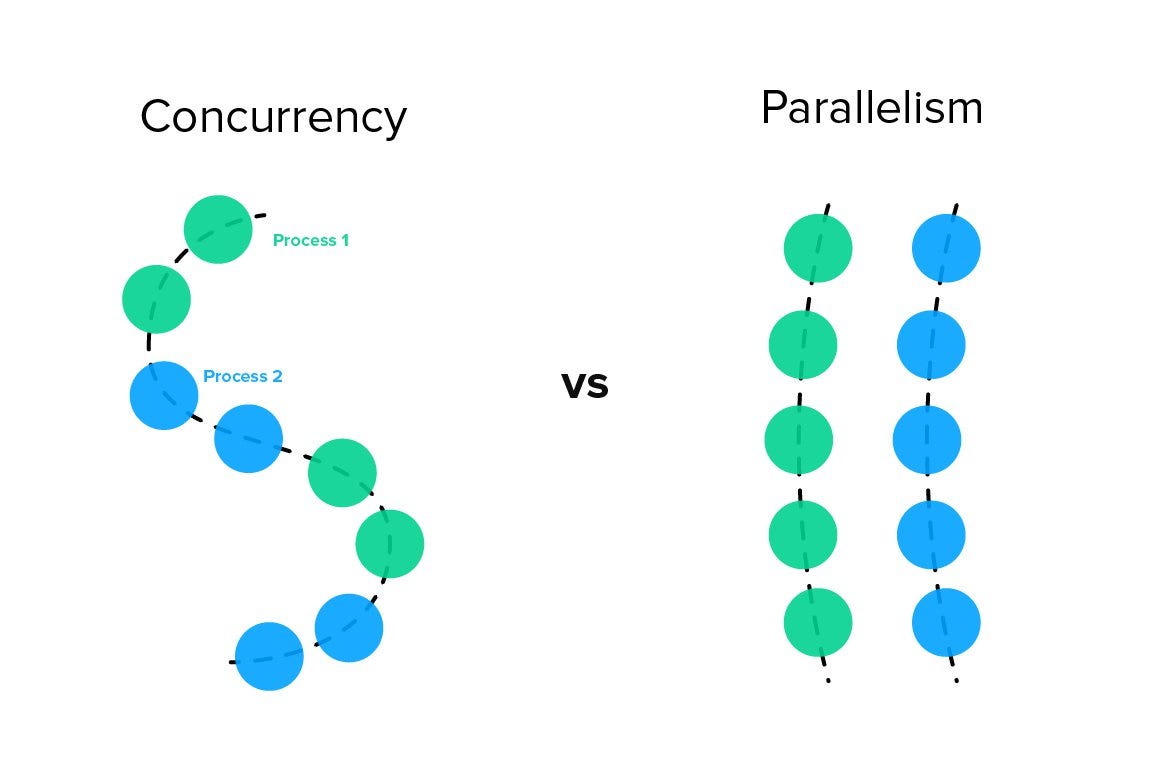
Concurrency vs Parallelism: Understanding the Paradigm That Powers Modern Software
A deep exploration of concurrent and parallel programming: what they are, how they differ, common pitfalls, real-time considerations, and the mental models needed to build robust modern systems.
gRPC: The Complete Guide to Modern Service Communication
A comprehensive theoretical exploration of gRPC: what it is, how it works, when to use it, when to avoid it, its history, architecture, and why it has become the backbone of modern distributed systems.

Go Architecture for Massive Scale: Microservices, Events, and Distributed Systems
Design systems processing millions of events daily. Learn microservice architecture, event-driven patterns, distributed tracing, circuit breakers, and the architectural decisions that separate prototype code from production infrastructure.

Organizational Health Through Architecture: Building Alignment, Trust & Healthy Culture
Learn how architecture decisions shape organizational culture, health, and alignment. Discover how to use architecture as a tool for building trust, preventing silos, enabling transparency, and creating sustainable organizational growth.