
Flutter: The Platform that Unifies Enterprise Mobile Development
A comprehensive guide to Flutter explained in human language: what it is, how it works, why it reduces costs, how to scale, and why it should be part of your enterprise stack.
Imagine you need to build a house on two different plots of land: one in the city and one at the beach. The traditional way would be to hire two completely different construction teams, each with their own tools, materials, and working methods. You end up with two houses that look different, cost double, and when you need to make a repair, you have to do it twice.
Now imagine there’s a technology that allows you to build once, but that construction works perfectly on both plots, adapts to the characteristics of each location, and when you make a change, it automatically applies to both locations. This is essentially what Flutter does for mobile application development.
Flutter isn’t simply “another tool to make apps.” It’s a fundamental shift in how we think about mobile development in enterprises. And when I say “fundamental,” I’m not exaggerating. I’ve seen companies reduce their mobile development teams from 12 people to 5, accelerate feature launches from months to weeks, and reduce maintenance costs by 60%. Not because Flutter is magic, but because it solves the right problem in the right way.
What Flutter Really Is
When you ask someone what Flutter is, they’ll probably tell you “a Google framework for making cross-platform apps.” Technically correct, but that doesn’t tell you anything about why you should care or how it changes the game.
The Problem Flutter Solves
For years, mobile development has had a fundamental problem: if you want an app for iPhone and another for Android, you need to write the code twice. Not only that, you need two different teams with completely different skills.
The iOS team needs to know Swift or Objective-C, use Xcode, understand Apple’s design guidelines, and follow App Store rules. The Android team needs to know Kotlin or Java, use Android Studio, understand Google’s Material Design, and follow Google Play rules.
This means:
- Hiring two different specialties (iOS and Android developers)
- Writing each feature twice (once for each platform)
- Testing each feature twice (because they’re different codebases)
- Fixing bugs twice (because they appear in different places)
- Maintaining two codebases (that inevitably diverge over time)
For a company, this isn’t just annoying, it’s expensive. Very expensive.
Flutter’s Solution
Flutter proposes something radical: you write your application once, and it runs natively on iOS, Android, web, Windows, macOS, and Linux. And when I say “natively,” I don’t mean a web app wrapped in a container that feels slow and strange. I mean an application that feels, behaves, and works exactly like a native application.
The magic is in how Flutter achieves this. Instead of using native components from each platform, Flutter brings its own rendering engine. It’s like instead of adapting your house to the materials available in each location, you bring your own perfect materials and build exactly what you designed, but in a way that integrates perfectly with each environment.
Why Is This Different?
Before Flutter, there were other “cross-platform” frameworks like React Native, Xamarin, or Ionic. All tried to solve the same problem, but in different ways:
React Native uses JavaScript and translates your components to native components. It’s like having an interpreter translating in real-time. It works, but has overhead and limitations.
Xamarin uses C# and also tries to connect with native components. Similar problem, different language.
Ionic is basically a web app disguised as a native app. Works for simple cases, but the user experience reveals it’s not native.
Flutter is fundamentally different. It doesn’t translate. It doesn’t interpret. It doesn’t wrap. It draws every pixel of your interface directly, using a high-performance rendering engine (the same one Chrome browser uses, in fact). This means you have total control over every visual aspect, and performance is comparable to pure native applications.
Flutter’s Architecture: Understanding the Layers
To truly understand Flutter, you need to understand how it’s built. Don’t worry, I’m not going to dive into complex technical details. I’ll explain it as if you were building a building.
The Foundation: Flutter Engine
At the lowest level is the Flutter engine, written primarily in C++. This is your foundation. It’s fast, efficient, and communicates directly with the device’s operating system (iOS or Android).
Think of this engine like a car engine. You don’t need to understand how it works internally to drive the car, but it’s important to know it’s powerful, reliable, and optimized for performance.
This engine handles:
- Rendering graphics (drawing everything you see on screen)
- Managing text (fonts, layout, character rendering)
- Handling user input (touches, gestures, keyboard)
- Communicating with the operating system (camera access, GPS, files, etc.)
The Framework: Flutter Framework
On top of the engine is the Flutter framework, written in Dart (the programming language Flutter uses). This is like the building structure: the walls, the beams, the electrical system.
The framework provides you with:
Widgets: Everything in Flutter is a widget. A button is a widget. Text is a widget. A layout containing other widgets is also a widget. This is a fundamental difference from other frameworks.
In other frameworks, you have “components” that mount over native elements. In Flutter, widgets are the description of how something should look. They’re immutable, lightweight, and constantly created and destroyed. Think of them as architectural blueprints, not constructed buildings.
When you change something in your interface, Flutter doesn’t modify existing widgets. It creates new widgets, compares them with previous ones, and only updates what actually changed on screen. This sounds inefficient, but it’s extraordinarily fast because widgets are so lightweight that creating them is practically free.
State management: This is the part that determines what to show at any given moment. When a user clicks a button, touches something, or new information arrives from the server, your application needs to react. Flutter provides several ways to manage this, from simple (setState for local changes) to complex (Provider, Riverpod, Bloc for large enterprise applications).
State is like your application’s memory. Which user is logged in, what products are in the shopping cart, what filters the user applied, all of that is state. And managing it correctly is the difference between an application that works smoothly and one that feels erratic and unpredictable.
Animations: Flutter has animations built into its DNA. It’s not something added later, it’s fundamental. Every transition, every visual change, can be animated smoothly because Flutter redraws the entire screen 60 times per second (or 120 on modern devices).
This isn’t just aesthetic. Well-done animations communicate to the user what’s happening. When you swipe an element, you need immediate visual feedback. When something loads, you need smooth indicators, not frozen screens. Flutter makes this natural, not optional.
Navigation: How the user moves between different screens in your application. This seems simple, but managing navigation stacks, passing data between screens, maintaining context, and handling the back button correctly is critical for good user experience.
Gestures: Taps, swipes, pinches, long presses. Flutter recognizes all these gestures natively and allows you to respond to them precisely. This is especially important in complex applications like interactive maps, photo galleries, or tinder-style interfaces with swipes.
The Application Layer: Your Code
At the top is your application. Here you define what your application specifically does. It’s where your business logic lives, your unique user interface, your specific domain rules.
This layer is where you work most of the time. You use the widgets Flutter provides, define how they look, how they behave, and how they react to user interaction.
Dart: The Language Behind Flutter
It’s impossible to talk about Flutter without talking about Dart. Dart is the programming language Flutter uses, and it was specifically designed by Google with building user interfaces in mind.
Why Dart and Not JavaScript, TypeScript, or Kotlin?
This is a question that constantly comes up. Well-established languages already existed, so why create a new one?
The answer is that Dart was designed for a specific purpose: building fast and productive user interfaces. It’s not a general-purpose language adapted for UIs, it was created from scratch for this job.
Familiar but modern: If you’ve programmed in JavaScript, TypeScript, Java, C#, or Kotlin, Dart will feel immediately familiar. The syntax is clear, with no weird surprises. You can be productive in days, not months.
Dual compilation: This is Dart’s secret magic. During development, it uses JIT (Just-In-Time) compilation. This means that when you change code, the changes reflect in your running application in less than a second. This is the famous “Hot Reload” that makes Flutter development extraordinarily productive.
For production, Dart compiles to native code with AOT (Ahead-Of-Time). Your application becomes optimized machine code, with no intermediate interpreter, no heavy virtual machine. Result: performance comparable to native applications written in Swift or Kotlin.
Flexible type system: Dart has optional static types. You can be strict when you want safety (especially important in large enterprise applications), or be dynamic when you need rapid prototyping. The language adapts to your working style.
Null safety: One of the most common causes of errors in applications is the famous “null reference.” You try to access something that doesn’t exist, and your application crashes. Dart has integrated null safety, meaning the language protects you from these errors at compile time, before they reach production.
Native async/await: Modern applications are inherently asynchronous. You call APIs, query databases, wait for network responses. Dart has elegantly integrated async/await, making complex asynchronous code read like simple synchronous code.
Powerful collections: Dart has incredibly expressive operations on collections (lists, maps, sets). Filter, map, reduce, search, everything is optimized and natural to write.
Productivity in Practice
When you explain Dart to someone non-technical, what matters is productivity. A Flutter developer with Dart can iterate incredibly fast:
- Makes a change in code
- Presses save
- In less than a second, sees the change on device or emulator
- Doesn’t lose application state (if on screen 5, stays there)
Compare this with traditional native development:
- Makes a change
- Waits for compilation (can be 30 seconds to several minutes)
- Application restarts from scratch
- Has to manually navigate back to where they were
- Has to recreate the state they had
The difference in productivity is dramatic. What took an afternoon can take an hour. What took a week can take two days.
How Flutter Is Used in Practice
Now let’s get practical. What’s it really like to work with Flutter day to day? What does the development flow look like? How is a project structured?
Development Flow: Fast and Iterative
In traditional mobile development, the cycle is slow:
- Design the interface (mockups, prototypes)
- iOS team implements their version
- Android team implements their version
- Find inconsistencies between both versions
- Iterate to correct the differences
- Test on both platforms separately
- Different bugs appear on each platform
- Fix them twice
This cycle can take weeks for a single feature.
In Flutter, the cycle is dramatically reduced:
- Design the interface (mockups, prototypes)
- Implement once in Flutter
- Test immediately on iOS and Android simultaneously
- Iterate using Hot Reload (changes visible in one second)
- If there are bugs, they appear on both platforms (because it’s the same code)
- Fix them once
What took weeks can take days. Speed not only reduces costs, it allows you to experiment more, test ideas, get real feedback faster.
Widgets: Building with Lego Pieces
Flutter provides hundreds of predefined widgets. Buttons, text, images, lists, menus, navigation, everything. But here’s what’s important: these widgets aren’t rigid components you use as-is. They’re composable pieces you combine to create exactly what you need.
Think of Lego. You have basic pieces: blocks, wheels, windows, doors. But you don’t build “the official Lego house.” You build YOUR house, combining pieces the way you need.
In Flutter it’s the same. You have basic widgets:
Layout widgets: Container (a box that can have size, color, borders), Row (arranges widgets horizontally), Column (arranges vertically), Stack (stacks widgets on top of each other), ListView (scrollable lists).
Interaction widgets: GestureDetector (detects touches, swipes, presses), InkWell (adds ripple effect when touched), DragTarget (handles drag and drop).
Visual widgets: Text (display text), Image (display images), Icon (icons), Card (cards with shadow and rounded borders).
Input widgets: TextField (text fields), Checkbox, Radio, Switch, Slider.
You combine these widgets to create more complex widgets. A custom button that includes an icon, text, and an animation when pressed. A product card that includes image, title, price, and “add to cart” button. A complete screen that’s a composition of dozens of smaller widgets.
This composition has a huge advantage: you can reuse. You create your “ProductCard” widget once, and use it in ten different places. If you change how it looks, it changes everywhere automatically.
State Management: Your Application’s Brain
This is probably the most important concept for complex applications. “State” is all the information your application needs to remember. Examples:
- Local state: A shopping cart counter, text in a search field, whether a menu is expanded or collapsed.
- Application state: Which user is logged in, their settings, their favorites list.
- Navigation state: Which screen the user is on, navigation history.
- Remote state: Data coming from the server, synchronization status.
Flutter provides several tools for managing state, from simple to sophisticated:
setState: For simple local state. “This counter increased, redraw this widget”. Works perfect for self-contained components.
InheritedWidget: For passing state down the widget tree without having to pass it manually at each level.
Provider: A state management pattern the Flutter community widely adopted. Simple but powerful, appropriate for medium applications.
Riverpod: An evolution of Provider, more type-safe, more testable, more flexible. Excellent for large enterprise applications.
Bloc: For very structured architectures where you want strict separation between business logic and UI. Popular in large teams.
GetX: A complete framework with state management, navigation, and utilities. Opinionated but productive.
The choice depends on your context. For a small application, setState may be enough. For an enterprise application with dozens of screens and complex logic, you need something more robust like Riverpod or Bloc.
Project Structure: Organization that Scales
When you start a Flutter project, structure matters. Poor structure works at first but becomes chaotic as it grows. Well-thought-out structure makes it easy for the team to grow and the project to stay organized.
A typical structure for enterprise applications:
Features or modules: You group code by business functionality, not by technical type. Everything related to “authentication” lives together: its UI, its logic, its models. Everything related to “products” lives together. This makes it easy for different developers to work on different features without stepping on each other.
Domain layer: Here live your pure business rules, independent of Flutter. If tomorrow you decide to rewrite the UI in another technology, these rules remain. This is clean architecture applied to Flutter.
Data layer: Here you handle APIs, local databases, cache. This layer communicates with the outside world and provides clean data to your business logic.
Presentation layer: Here live your widgets, your screens, your UI. This layer doesn’t contain business logic, only presents information and reacts to user interactions.
This separation isn’t unnecessary bureaucracy. It’s what allows your application to grow from 10 screens to 100 screens without becoming unmanageable chaos.
Enterprise Advantages: Why Companies Choose Flutter
Now let’s talk about what really matters for business decisions. Why would a company choose Flutter over native development or alternatives like React Native?
Tangible Cost Reduction
This is the most obvious and measurable benefit. Numbers vary by context, but the pattern is consistent:
Initial development cost: Developing two native applications (iOS and Android) requires two teams or double the time. With Flutter, you develop once. This doesn’t mean 50% cost reduction (there’s shared work like design, QA, backend), but typically you’re looking at 30-40% reduction in mobile frontend development costs.
Maintenance cost: This is where savings become dramatic. Each bug you fix, you fix once. Each new feature, you implement once. Each design update, you do once. In applications with long lifecycles, this can mean 50-60% reduction in maintenance costs compared to maintaining two native codebases.
Coordination cost: With separate iOS and Android teams, you need constant coordination. Meetings to ensure both implement the same feature the same way. Release synchronization. Managing divergences when one team implements something different from the other. With Flutter, this overhead disappears. One team, one implementation, one source of truth.
Speed to Market
In business, time is money. The company that launches first captures market. The one that iterates faster learns faster.
Reduced time-to-market: Launching a feature in Flutter typically takes 40-60% of the time it would take to do it twice natively. If your competition needs 3 months, you can do it in 6 weeks. This advantage compounds: while they deliver one feature, you deliver two.
Rapid iteration: With Hot Reload, your developers can experiment, test ideas, adjust designs, all without the slow compilation cycle. This not only saves time, it changes how they work. They become more creative, more willing to try things, because the cost of experimenting is almost zero.
Faster feedback: You can put features in real users’ hands faster, get feedback, adjust. This rapid learning cycle is invaluable, especially when you’re finding product-market fit.
Experience Consistency
For brands that value their image, consistency is critical. You want your application to feel the same on iOS and Android, with appropriate adaptations to each platform but maintaining your identity.
With separate native development, this consistency is hard to achieve. Small implementation differences accumulate. Slightly different spacing, colors not exactly the same, animations that feel different. Users who use both platforms notice these inconsistencies.
With Flutter, you have one codebase. Spacing is the same, colors are the same, animations are the same, because it’s literally the same code. You can adapt platform-specific behaviors when appropriate (like iOS vs Android navigation), but maintain consistency in everything else.
Talent and Hiring
The developer market is competitive and expensive. Senior iOS developers (Swift) are scarce and costly. Senior Android developers (Kotlin) too. You need to hire and retain both profiles.
With Flutter, you expand your talent pool. A developer with experience in JavaScript, TypeScript, Java, or C# can learn Flutter quickly because Dart is deliberately familiar. You don’t need two rare specialties; you need one that’s relatively more common.
Additionally, many developers prefer Flutter for productivity and development experience. This helps you attract and retain talent.
Reach Beyond Mobile
Flutter isn’t just mobile. The same code can run on:
- iOS (native)
- Android (native)
- Web (as progressive web app or site)
- Windows (native desktop app)
- macOS (native desktop app)
- Linux (native desktop app)
For companies that need presence on multiple platforms, this is transformative. You write once, deploy to six platforms. Obviously, each platform has its particularities, but your application’s core is shared.
This is especially valuable for internal enterprise applications (management tools, dashboards, point-of-sale systems) where you need to run on tablets, desktop computers, and mobile.
Disadvantages and When NOT to Use Flutter
Let’s be honest. Flutter isn’t perfect for everything. Understanding its limitations helps you make informed decisions.
When Extreme Performance Is Critical
Flutter is fast. For most applications, it’s indistinguishable from native. But if you’re building something that requires the last ounce of performance (complex 3D games, intensive video editing applications, sophisticated augmented reality), pure native might give you that extra 5-10% performance.
However, note that many successful games are made in Flutter, and photo editing applications too. Only at the absolute extremes of performance is where native has measurable advantage.
When You Need Very New APIs Immediately
When Apple or Google launch completely new APIs (for example, a new hardware feature on the latest iPhone), those APIs are immediately available in Swift. Flutter needs someone to create a “plugin” that connects Flutter with that native API.
For mainstream APIs, this happens quickly (days or weeks). But if your business depends on being at the absolute edge of technology, adopting APIs the day they launch, native gives you that advantage.
When Your Team Is Already Expert in Native
If you already have a consolidated team of iOS and Android developers, with years of experience, existing working code, and established processes, migrating to Flutter has a cost. You need to learn Dart, learn Flutter’s paradigm, possibly rewrite parts of your application.
This doesn’t mean you shouldn’t do it, but you need to justify the transition cost against future benefits. For new applications, Flutter is an obvious choice. For large existing applications, it’s a decision requiring careful analysis.
When You Need Deep Integration with Platform-Specific Features
Applications that are fundamentally dependent on unique features of one platform (for example, an application that extensively uses iOS-unique APIs like HealthKit with deep integrations, or very specific Android features), may require so much additional native code that you lose Flutter’s advantages.
However, Flutter has excellent support for “platform channels” that let you call native code when needed. Many successful applications are 90% Flutter and 10% platform-specific native code for deep integrations.
Application Size Considerations
Flutter applications tend to be larger than their minimal native equivalents. The Flutter engine adds approximately 4-5 MB to your application. For complex applications, this is insignificant (your content, images, and logic weigh much more). For extremely simple applications, it’s noticeable overhead.
If you’re building a simple calculator, Flutter’s overhead might not be justified. For real applications with substantial functionality, 4-5 MB extra is trivial in the context of modern applications that commonly weigh 50-200 MB.
Use Cases Where Flutter Shines
Now let’s see where Flutter doesn’t just work, but is clearly superior to alternatives.
Internal Enterprise Applications
Management tools, mobile CRM, logistics applications, point-of-sale systems, dashboards for sales teams. These applications need to:
- Work on multiple platforms (tablets, mobile, desktops)
- Be developed and updated quickly
- Have consistent and professional UI
- Don’t need access to cutting-edge APIs
Flutter is perfect here. You develop once, deploy on iOS, Android, and potentially web/desktop. Your internal team can iterate fast. Development and maintenance costs are significantly lower.
E-commerce and Consumer Applications
Shopping apps, marketplaces, delivery services, booking applications. These need:
- Attractive and fluid UI
- Frequent updates (promotions, catalogs, new features)
- Consistency between platforms
- Fast time-to-market
Flutter allows rapid design iteration, maintaining consistent brand, and launching features fast. Many successful e-commerce applications are built in Flutter.
Fintech and Banking Applications
Payment apps, digital wallets, banking applications, investments. These require:
- Robust security
- Polished and reliable UI
- Support for multiple platforms
- Frequent updates for compliance
Flutter provides necessary performance and security, while allowing the team to move fast with compliance updates and new features.
Content and Social Applications
News apps, social networks, user-generated content applications. They need:
- Fluid infinite feeds
- Efficient multimedia handling
- Constant UI updates
- Rich interactive experiences
Flutter handles these cases excellently. List/feed performance is superior, animations are fluid, and you can create complex interactions easily.
MVPs and Startups
When you’re validating a product idea, you need:
- Rapid development with limited resources
- Ability to iterate based on feedback
- Reach iOS and Android users
- Flexibility for direction changes
Flutter is ideal. A small team can build, launch, and iterate fast. When you find product-market fit, the codebase is prepared to scale.
Scaling Flutter: From Startup to Enterprise
One thing is building an MVP with Flutter. Another thing is scaling to millions of users, dozens of developers, and hundreds of features. Let’s see how to scale in each dimension.
Scaling the Team
When you’re 1-3 developers: Flutter is exceptionally productive. A single developer can build and maintain complex applications because they’re not duplicating effort. You can move incredibly fast.
When you grow to 5-10 developers: You need structure. Define clear architecture (for example, Clean Architecture adapted to Flutter). Establish code conventions. Use static analysis tools (flutter analyze, custom lints). Implement CI/CD to automate tests and deployment.
When you reach 10-30 developers: Modularization becomes critical. Divide your application into independent packages/modules that different teams can own. One team owns “authentication”, another owns “checkout”, another owns “user profile”. Each module has its own tests, its own release cycle. Implement feature flags to decouple deployment from releases.
When you exceed 30 developers: You need serious infrastructure. Monorepo with tools like Melos to manage multiple packages. Robust CI/CD that can test and build in parallel. Dedicated teams for infrastructure, testing, DevOps. Exhaustive documentation, strict style guides, well-defined code review processes.
The good news is Flutter scales well in large teams. Google uses Flutter internally with huge teams. Alibaba has one of the world’s largest Flutter applications with hundreds of developers. The patterns exist and work.
Scaling the Code
Modular architecture: As your application grows, you need modularization. Divide features into separate packages. This has multiple benefits:
- Faster compilation: Only recompile what changed
- Separation of concerns: Each module has a clear purpose
- Reusability: Modules can be used in multiple applications
- Isolated testing: You can test each module independently
Dependency management: With multiple modules, dependency management becomes complex. Tools like Melos help manage versions, cross-dependencies, and commands you need to execute in multiple packages.
Global vs local state: In large applications, you need clarity about what state is global (authentication, configuration, preferences) and what state is local to each feature. Use architectures like BLoC or Riverpod that scale naturally.
Code generation: For large applications, code generation (using tools like freezed, json_serializable, injectable) reduces boilerplate and errors. You automatically generate code for JSON parsing, dependency injection, copyWith methods, etc.
Scaling Performance
Lazy loading: Don’t load everything at startup. Load features on demand. Flutter supports deferred loading where parts of your application only download when the user needs them.
Image optimization: Images are usually the biggest contributor to application size. Use modern formats (WebP), aggressive compression, and lazy loading of images. For remote images, use cached_network_image which caches and optimizes.
Memory management: In long lists, use ListView.builder which only builds visible items, not thousands of widgets the user will never see. For more complex cases, use flutter_list_view which is even more efficient.
Profiling and optimization: Flutter DevTools gives you powerful tools to profile performance. Identify widgets that rebuild unnecessarily, animation bottlenecks, excessive memory usage. Don’t optimize prematurely, but when you need to optimize, the tools are there.
Optimized compilation: In production, make sure to compile with —release and —obfuscate. This removes debug code, optimizes aggressively, and obfuscates your code to make reverse engineering difficult.
Scaling Infrastructure
Robust CI/CD: With large teams, you need CI/CD that:
- Runs tests automatically on every pull request
- Builds applications for multiple platforms
- Automatically uploads to TestFlight/Play Store Internal Testing
- Runs integration tests on real devices
- Generates test coverage reports
- Verifies code meets standards (linting, formatting)
Automated testing: To scale with confidence, you need solid tests:
- Unit tests: For pure business logic
- Widget tests: For UI and interactions
- Integration tests: For complete user flows
- Golden tests: To verify UI looks correct
Flutter has excellent support for all these test types. With robust automated testing, you can refactor with confidence, add features without fear of breaking existing things.
Feature flags: To decouple deployment from releases. You can upload code to production that’s “off”, and activate it remotely when ready. This allows:
- Gradual feature rollout (10% of users, then 50%, then 100%)
- A/B testing of new functionalities
- Kill switches to instantly deactivate problematic features
- Different features for different user segments
Monitoring and observability: In production, you need to know what’s happening:
- Crash reporting: Firebase Crashlytics, Sentry
- Analytics: Firebase Analytics, Mixpanel
- Structured logs: For debugging specific issues
- Performance metrics: Firebase Performance, custom metrics
- User feedback: Tools for users to report problems
Real Costs: A Financial Analysis
Let’s talk concrete numbers. How much does it cost to develop in Flutter compared to alternatives?
Initial Development: Cost Comparison
Imagine a medium e-commerce application with authentication, product catalog, shopping cart, checkout, and user profile.
Option 1: Dual Native Development (iOS + Android)
- 2 senior developers (one iOS, one Android) for 6 months
- Average cost: $120,000 - $180,000
- Plus: UI/UX Designer, Project Manager, QA
- Estimated total: $200,000 - $300,000
Option 2: Flutter
- 1-2 Flutter developers for 3-4 months
- Average cost: $60,000 - $100,000
- Plus: UI/UX Designer, Project Manager, QA
- Estimated total: $100,000 - $150,000
Initial development savings: 40-50%
But initial development is just the beginning. The real cost is in the complete lifecycle.
Ongoing Maintenance: The Hidden Cost
Most applications have a lifecycle of years. Maintenance cost typically exceeds initial development cost.
Dual Native Maintenance (iOS + Android)
- Bugs and fixes: Multiply because they appear different on each platform
- New features: Each feature developed twice
- OS updates: Each iOS/Android update requires testing and possible adjustments on both
- Technical debt: Accumulates double because they’re two diverging codebases
- Estimated annual cost: $150,000 - $250,000
Flutter Maintenance
- Bugs and fixes: Fixed once
- New features: Developed once
- Updates: Flutter abstracts many OS differences
- Technical debt: Single codebase, easier to keep clean
- Estimated annual cost: $60,000 - $120,000
Annual maintenance savings: 50-60%
ROI (Return on Investment): 3-Year Analysis
Let’s look at total cost of ownership over 3 years:
Native Development:
- Initial development: $250,000
- Year 1 maintenance: $150,000
- Year 2 maintenance: $180,000 (increases because there’s more code)
- Year 3 maintenance: $200,000
- Total 3 years: $780,000
Flutter:
- Initial development: $125,000
- Year 1 maintenance: $80,000
- Year 2 maintenance: $90,000
- Year 3 maintenance: $100,000
- Total 3 years: $395,000
Total savings: $385,000 (49% reduction)
These numbers are conservative estimates. In many real cases, savings are even greater.
The Value of Time to Market
There’s a cost that’s hard to quantify but critical: opportunity cost.
If you launch your product 2-3 months earlier because you used Flutter, you capture market earlier. If you iterate faster based on feedback, you learn faster. If your competition needs 6 months to implement a feature and you need 3, you have competitive advantage.
In competitive markets, this speed can be the difference between success and failure, regardless of how much money you save in direct development costs.
Additional Considerations
Dependency risk: When you depend on Flutter, you depend on Google continuing to maintain it. So far, Google has shown strong commitment (massive investment, internal adoption), but it’s a risk to consider.
Learning cost: If your team doesn’t know Flutter, there’s a learning period. However, for experienced developers, typically it’s 2-4 weeks to be productive, 2-3 months for mastery. This cost amortizes quickly.
Tool costs: Flutter is open source and free. Tools (Android Studio, VS Code) are free. Cloud services (Firebase, AWS) have the same cost regardless of whether you use Flutter or native. There are no additional licensing or tool costs.
Adoption Strategy: How to Start
If you decide to adopt Flutter, how do you do it intelligently? Especially if you already have existing native applications.
For New Projects: Start with Flutter
If you’re starting a new application, the decision is simple: start with Flutter from day one. It doesn’t make sense to pay the cost of dual development when Flutter gives you both platforms.
Step 1: Train your team. Invest 2-4 weeks in developers learning Flutter. There are excellent resources: official documentation, online courses, tutorials.
Step 2: Define architecture from the start. Don’t wait for code to grow chaotically. Establish Clean Architecture, state patterns, folder structure, from the beginning.
Step 3: Configure infrastructure. CI/CD, testing, monitoring, everything should be in place before the team grows.
Step 4: Iterate fast. Use Flutter’s speed as an advantage. Build, launch to beta testers, get feedback, iterate.
For Existing Applications: Incremental Adoption
If you already have working native applications, completely rewriting them in Flutter may not make sense. Here you need an incremental adoption strategy.
Option 1: Add-to-App
Flutter supports hybrid integration. You can integrate Flutter into your existing iOS or Android application as a module. This means you can:
- Keep your native application working as is
- Develop new features in Flutter and add them as modules
- Migrate screens gradually one at a time, not all at once
- Evaluate Flutter in production with controlled risk
This hybrid approach allows you to:
- Test Flutter without compromising your entire application
- Train the team gradually
- Get immediate benefits in new features
- Reduce risk of a complete rewrite
Option 2: Parallel Application
You build the complete Flutter application in parallel to your native application, but only for one platform initially. For example:
- Keep iOS native while building Android in Flutter
- Get real Flutter experience in production
- When confident, migrate iOS too
- Eventually deprecate native applications when Flutter version is equivalent
This strategy reduces risk and allows you to learn in production with lower exposure.
Option 3: Planned Complete Rewrite
For applications where you know you need to rewrite eventually, you can:
- Freeze features in old application (only critical maintenance)
- Build new Flutter application with current features plus improvements
- Extensive beta testing with selected users
- Gradual switch moving percentages of users
- Complete deprecation of old app when everyone migrated
This works well when your old application has significant technical debt and a rewrite is justified anyway.
Early Architectural Decisions
Regardless of how you start, these early architectural decisions will determine your long-term success:
Business logic separation: Your business logic shouldn’t be coupled to Flutter. Use Clean Architecture or similar. This means if someday you need to change technologies (unlikely but possible), your business logic remains.
Clear API contracts: Define clear interfaces between your app and your backend services. Use OpenAPI/Swagger to document. This facilitates testing, mocking, and future changes.
Internationalization from day one: Even if you initially launch in a single language, structure your app for i18n from the start. Adding languages later to unprepared code is painful.
Accessibility: Design with accessibility in mind from the start. Flutter has excellent support for screen readers, high contrast, adjustable font sizes, but you need to implement it deliberately.
Security: Implement security practices from the start: certificate pinning, code obfuscation, secure credential storage, input validation.
Testing in Flutter: Confidence to Scale
One of Flutter’s most underestimated strengths is its testing ecosystem. Testing isn’t optional for serious enterprise applications; it’s what allows you to scale with confidence.
Unit Tests: The Foundation
Unit tests verify your business logic in isolation. They’re fast to run (thousands in seconds), easy to write, and give you immediate feedback.
In Flutter, unit testing is elegant. Your business logic classes are pure Dart, with no Flutter dependencies. This means tests are simple, with no need to initialize frameworks or mock widgets.
What to test with unit tests:
- Calculation logic (total price with taxes and discounts)
- Validations (email format, password length)
- Data transformations (JSON parsing, date formatting)
- Business rules (can this user perform this action)
- Application state (how state changes with different actions)
Target coverage: For business logic code, aim for 80-90% coverage. This sounds high, but when your logic is well separated, it’s achievable and valuable.
Widget Tests: Verifying UI
Widget tests verify your widgets behave correctly. They’re like unit tests but for UI. They verify that:
- Widgets render correctly
- They respond to interactions (taps, swipes)
- They show correct state
- Animations work
Widget tests run fast (faster than integration tests) but give you confidence about your UI without needing a device or emulator.
What to test with widget tests:
- Complex custom widgets
- Form behavior (validation, submission)
- Navigation between screens
- Widget state (loading, error, success)
- User interactions (buttons, switches, sliders)
Integration Tests: Complete Flows
Integration tests verify complete user flows in your real application running on a device or emulator. They’re slow (minutes to run), but give you maximum confidence everything works together.
What to test with integration tests:
- Critical business flows (registration, login, complete checkout)
- Integration with real or mocked APIs
- Complex navigation between multiple screens
- Features involving multiple components
Pyramid testing strategy:
The optimal strategy is a pyramid:
- Base: Many unit tests (hundreds or thousands, fast, cheap)
- Middle: Fewer widget tests (dozens or hundreds, moderate)
- Top: Few integration tests (dozens, slow, expensive but valuable)
This pyramid gives you maximum coverage with minimum execution time.
Golden Tests: Verifying Visual Design
Golden tests (also called screenshot tests) take screenshots of your widgets and compare them with previously approved “golden” captures. If something changes visually, the test fails.
This is invaluable for:
- Detecting accidental visual regressions
- Verifying code changes didn’t affect design
- Visually documenting how widgets look
- Reviewing design changes in pull requests
When to use golden tests:
- Reusable design components
- Critical screens that shouldn’t change accidentally
- When you have multiple themes or visual variations
Automated Testing in CI/CD
Tests are useless if not run automatically. Your CI/CD pipeline should:
-
On Each Pull Request:
- Run all unit tests
- Run all widget tests
- Run golden tests and flag differences
- Report code coverage
- Fail PR if tests fail
-
On Each Commit to Main:
- Run complete test suite
- Run integration tests on emulators
- Generate coverage reports
- Upload builds to internal testing
-
On Each Release Candidate:
- Run integration tests on real devices
- Run performance tests
- Verify app size didn’t increase unexpectedly
- Run security tests
With this strategy, you catch bugs before they reach production, and your team can work fast with confidence.
Deployment and CI/CD: From Code to Production
Writing code is just one part. Getting it into users’ hands reliably and repeatably is equally important.
Automated Build
Your build process should be completely automated. No manual steps. This eliminates human errors and makes it so anyone on the team can do releases.
For iOS:
- Code commits to repository
- CI detects commit
- Runs tests
- Compiles application with distribution certificates
- Automatically increments build number
- Uploads to TestFlight
- Notifies team
For Android:
- Code commits to repository
- CI detects commit
- Runs tests
- Compiles signed APK/AAB
- Increments versionCode
- Uploads to Google Play Internal Testing
- Notifies team
Popular tools:
- Fastlane: Automation of entire build and deployment process
- Codemagic: Flutter-specific CI/CD, simple setup
- GitHub Actions: Integrated with GitHub, flexible and powerful
- Bitrise: Popular for mobile, excellent Flutter support
- GitLab CI: If you use GitLab, natural integration
Release Strategies
You don’t launch features directly to all users. You need granular control over who sees what.
Staged rollout:
- Launch to 5% of users
- Monitor crashes, performance, feedback
- If all good, increase to 25%
- Then 50%
- Finally 100%
If you detect problems at any stage, you can pause or rollback. This minimizes impact of critical bugs.
A/B testing:
You launch two versions of a feature to different user groups and measure which performs better. Firebase Remote Config, Optimizely, or custom solutions let you do this easily in Flutter.
Feature flags:
New feature code exists in production but is “off”. You activate it remotely when ready. This allows you to:
- Decouple deployment from releases
- Activate features at specific times
- Different features for different markets/users
- Instant kill switches if something goes wrong
Versioning and Releases
You need a clear versioning strategy. Semantic versioning is popular:
- Major version (1.0.0 → 2.0.0): Breaking changes
- Minor version (1.0.0 → 1.1.0): New features, backward compatible
- Patch version (1.0.0 → 1.0.1): Bug fixes, backward compatible
For mobile applications, you also need:
- Build number: Increments on each build
- Version code (Android): Integer that always increases
- Version string (iOS): Number users see
Hotfixes and Rollbacks
Even with exhaustive testing, critical bugs can reach production. You need a process for hotfixes:
- Detection: Monitoring detects elevated crash rate
- Triage: Team evaluates severity and cause
- Fix: Fix is developed and tested quickly
- Hotfix release: Hotfix branch created from production version
- Expedited review: Review prioritized in App Store/Play Store
- Staged rollout: Even hotfixes go gradually
- Post-mortem: Team analyzes what failed and how to prevent it
For extreme cases, you need rollback capability: revert users to previous version quickly.
Best Practices: Lessons Learned
After multiple Flutter projects in production, these are the lessons that separate amateur applications from solid enterprise applications.
Performance from the Start
Don’t wait to have performance problems to optimize. Implement these practices from the start:
Use const constructors whenever possible: Const widgets are created once and reused. This reduces garbage collection and improves performance.
Avoid unnecessary rebuilds: Use const, final, and appropriate state management to avoid widgets rebuilding when not necessary.
ListView.builder for long lists: Never build all items of a long list. Use builders that only build visible items.
Optimized images: Use the right image size. Don’t load a 4000x4000 image to display a 100x100 thumbnail.
Smart caching: Cache data that doesn’t change frequently. Don’t make the same API call repeatedly.
Lazy loading of features: Load modules only when needed, not everything at startup.
Non-Negotiable Security
Never store secrets in code: API keys, tokens, passwords should never be hardcoded. Use flutter_dotenv, environment variables, or secret management services.
Always use HTTPS: All communications must be encrypted. Implement certificate pinning for critical APIs.
Secure storage: For tokens, credentials, use flutter_secure_storage which uses Keychain on iOS and KeyStore on Android.
Input validation: Never trust user input. Validate everything in frontend and backend.
Code obfuscation: In production, obfuscate your code to make reverse engineering difficult.
Jailbreak/root detection: For sensitive applications (fintech, health), detect compromised devices and limit functionality.
Long-term Maintainability
Living documentation: Document important architectural decisions, not obviousness. Why you chose certain architecture, what trade-offs you considered, what alternatives you evaluated.
Complete README: How to configure the project, how to run, how to test, how to do releases. A new developer should be able to contribute the first day.
Code conventions: Use flutter analyze with strict lints. Establish conventions and adhere to them. Consistency facilitates maintenance.
Continuous refactoring: Don’t let technical debt accumulate. Dedicate time regularly to refactoring. Clean code today is cheaper than chaotic code later.
Aggressive automation: Everything that can be automated, automate it. Tests, builds, deployments, reports, everything. Less manual means fewer errors.
Exceptional User Experience
Immediate feedback: User should never wonder “did it work?”. Every action should have immediate visual feedback.
Well-designed loading states: Never blank screens while loading. Use skeletons, appropriate spinners, progress messages.
Elegant error handling: Errors happen. API doesn’t respond, internet goes down, device runs out of space. Design for these cases, not just the happy path.
Animations with purpose: Animations should communicate, not just decorate. Smooth transitions between states help user understand what changed.
Accessibility: Not optional. Support for screen readers, sufficient contrast, appropriate touch sizes, keyboard navigation where applicable.
Perceived performance: Sometimes perception of speed matters more than actual speed. Load data incrementally, show available content immediately, use optimistic UI.
Real Success Cases: Companies Using Flutter
Seeing how other companies use Flutter gives you perspective on what’s possible.
Google Pay: The Payment Giant
Google itself uses Flutter for Google Pay, one of its most critical applications. Millions of daily transactions, extreme security requirements, multiple platforms.
Why they chose Flutter:
- Needed development speed to compete
- Wanted consistency between platforms
- Performance was non-negotiable
- Needed to scale to large teams
Results:
- Significant reduction in development time
- Consistent UI that maintains Google brand
- Performance indistinguishable from native
- Ability to iterate quickly on new features
Alibaba: E-commerce at Massive Scale
Alibaba, one of the world’s largest e-commerce companies, uses Flutter in its Xianyu (second-hand) application. This app has tens of millions of active users.
Challenges they faced:
- Performance with massive product catalogs
- Infinite scrollable lists with images
- Smooth transitions between thousands of screens
- Multiple teams working in parallel
How Flutter helped them:
- Modular architecture allowed independent teams
- List performance comparable to native
- Hot reload accelerated design iteration
- One codebase for both platforms reduced complexity
BMW: Automotive on Mobile
BMW uses Flutter for its mobile application that connects with their vehicles. Remote car control, driving statistics, maintenance scheduling.
Unique requirements:
- Integration with car hardware via Bluetooth
- Real-time maps
- Critical notifications (car alarm)
- Premium UI reflecting BMW brand
Why Flutter worked:
- Platform channels allowed deep integration with native APIs
- 100% customizable UI to reflect BMW design
- Performance sufficient for maps and animations
- Significant cost reduction vs dual development
Nubank: Revolutionary Fintech
Nubank, one of Latin America’s largest digital banks, uses Flutter. Complete banking application: accounts, cards, loans, investments.
Fintech requirements:
- Banking security
- Transaction performance
- Fluid and reliable UI
- Frequent updates for compliance
Experience with Flutter:
- Feature launches 60% faster than with native
- Fewer bugs because they’re the same implementation
- Lower development costs allowed more experimentation
- Ability to iterate based on user feedback
eBay Motors: Specialized Marketplace
eBay uses Flutter for its eBay Motors application, car and parts marketplace.
Challenges:
- Massive catalog with complex search
- High-quality images
- Complex navigation between categories
- Integration with eBay’s legacy system
Benefits obtained:
- 50% reduction in development time
- Easier to attract developers (wider pool)
- Fast iteration on search and filters
- Simplified maintenance
Flutter’s Future: Where It’s Going
Flutter isn’t static. Understanding the direction helps make informed adoption decisions.
Expansion Beyond Mobile
Flutter started focused on mobile, but the vision is broader: a platform to build beautiful experiences on any device.
Web: Flutter web is maturing. It’s not perfect for all cases (SEO is limited, initial size is large), but for complex web applications (dashboards, internal tools, interactive applications), it’s increasingly viable.
Desktop: Flutter desktop (Windows, macOS, Linux) is improving rapidly. Companies are building professional desktop applications with Flutter. For internal tools, enterprise applications, point-of-sale, Flutter desktop offers a serious alternative to Electron.
Embedded: Flutter can run on embedded devices (cars, IoT devices, kiosks). Toyota is using Flutter in car infotainment systems. This is a new and exciting frontier.
Continuous Performance Improvements
Each Flutter release brings performance improvements. The Flutter team is obsessed with startup speed, animation fluidity, memory usage.
Impeller: The new rendering engine replacing Skia on iOS. Promises to completely eliminate jank, better performance in complex animations, and faster shader compilation.
Dart 3: The new language version brings significant compilation and runtime optimizations, application size reduction, and null safety improvements.
Growing Ecosystem
The package ecosystem is maturing. There are packages for practically everything: maps, payments, analytics, ads, databases, state management, networking, everything.
Average package quality is increasing. Flutter Favorite is a program that identifies high-quality, well-maintained packages with good practices.
Corporate Adoption
More large companies are adopting Flutter. This means:
- More investment in the ecosystem
- More enterprise tools
- More pressure for stability and backward compatibility
- More experienced developers available
AI and ML Integration
Flutter is improving integration with ML models. TensorFlow Lite works well in Flutter. This opens possibilities for applications using image recognition, natural language processing, personalized recommendations, all running on-device.
Conclusion: Flutter as Strategic Decision
After all this deep analysis, let’s return to the fundamental question: should your company use Flutter?
The answer isn’t a simple yes or no. It’s “depends on your context, but probably yes.”
Flutter is the right choice when:
Your goal is speed: If you need to launch fast, iterate fast, and compete on time to market, Flutter gives you undeniable advantage. The 40-60% reduction in development time is real and measurable.
Costs matter: If every budget dollar counts, Flutter reduces development and maintenance costs significantly. For startups with limited resources, this difference can be existential.
You need consistency: If your brand values consistent experience between platforms, Flutter gives you total control over every pixel on both platforms.
Your team is small or growing: If you don’t have the luxury of two specialized teams (iOS and Android), Flutter allows a small team to build for both platforms.
Future flexibility: If you want options, Flutter gives them to you. Same code can eventually run on web, desktop, embedded. Your strategic options increase.
Flutter is not the best option when:
You have established native teams: If you already have iOS and Android teams working well, with existing code in good shape, and established processes, the transition cost may not be justified.
You need the latest fastest: If your competitive differentiator is adopting brand new APIs from Apple or Google the day they launch, native gives you temporary advantage.
Extreme performance is critical: For the few cases where you need to squeeze the last gram of performance (complex 3D games, professional video editing), native might give you that extra 5-10%.
Final Thoughts
Flutter represents a fundamental shift in how we think about mobile development. It’s not just another tool, it’s a new paradigm that challenges the orthodoxy that you need dual native development.
The promise of “write once, run anywhere” has existed for decades. Java promised it. JavaScript tried it. Xamarin sought it. Flutter is the most successful implementation so far of this promise, not because it uses magic, but because it does the right things the right way.
For companies, Flutter isn’t just a technical decision, it’s a strategic decision. It’s choosing speed over tradition. It’s choosing flexibility over specialization. It’s choosing efficiency over “that’s how we’ve always done it.”
Technology continues evolving. Flutter will continue improving. The ecosystem will continue maturing. But the fundamental principles that make Flutter work (declarative composition, hot reload, native compilation, total rendering control) are solid and proven.
If you’re considering Flutter for your next project, the question shouldn’t be “why Flutter?” but “why not Flutter?”. And if after this exhaustive analysis, you don’t have a compelling reason not to use it, then you have your answer.
The future of mobile development isn’t iOS and Android as separate worlds. It’s building exceptional experiences for users, regardless of what device they use. Flutter is making that future possible today.
The question is: will your company be among those that adopted this competitive advantage early, or among those that eventually migrated because the rest of the industry had already done so?
The decision is yours.
Related articles
By relevance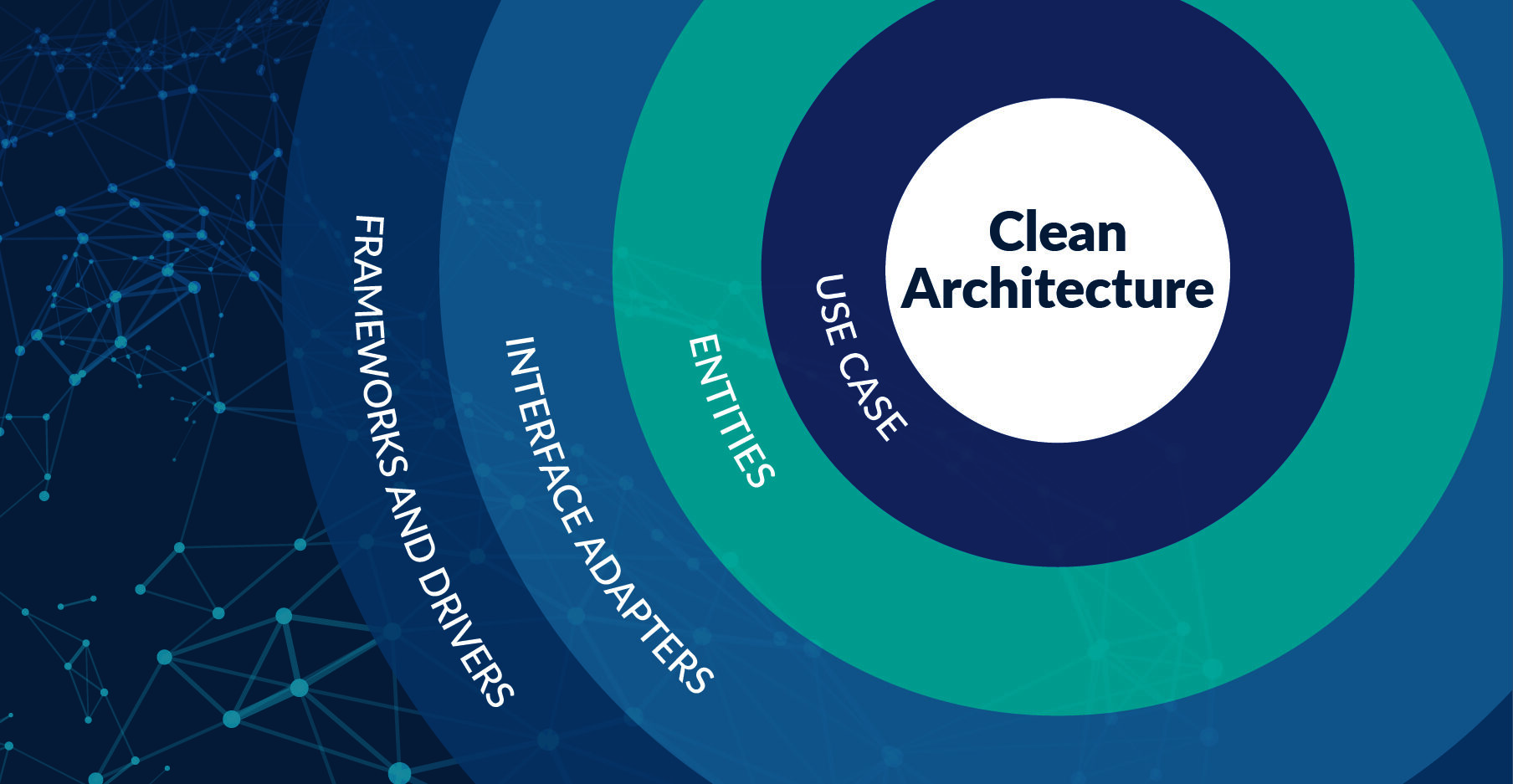
Clean Architecture: Building Software that Endures
A comprehensive guide to Clean Architecture explained in human language: what each layer is, how they integrate, when to use them, and why it matters for your business.

DDD, Hexagonal Architecture, BDD & TDD for Agile Teams: The Enterprise Playbook
Master Domain Driven Design, Hexagonal Architecture, BDD, and TDD in Agile Scrum teams. Real enterprise case studies, Go, React, and Flutter implementations with practical tools and workflows.

Organizational Health Through Architecture: Building Alignment, Trust & Healthy Culture
Learn how architecture decisions shape organizational culture, health, and alignment. Discover how to use architecture as a tool for building trust, preventing silos, enabling transparency, and creating sustainable organizational growth.

Team Health & Burnout Prevention: How Architecture Decisions Impact Human Well-being
Master the human side of architecture. Learn to recognize burnout signals, architect sustainable systems, build psychological safety, and protect team health. Because healthy teams build better systems.