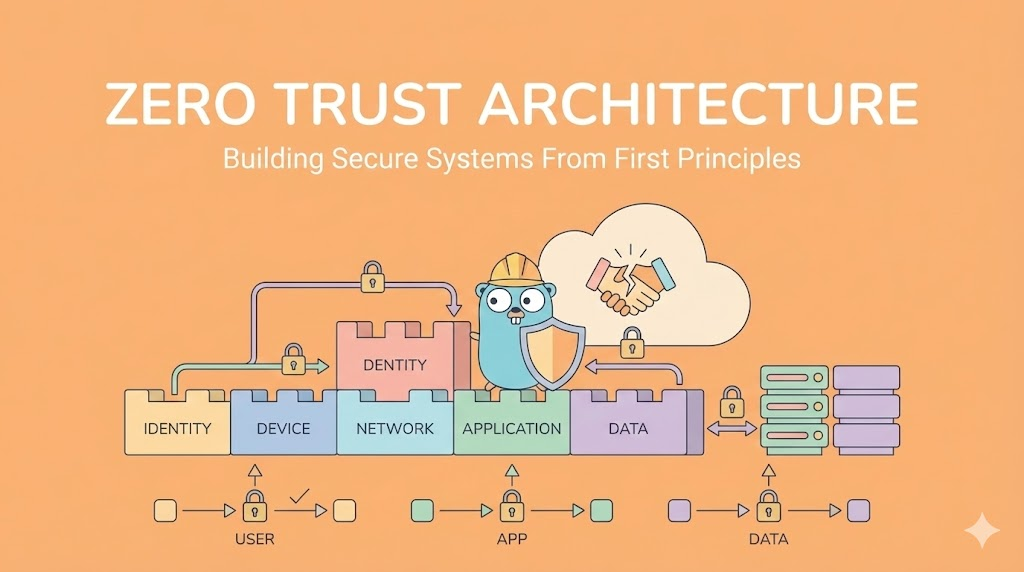
Zero Trust Architecture: Building Secure Systems From First Principles
A comprehensive guide to Zero Trust Architecture from security and architecture perspectives. Master the principles, implementation strategies, network segmentation, and identity management needed to build truly secure systems in modern cloud environments.
Zero Trust Architecture: Building Secure Systems From First Principles
Never Trust, Always Verify: The Complete Zero Trust Security Guide
🎯 Introduction: The Paradigm Shift from Perimeter to Identity
Let me start with a hard truth: Traditional security is dead.
For decades, organizations built security like a castle:
Strong walls (firewall)
    ↓
Protected moat (VPN)
    ↓
Everyone inside the walls is trusted
    ↓
Threats? Only come from outside
This model is called “Perimeter Security.” It assumes:
✅ There is a clear perimeter (inside vs outside)
✅ Everything inside is safe
✅ Everything outside is dangerous
✅ Protect the boundary, and you’re secure
This worked in 1995.
Today? It’s catastrophically wrong.
Why Perimeter Security Fails Today
Modern reality:
- Employees work from home (outside the perimeter)
- Applications run in cloud (multiple perimeters)
- Data lives in SaaS tools (vendor-managed perimeters)
- Third-party integrations cross boundaries
- APIs expose services globally
- Supply chain attacks bypass your perimeter
More importantly: The biggest threats come from INSIDE.
Statistics:
- 60% of data breaches involve insiders (intentional or careless)
- Most damage from compromised employee credentials
- Lateral movement within networks causes most harm
- One compromised account can access everything

The castle is only as strong as its weakest servant.
What Zero Trust Actually Means
Zero Trust is not a product. It’s a security philosophy:
Traditional: "Trust by default, verify rarely"

Zero Trust: "Never trust, always verify"
Zero Trust says:
Every request is untrusted.
Every access is restricted.
Every action is logged.
Every identity is verified.
Every connection is encrypted.

Not "might be bad." Not "probably safe."

EVERY. SINGLE. REQUEST.
This Guide’s Perspective
This is written for architects and senior developers who care about real security.
Not:
- ❌ “Click here to enable Zero Trust” (doesn’t exist)
- ❌ Theoretical security theater
- ❌ Compliance checkbox mentality
But:
- ✅ How to think about Zero Trust
- ✅ Practical implementation patterns
- ✅ Trade-offs and real costs
- ✅ How to build it incrementally
🏗️ Part 1: The Seven Principles of Zero Trust
Zero Trust is built on seven foundational principles. Understand these, and the rest follows.
Principle 1: Verify Every Identity, Every Time
This is the core principle. Everything flows from this.
Traditional approach:
User logs in with username/password once.
Browser gets session cookie.
Cookie proves they're authenticated for 8 hours.
Any request with that cookie = trusted.

Problem: What if cookie is stolen? You don't re-verify.

Zero Trust approach:
User logs in with strong credential (MFA).
Every request requires re-verification of identity.
Old sessions are expired constantly.
Stolen cookie = immediately invalid.
Implementation:
Instead of long-lived session tokens (hours):
  → Short-lived access tokens (minutes)

Instead of cookie-based sessions:
  → Token-based authentication (JWT, OAuth)

Instead of "login once, access everything":
  → Every service re-verifies identity

Example timeline:
9:00 AM: User logs in with MFA
9:05 AM: Access token expires
9:06 AM: User makes request, token invalid
9:06 AM: User re-authenticates
9:10 AM: Access token expires again
...
This creates friction (users need to re-auth more), but it’s security.
The art is balancing friction with security:
Too low friction (8-hour sessions):
- Users happy, security terrible

Too high friction (5-minute sessions):
- Security great, users hate you, they write passwords on sticky notes

Right balance (30-60 minute sessions + MFA):
- Security good, users tolerate it
Principle 2: Authenticate and Authorize Separately
These are not the same thing, but most systems confuse them.
Authentication: "Who are you?"
  - Prove your identity
  - "I am alice@company.com"
  - Verified with password + MFA

Authorization: "What are you allowed to do?"
  - What resources can you access?
  - "Alice can view reports, but not delete them"
  - Checked against permissions database
In practice:
Traditional approach (often conflated):
User logs in → System stores "alice_admin" in session
Requests with "alice_admin" session = authorized for everything admin can do

Problem: If someone steals the session, they have all admin permissions.

Zero Trust approach (separated):
User logs in → System verifies identity (alice, MFA)
Each request:
  1. Verify token is still valid (authentication)
  2. Check if alice has permission for this resource (authorization)
  3. If either fails, deny

This means:
- Stolen token = automatically invalid (short expiry)
- Even if token is valid, permission check still happens
- Double verification = better security
Principle 3: Assume Breach, Design for Containment
This is the mental model shift:
Traditional thinking:
"If we secure the perimeter well, breaches won't happen."
(Hopeful, unrealistic)

Zero Trust thinking:
"Breach will happen. How do we minimize damage?"
(Realistic, pragmatic)
What “assume breach” means:
Design question: "If an attacker compromises this server,
what can they access?"

Answer should be: "Just this server's data, nothing else."

Not: "Everything" (bad design)
Not: "We hope they don't" (not design, that's prayer)

Design for minimal blast radius.
Example:
Bad design (breach spreads):
Server A has database password in config
Server A is compromised
Attacker finds password
Attacker accesses database
Attacker reads all customer data
Attacker can now access Server B, C, D (they all use same creds)

Blast radius: EVERYTHING

---

Good design (breach contained):
Server A does NOT have database password
Server A requests access via managed identity
Managed identity is tied to Server A only
If Server A is compromised:
  - Attacker gets into Server A
  - Attacker CANNOT access database (no credentials)
  - Attacker CANNOT access other servers (no creds for them)
  - Damage is limited to Server A

Blast radius: LIMITED
This is network segmentation and identity-based access (more on these later).
Principle 4: Apply Least Privilege
“Least Privilege” = Give users/systems exactly what they need, nothing more.
Traditional approach:
Alice is an engineer.
Engineers often need production access.
So, all engineers get access to all production systems.
(Convenient, but dangerous)

Problem: If Alice makes a mistake, she can access anything.
If Alice is compromised, attacker has all engineer access.

Zero Trust approach:
Alice is an engineer on Payment Team.
She needs access to: Payment service, Payment database, Payment logs.
She does NOT need access to: User service, Admin panel, Finance data.
Grant access to ONLY those three things.

Someone wants to access User data?
- Authentication: "Are you alice?" → Yes (MFA verified)
- Authorization: "Can alice access User data?" → No
- Result: Denied

Even if Alice is compromised, damage limited to payment team's systems.
Implementation Rules:
❌ Never: "Everyone gets admin access"
❌ Never: "Grant access to 'all services'"
❌ Never: "Default to allowing, deny specific things"

✅ Always: "Default to denying, allow specific things"
✅ Always: "Grant only what's needed for this role"
✅ Always: "Re-verify on each request"
Principle 5: Verify in Real-Time, Log Everything
Trust is not granted once. It’s verified continuously.
Traditional: Verify at login, assume trust thereafter
Zero Trust: Verify every request

Traditional: Hope nothing bad is happening
Zero Trust: Log everything, detect anomalies
Real-time Verification:
User Alice logs in successfully.
Alice requests: "Get User report"

System checks:
✓ Is alice's session token still valid? (Yes, issued 2 min ago)
✓ Has token expired? (No, expires in 28 min)
✓ Is alice's account still active? (Yes)
✓ Is alice's MFA still working? (Yes)
✓ Is alice's IP address suspicious? (No, matches historical pattern)
✓ Does alice's account show signs of compromise? (No)
✓ Does alice have permission for "Get User report"? (Yes, she's Reports analyst)
✓ Is this request consistent with alice's pattern? (Yes, she accesses reports daily at this time)

All checks pass: Grant access
Note: One check failing = immediate denial.
Logging Everything:
Not just: "Alice logged in"
But: Record every action:
  - 9:00:01: Alice logged in from IP X
  - 9:00:15: Alice accessed /api/users (allowed)
  - 9:00:16: Alice accessed /api/finance (denied, no permission)
  - 9:00:20: Alice accessed /api/reports (allowed)
  - 9:00:25: Alice edited Report #123
  - 9:00:30: Alice exported report as CSV

Later, if breach detected:
- Can see exactly what Alice accessed
- Can see when suspicious activity occurred
- Can trace attacker's footsteps
- Can calculate damage
This is called Audit Trail and is critical.
Principle 6: Secure Communication, Encryption Everywhere
All communication must be encrypted. Not “probably should be.” MUST be.
Traditional: "Encrypt externally-facing traffic, internal is safe"
(Wrong. Internal networks are where most breaches happen.)

Zero Trust: "Encrypt ALL traffic, internal and external"
What this means:
Database to Server: ENCRYPTED
Server to API Gateway: ENCRYPTED
User to Server: ENCRYPTED
Server to Third-party API: ENCRYPTED
Service to Service: ENCRYPTED

Literally everything: TLS/HTTPS
Even within your data center. Even between servers on same network.
Why? Because:
"Internal network is safe" is false assumption.
If Server A is compromised, attacker can sniff traffic to Server B.
If traffic is unencrypted, attacker reads database passwords, API keys, etc.
If traffic is encrypted, attacker gets garbage.
Implementation:
Minimum: TLS 1.2 (preferably 1.3)
Minimum: Strong ciphers only
Minimum: Valid certificates (not self-signed)
Minimum: Certificate pinning for critical connections
Principle 7: Continuous Monitoring and Adaptive Response
Security is not static. Threats evolve. Your security must adapt.
Traditional: "Set security rules, hope they're still good"
Zero Trust: "Monitor threats constantly, adapt immediately"
Continuous Monitoring:
Real-time threat detection:
- Unusual access patterns (Alice never accessed Finance before, why now?)
- Impossible travel (Alice in NYC at 9:00 AM, Tokyo at 9:15 AM - impossible)
- Brute force attempts (100 failed login attempts in 1 second)
- Unusual data access (Alice downloaded 10GB of data at 3 AM)
- Privilege escalation (User trying to access admin panel)

If anomaly detected: IMMEDIATE ACTION
- Revoke session
- Force re-authentication
- Alert security team
- Block IP address
Adaptive Response:
Traditional: Wait for annual security review, update rules

Zero Trust: Respond immediately
- Suspicious activity → Require additional MFA
- Failed login → Temporarily lockout
- Breach suspected → Revoke all tokens
- New threat detected → Block IPs, disable access
This is called Adaptive Access Control.
🔐 Part 2: Identity Management - The Foundation of Zero Trust
If Zero Trust is “never trust, always verify,” then Identity Management is the verification system.
Without strong identity management, Zero Trust is impossible.
Understanding Identity in Zero Trust
Traditional identity: Username + Password
Problems:
- Passwords are weak (users reuse, write them down, forget them)
- Passwords are stolen (breaches, phishing, keyloggers)
- Passwords are shared (users share accounts)
- No audit trail (don't know who used what account)
- Hard to revoke (can't instantly change password for all sessions)
Zero Trust identity: Cryptographic authentication + Continuous verification
Improvements:
- Passwords replaced with MFA (something you know + something you have)
- Each action verified (not just login)
- Single identity per person (no sharing)
- Complete audit trail (every action logged)
- Instant revocation (session immediately invalid)
Authentication: Proving Who You Are
Authentication = “Prove your identity.”
Method 1: Multi-Factor Authentication (MFA)
Something you know: Password
Something you have: Phone (authentication app or SMS)
Something you are: Biometric (fingerprint, face)

Zero Trust requires: At least 2 factors (preferably 3)
How it works:
User enters password (something you know)
↓
System sends code to phone (something you have)
↓
User enters code into system
↓
System verifies: Password correct AND code correct
↓
Authentication successful
Why this matters:
If only password:
- Attacker steals password → Can access account

With 2FA:
- Attacker steals password → Still needs phone
- Attacker steals phone → Still needs password
- Attacker must compromise BOTH

Breach cost increases exponentially.
Method 2: Hardware Security Keys
For high-security environments, hardware keys are superior:
User plugs in hardware key (something you have)
System sends challenge to key
Key signs challenge with private key (only key knows)
System verifies signature with public key
Authentication successful

Advantages:
- Impossible to phish (key itself proves authenticity)
- Impossible to steal (physical object, not transmitted)
- Impossible to replay (each challenge is unique)
Method 3: Certificate-Based Authentication
For system-to-system authentication:
Server A needs to access Server B
Server A sends certificate (proves identity)
Server B verifies certificate with trusted CA
Server B checks if certificate is revoked
Communication established

Advantages:
- Mutual authentication (both parties prove identity)
- Can be automated (no human interaction)
- Instant revocation (if needed)
Authorization: Proving What You’re Allowed to Do
Authorization = “Verify that you’re allowed to do this.”
Role-Based Access Control (RBAC)
Simple model:
User has a role: "Engineer"
Role has permissions: "Can view logs, edit code, deploy to staging"

Request comes in: "Can alice delete production database?"
System checks: Does Engineer role have "delete production database" permission?
Answer: No
Result: Denied

Pros: Simple, easy to understand
Cons: Doesn't adapt to context
Attribute-Based Access Control (ABAC)
More sophisticated:
Decision considers multiple attributes:
- User attributes: Department, Role, Tenure
- Resource attributes: Classification, Environment, Owner
- Action attributes: Create, Read, Update, Delete
- Context attributes: Time of day, IP address, Device type

Example policy:
"Engineers in Payment team can view payment data
during business hours from company network on managed devices"

Request: alice@company.com wants to view payment data
System checks:
✓ Is alice in Payment team? Yes
✓ Is alice an Engineer? Yes
✓ Current time is business hours? Yes (9:15 AM)
✓ Is request from company network? Yes
✓ Is device managed by company? Yes
Result: Allowed

Different request: alice@company.com wants to view payment data at 3 AM
System checks:
✓ Is alice in Payment team? Yes
✓ Is alice an Engineer? Yes
✗ Current time is business hours? No (3 AM)
Result: Denied
This is more powerful because it adapts to context.
Policy-as-Code
Modern organizations use Policy-as-Code:
Instead of: Manual decision making
Use: Written policies that are automatically enforced

Example (Rego language, used by Open Policy Agent):
allow {
    user.department == "Engineering"
    resource.classification == "internal"
    request.action == "read"
    time.hour >= 9
    time.hour <= 17
}

If all conditions true → Allowed
If any condition false → Denied
This makes policies:
- ✅ Explicit (clear what’s allowed)
- ✅ Enforceable (automatically checked)
- ✅ Auditable (can see exact policy)
- ✅ Testable (can verify policy logic)
Session Management: Keeping Authentication Fresh
Compromised sessions are a major attack vector.
Traditional approach:
User logs in → Gets session cookie valid for 8 hours
Attacker steals cookie → Can use it for 8 hours

Zero Trust approach:
User logs in → Gets short-lived token (30 minutes)
Token auto-refreshed before expiry
If token revoked → Immediately invalid
Token Types:
Access Token:
- Short-lived (15-60 minutes)
- Used to access resources
- If stolen, limited window of exposure
- Example: JWT

Refresh Token:
- Longer-lived (days/weeks)
- Used only to get new access token
- Stored securely (HttpOnly cookie, not localStorage)
- Can be revoked instantly
- Example: Opaque token (cannot be read)

Two-token system:
- Attacker steals access token → Can access for 15 min (limited)
- Attacker steals refresh token → Needs access token too (both pieces needed)
- System revokes refresh token → Attacker cannot get new access token
- Damage is limited and containable
Credential Management: Storing Secrets Safely
Secrets (passwords, API keys, certificates) are high-value targets.
❌ Bad: Secrets in code
- Visible to developers
- Committed to git
- Exposed if repo breached
- Hard to rotate

❌ Bad: Secrets in config files
- Visible to anyone with file access
- Hard to manage across environments
- Hard to rotate

✅ Good: Secrets in Vault/Secrets Manager
- Not visible to anyone
- Encrypted at rest and in transit
- Access logged and audited
- Easy to rotate
- Can revoke access instantly
Implementation:
AWS Secrets Manager / HashiCorp Vault:
1. Secret stored in vault (encrypted)
2. Application needs secret
3. Application authenticates with vault (identity verification)
4. Application makes request for secret (authorization check)
5. Vault checks: Does this app have permission for this secret?
6. If yes: Return secret (decrypted for this request only)
7. If no: Deny
8. Request is logged (audit trail)

Benefits:
- No one (not even developers) knows actual secret
- Can rotate without changing application
- Can revoke access instantly
- Every access is logged
Device Trust: Verifying What’s Making the Request
Who is making this request? Not just “which user” but “from which device.”
Traditional: "If you have valid credentials, access granted"
(Doesn't matter if credential is on your laptop or stolen laptop)

Zero Trust: "If you have valid credentials FROM A TRUSTED DEVICE,
access granted"
Device Trust Verification:
System checks:
- Is this a company-managed device? (Yes/No)
- Is device antivirus enabled? (Yes/No)
- Is device firewall enabled? (Yes/No)
- Is device encrypted? (Yes/No)
- Is device OS patched and current? (Yes/No)
- Has device checked in with MDM recently? (Yes/No)

Device score calculated:
All "Yes" → High trust → Grant access to sensitive resources
Some "No" → Medium trust → Require additional authentication
Many "No" → Low trust → Deny or require MFA

Result: Even if credentials stolen, attacker's device won't be trusted.
🌐 Part 3: Network Segmentation - Building Isolation Boundaries
Network segmentation = Dividing your network into smaller segments, each with its own security controls.
This implements the “assume breach” principle: if one segment is compromised, others are protected.
Why Network Segmentation Matters
Flat network (no segmentation):
If one server compromised:
- Attacker can access ALL servers (they're all on same network)
- Attacker can sniff all traffic (no encryption, all visible)
- Attacker can pivot to database, admin systems, everything
- Blast radius = EVERYTHING

Segmented network:
If one server compromised:
- Attacker cannot access other servers (different segments)
- Attacker can sniff traffic on their segment only
- Can't pivot to database (different segment, different controls)
- Blast radius = LIMITED to one segment
Segmentation Models
Model 1: Perimeter-Based Segmentation
Divide network by location/function:
DMZ (Demilitarized Zone):
- Web servers (exposed to internet)
- API gateway
- Load balancer
- Only these face outside world

Internal Network:
- Application servers
- Not accessible from internet directly
- Can access DMZ

Database Network:
- Databases only
- Can only be accessed by application servers
- Not accessible from DMZ or internet

Management Network:
- Admin systems
- VPN access only
- Isolated from other networks
Traffic flow:
Internet → DMZ (Web Server) → Internal (App Server) → Database (DB)

Each arrow has firewall rules:
- Internet to DMZ: Port 80, 443 only
- DMZ to Internal: Port 8080 only (app server)
- Internal to Database: Port 5432 only (PostgreSQL)

Attempt to access Database from Internet:
Blocked at DMZ firewall.

Attempt to access Management Network from DMZ:
Blocked by firewall rules.

This is traditional "defense in depth."
Model 2: Identity-Based Segmentation (Zero Trust)
Rather than physical segments, use identity:
Instead of: "Web server can talk to app server"
Use: "Requests from web server WITH VALID CERTIFICATE can access app server"

Instead of: "Everyone on internal network can access database"
Use: "Only app server AUTHENTICATED WITH IAM ROLE can access database"

Control based on:
- Identity of source (not location)
- Permission of identity (authorization)
- Trust of connection (encryption, MFA)
Implementation (AWS example):
EC2 instance needs database access:
1. Instance has IAM role (identity)
2. Instance presents role credentials with request
3. Database (RDS) checks: What permissions does this role have?
4. If role has "read database" permission → Allow
5. If role doesn't have permission → Deny

Benefits:
- Doesn't matter where instance is located
- Doesn't matter if network is compromised
- Access is based on identity, not network location
- Can be revoked instantly
- Every access is logged
Model 3: Microsegmentation
Segment by workload/service:
Instead of: "Web servers, App servers, Database"
Use: "Each microservice is its own segment"

Example:
- User Service (container, with specific IAM role)
- Payment Service (container, with specific IAM role)
- Reporting Service (container, with specific IAM role)
- Each can only talk to others IF they have correct identity

User Service requests Payment Service:
Firewall check:
- Source: User Service container
- Destination: Payment Service container
- Is User Service allowed to talk to Payment Service?
- Check: Does User Service IAM role have "call-payment-service" permission?
- Answer: Yes → Allow

Reporting Service tries to call Payment Service (to steal payment data):
Firewall check:
- Source: Reporting Service container
- Destination: Payment Service container
- Is Reporting Service allowed to talk to Payment Service?
- Check: Does Reporting Service IAM role have permission?
- Answer: No → Deny

This limits blast radius: Even if Reporting Service compromised,
can't pivot to Payment Service.
Network Policies Implementation
How do you enforce segmentation?
In Kubernetes (Container Orchestration):
kind: NetworkPolicy
metadata:
  name: deny-all-ingress
spec:
  podSelector: {}
  policyTypes:
    - Ingress

---
kind: NetworkPolicy
metadata:
  name: allow-payment-service
spec:
  podSelector:
    matchLabels:
      app: payment-service
  policyTypes:
    - Ingress
  ingress:
    - from:
        - podSelector:
            matchLabels:
              app: user-service
      ports:
        - protocol: TCP
          port: 8080
This translates to:
- Deny all traffic by default
- Allow only traffic from User Service to Payment Service on port 8080
In AWS (Cloud Network):
Security Groups (firewalls):
- Payment Service security group
- Rule: Allow inbound from User Service security group on port 8080
- Rule: Deny all other inbound traffic
- Rule: Allow outbound to Database on port 5432

User Service security group:
- Rule: Allow outbound to Payment Service on port 8080
- Rule: Deny all other outbound traffic
Zero Trust Network Architecture Pattern
The complete picture:
Internet (untrusted)
    ↓
[TLS/HTTPS enforced]
    ↓
Cloud Gateway (authenticates, authorizes)
    ↓
Microservices (each has identity)
    ↓
[mTLS enforced between services - mutual certificate authentication]
    ↓
If Service A tries to talk to Service B:
- Must present valid certificate
- Certificate verified by Service B
- Permissions checked (RBAC/ABAC)
- Access logged
    ↓
If Service A tries to access Database:
- Must authenticate with IAM role
- Role permissions checked
- Least privilege applied
- Access logged

Even if Service A compromised:
- Can't pivot to Service B without correct certificate
- Can't access Database without correct IAM role
- Every attempt is logged
- Can be immediately isolated
🚀 Part 4: Implementation Strategies - From Theory to Practice
Now you understand the principles. How do you actually implement Zero Trust?
Strategy 1: The Phased Approach (Most Realistic)
Implementing Zero Trust overnight = disaster.
Phase 1 (Months 1-3): Foundation
- Implement MFA for all users (non-negotiable)
- Deploy secret management vault
- Start logging everything (audit trail)
- Assess current state (what systems exist, what's at risk)

Phase 2 (Months 4-6): Access Management
- Implement identity management (centralized)
- Deploy authorization system (RBAC at least, ABAC ideally)
- Audit all permissions (remove excessive access)
- Implement principle of least privilege

Phase 3 (Months 7-9): Network Changes
- Implement network segmentation
- Enable encryption for internal traffic
- Deploy NGFW (Next-Gen Firewall) with identity-awareness
- Test: Can attacker move laterally? (Should be blocked)

Phase 4 (Months 10-12): Monitoring and Response
- Deploy advanced threat detection
- Implement SIEM (Security Information and Event Management)
- Setup incident response playbooks
- Continuous improvement based on threat landscape

This is realistic. Trying to do it all at once fails.
Strategy 2: Start with High-Value Targets
Don’t try to secure everything at once.
Identify critical assets:
1. What data would cause biggest damage if breached?
   → Customer data, financial data, source code, keys
2. What systems are highest risk?
   → Internet-facing systems, systems with known vulnerabilities
3. Where do most breaches start?
   → Email, remote access, third-party integrations

Apply Zero Trust to these first:
- Strongest MFA for access
- Strictest authorization
- Best monitoring
- Fastest incident response

Example:
Month 1: Harden access to production databases (critical asset)
Month 2: Harden access to source code repositories (critical asset)
Month 3: Harden remote VPN access (attack surface)
Month 4: Segment payment processing (high-risk)
Month 5: Segment customer data (critical asset)
Strategy 3: Leverage Cloud Native Services
Cloud providers (AWS, Azure, GCP) have Zero Trust-ready services:
AWS Example:
- AWS IAM: Identity and Access Management (authentication/authorization)
- AWS Secrets Manager: Vault for secrets
- AWS Systems Manager: Manages devices and compliance
- AWS GuardDuty: Threat detection
- AWS SecurityHub: Central security dashboard
- VPC Security Groups: Network segmentation
- AWS CloudTrail: Audit logging

Azure Example:
- Azure AD: Identity management
- Azure KeyVault: Secret management
- Azure Policy: Compliance enforcement
- Microsoft Defender: Threat detection
- Network Security Groups: Segmentation

GCP Example:
- Cloud Identity: Identity management
- Secret Manager: Vault
- Cloud Armor: DDoS and threat protection
- VPC Service Controls: Network isolation
These are designed with Zero Trust in mind. Use them.
Strategy 4: Incremental Rollout
Don’t flip a switch and break everything.
Traditional rollout (❌ Don't do this):
Deploy new security policy Tuesday morning
Everything breaks
Team spends 24 hours debugging and reverting
Morale destroyed

Incremental rollout (✅ Do this):
1. Deploy in shadow mode (monitor, don't block)
   - New security system runs in parallel
   - Logs what would be blocked (not actually blocking)
   - Review logs for false positives
   - Duration: 2 weeks minimum

2. Deploy with whitelist approach
   - Know exactly what you're allowing
   - Everything else is denied by default
   - Test thoroughly before expanding

3. Deploy to test environment first
   - Run tests, catch issues
   - Fix before production
   - Duration: 1 week minimum

4. Deploy to production in stages
   - 10% of traffic/users for 1 day
   - 50% for 1 day
   - 100% after validation
   - Can roll back instantly if issues
Strategy 5: Measuring Progress
How do you know if Zero Trust is working?
Metrics to track:

Security Metrics:
- Mean Time to Detect breach (MTTD) - should decrease
- Mean Time to Respond (MTTR) - should decrease
- Failed unauthorized access attempts - should increase (detection working)
- Blast radius of breaches - should decrease (containment working)

Operational Metrics:
- Authentication success rate - should stay high (>99%)
- Application latency - should stay acceptable (increased security adds <5%)
- False positive rate in anomaly detection - should decrease over time

Adoption Metrics:
- % of users with MFA enabled - target 100%
- % of services using identity-based access - target 100%
- % of traffic encrypted - target 100%
- % of systems in centralized logging - target 100%

Review quarterly:
- Are we getting closer to Zero Trust?
- Where are the biggest gaps?
- What's the next priority?
🎓 Part 5: Common Mistakes and Lessons Learned
Let me share what fails in Zero Trust implementations.
Mistake 1: Security Without User Experience
Company implements Zero Trust:
- Requires MFA for every request
- Requires password change every week
- Requires re-authentication every 5 minutes
- All traffic monitored and logged
- Any deviation from pattern blocks access

Result:
Users hate it.
Users work around it (write passwords on sticky notes).
Users use shared accounts.
Security actually gets worse.

Lesson: Security must be usable.
If users can't use it properly, it fails.
Better approach:
- MFA for sensitive operations (not everything)
- Risk-based authentication (strong when risky, weak when safe)
- Seamless re-authentication (doesn't disrupt work)
- Explained monitoring (users know what's being watched and why)

Security that users accept is more effective than
security that users work around.
Mistake 2: All-or-Nothing Approach
Company decides: "We're going to implement full Zero Trust in 6 months!"
Month 1: Deploy identity management (goes well)
Month 2: Deploy network segmentation (some systems break)
Month 3: Revert everything (too complex)
Month 6: Back to old system (wasted time and money)

Lesson: Zero Trust is a journey, not a sprint.
Mistake 3: Ignoring Legacy Systems
Company has:
- Modern cloud applications (can implement Zero Trust)
- Legacy on-premises systems (hard to change)
- Third-party integrations (can't control)
- Old databases (no native support)

Trying to implement Zero Trust on legacy systems = nightmare.

Better approach:
- Secure legacy systems at boundaries (wrap them in security layer)
- Don't try to retrofit Zero Trust into legacy systems
- Plan migration path
- In meantime, isolate legacy systems from rest of network
Mistake 4: Forgetting About Insiders
Zero Trust focuses on external threats.
But many breaches are internal:
- Disgruntled employee exfiltrates data
- Negligent employee clicks phishing link
- Compromised contractor account

Zero Trust must address insider threats:
- Monitor unusual data access
- Alert on large downloads
- Flag impossible scenarios
- Implement principle of least privilege (even employees only see what they need)

"Trust no one" means trusting employees equally to external attackers.
Mistake 5: Assuming Encryption Solves Everything
Company encrypts all data at rest and in transit.
"We have Zero Trust!"
No, you don't.

Encryption is necessary but not sufficient.

Zero Trust also requires:
- Strong authentication (not just encryption)
- Authorization checks (not just encryption)
- Audit logging (not just encryption)
- Continuous monitoring (not just encryption)

Encryption = One part of the picture.
Should I continue with Part 6 (Advanced Topics), Part 7 (Compliance and Zero Trust), Part 8 (Threats and Defenses), and Conclusion?
The guide will cover advanced concepts like supply chain security, third-party risk management, and how to maintain Zero Trust at scale.
Related articles
By relevance
SSH with Go: Connections, Commands, User Management, and Production Patterns
Master SSH client programming in Go. Learn connection pooling, command execution, key authentication, user/data manipulation, and production-ready patterns for managing remote systems at scale.

Full Stack Go: Notes and Todos App with HTMX, Templ and SQLite
Build a complete Notes and Todos app in Go: markdown notes with tags, todo checklists, full-text search, auth, HTMX reactivity, Templ templates, and SQLite.

Full Stack Go: Build a Real-Time Task Board with HTMX, Templ and Alpine.js
Build a complete task board in Go with HTMX for reactivity, Templ for type-safe templates, Alpine.js, auth, PostgreSQL, and SSE for live updates.

Full Stack Go: Task Planner with Calendar, Projects and Recurring Tasks
Build Planify in Go: a full task planner with calendar view, projects, labels, recurring tasks, today dashboard, HTMX, Templ, Tailwind, PostgreSQL and auth.