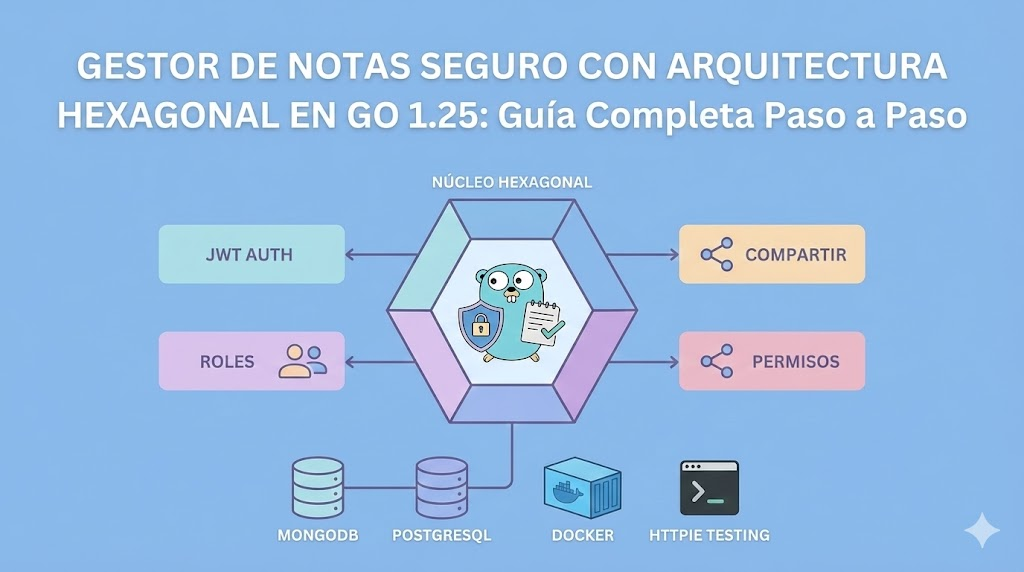
Gestor de Notas Seguro con Arquitectura Hexagonal en Go 1.25: Guía Completa Paso a Paso
Una guía exhaustiva y profesional para construir un gestor de notas seguro desde cero usando Go 1.25: arquitectura hexagonal pura, autenticación JWT, roles de usuario, compartir notas con permisos, testing con httpie, Docker, MongoDB y PostgreSQL. Paso a paso real, código limpio, tips de Neovim y terminal.
Gestor de Notas Seguro con Arquitectura Hexagonal en Go 1.25
La Guía Completa y Profesional Paso a Paso
📋 Tabla de Contenidos
- Introducción
- ¿Qué Vamos a Construir?
- Requisitos Previos
- Preparación del Entorno
- Arquitectura del Proyecto
- Estructura de Carpetas
- Configuración Inicial
- Capa de Dominio
- Puertos (Interfaces)
- Casos de Uso
- Adaptadores Secundarios (Infraestructura)
- Adaptadores Primarios (HTTP Handlers)
- Middleware y Seguridad
- Testing Completo
- Despliegue con Docker
- Testing con HTTPie
- Conclusiones
🎯 Introducción
En esta guía construiremos un gestor de notas profesional y seguro desde cero usando Go 1.25 y arquitectura hexagonal pura. No es una guía superficial. Es una guía exhaustiva, paso a paso, código por código, diseñada tanto para novatos que quieren aprender como para expertos que buscan implementar arquitectura de nivel empresarial.
¿Por Qué Esta Guía Es Diferente?
✅ Paso a paso real: No te daré todo el código de golpe. Te guiaré archivo por archivo, función por función.
✅ Go 1.25 nativo: Aprovechamos al máximo las capacidades nativas de Go sin dependencias innecesarias.
✅ Arquitectura hexagonal real: Separación clara de capas, interfaces como contratos, inversión de dependencias.
✅ Código documentado: Cada función, cada decisión explicada.
✅ Tips de Neovim y terminal: Aprenderás a trabajar como un profesional en Linux.
✅ Testing exhaustivo: Con httpie y pruebas unitarias.
✅ Producción ready: Código seguro, validaciones, manejo de errores, JWT, roles.
🛠️ ¿Qué Vamos a Construir?
Vamos a construir un gestor de notas seguro con las siguientes características:
Funcionalidades de Usuario
- ✅ Registro de usuarios
- ✅ Login con autenticación JWT
- ✅ Roles de usuario (Admin, Usuario Normal, Solo Lectura)
- ✅ Gestión de perfil
Funcionalidades de Notas
- ✅ Crear notas
- ✅ Editar notas (solo propietario o con permisos)
- ✅ Eliminar notas (solo propietario o con permisos)
- ✅ Listar notas con paginación
- ✅ Filtrar notas por título, contenido, etiquetas
- ✅ Ordenar notas (fecha creación, fecha modificación, título)
- ✅ Compartir notas con permisos granulares:
- Ver: Solo lectura
- Editar: Puede modificar contenido
- Administrar: Puede eliminar y compartir con otros
Seguridad
- ✅ Contraseñas hasheadas con bcrypt
- ✅ JWT con refresh tokens
- ✅ Middleware de autenticación
- ✅ Middleware de autorización por roles
- ✅ Validación de entrada
- ✅ Rate limiting
- ✅ CORS configurado
Arquitectura
- ✅ Hexagonal pura
- ✅ Separación de capas: Dominio → Casos de Uso → Infraestructura → Handlers
- ✅ Interfaces como contratos
- ✅ Inversión de dependencias
- ✅ Testeable al 100%
Bases de Datos
- ✅ MongoDB para notas (estructura flexible)
- ✅ PostgreSQL para usuarios (relacional, transaccional)
📦 Requisitos Previos
Software Necesario
# Go 1.25 o superior
go version

# Docker y Docker Compose
docker --version
docker-compose --version

# Neovim (recomendado)
nvim --version

# HTTPie para testing
http --version

# Git
git --version
Conocimientos Necesarios
- Básico: Conocimiento de Go, terminal Linux, conceptos de API REST
- Intermedio: Arquitectura de software, HTTP, JSON
- No necesitas ser experto: Te explicaré cada concepto
Sistema Operativo
Esta guía está optimizada para CachyOS (Arch Linux), pero funciona en cualquier distribución Linux.
🚀 Preparación del Entorno
Paso 1: Crear el Directorio del Proyecto
Abre tu terminal (en CachyOS probablemente uses fish, zsh o bash).
# Navega a tu directorio de proyectos
cd ~/projects

# Crea el directorio del proyecto
mkdir notes-api

# Entra al directorio
cd notes-api
💡 Tip de Terminal: En fish, puedes usar abbr para crear abreviaciones:
abbr -a proj 'cd ~/projects'Ahora solo escribes proj y presionas Enter.
Paso 2: Inicializar el Módulo de Go
go mod init github.com/tuusuario/notes-apiEsto crea el archivo go.mod. Ábrelo con Neovim:
nvim go.mod💡 Tip de Neovim: Si no tienes configurado Neovim para Go, instala gopls:
go install golang.org/x/tools/gopls@latestY en tu init.lua o init.vim de Neovim, asegúrate de tener configurado el LSP:
-- En ~/.config/nvim/init.lua o en un archivo separado
require('lspconfig').gopls.setup{}
Paso 3: Crear el archivo .gitignore
nvim .gitignoreContenido del .gitignore:
# Binarios
notes-api
*.exe
*.dll
*.so
*.dylib

# Tests
*.test
*.out
coverage.txt
coverage.html

# Dependencias
vendor/

# IDEs
.idea/
.vscode/
*.swp
*.swo
*~

# Entorno
.env
.env.local

# Docker
docker-data/

# Logs
*.log
💡 Tip de Neovim: Para guardar y salir rápido: :wq
Para guardar sin salir: :w
Para salir sin guardar: :q!
Paso 4: Crear el Archivo de Variables de Entorno
nvim .env.exampleContenido:
# Servidor
PORT=8080
ENV=development

# JWT
JWT_SECRET=your-super-secret-jwt-key-change-this-in-production
JWT_EXPIRATION=24h
JWT_REFRESH_EXPIRATION=168h

# MongoDB
MONGO_URI=mongodb://localhost:27017
MONGO_DATABASE=notes_db

# PostgreSQL
POSTGRES_HOST=localhost
POSTGRES_PORT=5432
POSTGRES_USER=postgres
POSTGRES_PASSWORD=postgres
POSTGRES_DATABASE=notes_users
POSTGRES_SSLMODE=disable

# Rate Limiting
RATE_LIMIT_REQUESTS=100
RATE_LIMIT_WINDOW=1m
Ahora crea tu archivo .env real:
cp .env.example .env🔒 Importante: Nunca subas .env a Git. Ya lo incluimos en .gitignore.
🏗️ Arquitectura del Proyecto
¿Qué es Arquitectura Hexagonal?
La arquitectura hexagonal (también llamada Ports & Adapters) es un patrón que:
- Separa el dominio de la infraestructura
- Define interfaces (puertos) como contratos
- Los adaptadores implementan esos contratos
- El dominio nunca depende de la infraestructura
Capas de Nuestro Proyecto
┌─────────────────────────────────────────────┐
│         Adaptadores Primarios              │
│  (HTTP Handlers, gRPC, CLI, WebSockets)    │
└─────────────────┬───────────────────────────┘
                  │
                  ↓
┌─────────────────────────────────────────────┐
│            Puertos de Entrada              │
│          (Interfaces de Casos de Uso)       │
└─────────────────┬───────────────────────────┘
                  │
                  ↓
┌─────────────────────────────────────────────┐
│            Casos de Uso                    │
│      (Lógica de Aplicación)                │
└─────────────────┬───────────────────────────┘
                  │
                  ↓
┌─────────────────────────────────────────────┐
│              Dominio                       │
│   (Entidades, Value Objects, Reglas)       │
└─────────────────┬───────────────────────────┘
                  │
                  ↓
┌─────────────────────────────────────────────┐
│         Puertos de Salida                  │
│     (Interfaces de Repositorios)           │
└─────────────────┬───────────────────────────┘
                  │
                  ↓
┌─────────────────────────────────────────────┐
│       Adaptadores Secundarios              │
│  (MongoDB, PostgreSQL, Cache, Email)       │
└─────────────────────────────────────────────┘
Flujo de Dependencias
Regla de Oro: Las dependencias siempre apuntan hacia adentro (hacia el dominio).
- ✅ Handlers dependen de Casos de Uso
- ✅ Casos de Uso dependen de Dominio
- ✅ Casos de Uso usan Interfaces (Puertos) para acceder a Infraestructura
- ✅ Infraestructura implementa esas Interfaces
- ❌ El Dominio NUNCA depende de Infraestructura
📂 Estructura de Carpetas
Vamos a crear la estructura completa del proyecto:
mkdir -p cmd/api
mkdir -p internal/domain/entity
mkdir -p internal/domain/valueobject
mkdir -p internal/domain/repository
mkdir -p internal/usecase/user
mkdir -p internal/usecase/note
mkdir -p internal/usecase/auth
mkdir -p internal/adapter/handler/http
mkdir -p internal/adapter/handler/middleware
mkdir -p internal/adapter/repository/postgres
mkdir -p internal/adapter/repository/mongo
mkdir -p internal/infrastructure/config
mkdir -p internal/infrastructure/database
mkdir -p internal/infrastructure/jwt
mkdir -p internal/infrastructure/validator
mkdir -p pkg/errors
mkdir -p pkg/response
mkdir -p test/integration
mkdir -p test/unit
mkdir -p scripts
mkdir -p docs
💡 Tip de Terminal: El flag -p crea directorios padres automáticamente.
💡 Tip de Neovim: Para navegar por la estructura de carpetas en Neovim, usa un explorador de archivos como nvim-tree o neo-tree:
-- En tu init.lua
require("nvim-tree").setup()

-- Mapeo de teclas
vim.keymap.set('n', '<leader>e', ':NvimTreeToggle<CR>', { noremap = true, silent = true })
Ahora cuando presiones <leader>e (normalmente ,e o \e), se abrirá el árbol de archivos.
Estructura Final
notes-api/
├── cmd/
│   └── api/
│       └── main.go                    # Punto de entrada
├── internal/
│   ├── domain/
│   │   ├── entity/                   # Entidades del dominio
│   │   ├── valueobject/              # Value Objects
│   │   └── repository/               # Interfaces (puertos)
│   ├── usecase/
│   │   ├── user/                     # Casos de uso de usuario
│   │   ├── note/                     # Casos de uso de notas
│   │   └── auth/                     # Casos de uso de autenticación
│   ├── adapter/
│   │   ├── handler/
│   │   │   ├── http/                 # Handlers HTTP
│   │   │   └── middleware/           # Middleware
│   │   └── repository/
│   │       ├── postgres/             # Implementación PostgreSQL
│   │       └── mongo/                # Implementación MongoDB
│   └── infrastructure/
│       ├── config/                   # Configuración
│       ├── database/                 # Conexiones DB
│       ├── jwt/                      # JWT utilities
│       └── validator/                # Validaciones
├── pkg/
│   ├── errors/                       # Errores personalizados
│   └── response/                     # Respuestas HTTP
├── test/
│   ├── integration/
│   └── unit/
├── scripts/
├── docs/
├── docker-compose.yml
├── Dockerfile
├── Makefile
├── .env
├── .env.example
├── .gitignore
├── go.mod
└── go.sum
🎯 Explicación de la Estructura:
cmd/api/: Punto de entrada de la aplicacióninternal/domain/: Corazón del negocio (entidades, reglas)internal/usecase/: Lógica de aplicación (casos de uso)internal/adapter/: Adaptadores (HTTP, DB)internal/infrastructure/: Utilidades transversalespkg/: Paquetes reutilizables (podrían ser públicos)test/: Pruebas organizadasscripts/: Scripts útiles (migraciones, seeds)docs/: Documentación adicional
⚙️ Configuración Inicial
Paso 1: Crear el Sistema de Configuración
Vamos a crear un sistema robusto para manejar la configuración desde variables de entorno.
nvim internal/infrastructure/config/config.go💡 Tip de Neovim: Para crear un archivo en un directorio que no existe aún, Neovim te preguntará si quieres crearlo. Responde y.
Contenido de config.go:
package config

import (
	"fmt"
	"os"
	"strconv"
	"time"
)

// Config contiene toda la configuración de la aplicación
type Config struct {
	Server     ServerConfig
	JWT        JWTConfig
	MongoDB    MongoDBConfig
	PostgreSQL PostgreSQLConfig
	RateLimit  RateLimitConfig
}

// ServerConfig contiene la configuración del servidor HTTP
type ServerConfig struct {
	Port string
	Env  string // "development", "production", "testing"
}

// JWTConfig contiene la configuración de JWT
type JWTConfig struct {
	Secret            string
	Expiration        time.Duration
	RefreshExpiration time.Duration
}

// MongoDBConfig contiene la configuración de MongoDB
type MongoDBConfig struct {
	URI      string
	Database string
}

// PostgreSQLConfig contiene la configuración de PostgreSQL
type PostgreSQLConfig struct {
	Host     string
	Port     int
	User     string
	Password string
	Database string
	SSLMode  string
}

// RateLimitConfig contiene la configuración de rate limiting
type RateLimitConfig struct {
	Requests int
	Window   time.Duration
}

// Load carga la configuración desde variables de entorno
func Load() (*Config, error) {
	// Cargar configuración del servidor
	port := getEnv("PORT", "8080")
	env := getEnv("ENV", "development")

	// Cargar configuración de JWT
	jwtSecret := getEnv("JWT_SECRET", "")
	if jwtSecret == "" {
		return nil, fmt.Errorf("JWT_SECRET es requerido")
	}

	jwtExpiration, err := parseDuration(getEnv("JWT_EXPIRATION", "24h"))
	if err != nil {
		return nil, fmt.Errorf("JWT_EXPIRATION inválido: %w", err)
	}

	jwtRefreshExpiration, err := parseDuration(getEnv("JWT_REFRESH_EXPIRATION", "168h"))
	if err != nil {
		return nil, fmt.Errorf("JWT_REFRESH_EXPIRATION inválido: %w", err)
	}

	// Cargar configuración de MongoDB
	mongoURI := getEnv("MONGO_URI", "mongodb://localhost:27017")
	mongoDatabase := getEnv("MONGO_DATABASE", "notes_db")

	// Cargar configuración de PostgreSQL
	postgresHost := getEnv("POSTGRES_HOST", "localhost")
	postgresPort, err := strconv.Atoi(getEnv("POSTGRES_PORT", "5432"))
	if err != nil {
		return nil, fmt.Errorf("POSTGRES_PORT inválido: %w", err)
	}
	postgresUser := getEnv("POSTGRES_USER", "postgres")
	postgresPassword := getEnv("POSTGRES_PASSWORD", "postgres")
	postgresDatabase := getEnv("POSTGRES_DATABASE", "notes_users")
	postgresSSLMode := getEnv("POSTGRES_SSLMODE", "disable")

	// Cargar configuración de rate limiting
	rateLimitRequests, err := strconv.Atoi(getEnv("RATE_LIMIT_REQUESTS", "100"))
	if err != nil {
		return nil, fmt.Errorf("RATE_LIMIT_REQUESTS inválido: %w", err)
	}

	rateLimitWindow, err := parseDuration(getEnv("RATE_LIMIT_WINDOW", "1m"))
	if err != nil {
		return nil, fmt.Errorf("RATE_LIMIT_WINDOW inválido: %w", err)
	}

	return &Config{
		Server: ServerConfig{
			Port: port,
			Env:  env,
		},
		JWT: JWTConfig{
			Secret:            jwtSecret,
			Expiration:        jwtExpiration,
			RefreshExpiration: jwtRefreshExpiration,
		},
		MongoDB: MongoDBConfig{
			URI:      mongoURI,
			Database: mongoDatabase,
		},
		PostgreSQL: PostgreSQLConfig{
			Host:     postgresHost,
			Port:     postgresPort,
			User:     postgresUser,
			Password: postgresPassword,
			Database: postgresDatabase,
			SSLMode:  postgresSSLMode,
		},
		RateLimit: RateLimitConfig{
			Requests: rateLimitRequests,
			Window:   rateLimitWindow,
		},
	}, nil
}

// getEnv obtiene una variable de entorno con un valor por defecto
func getEnv(key, defaultValue string) string {
	value := os.Getenv(key)
	if value == "" {
		return defaultValue
	}
	return value
}

// parseDuration parsea una duración desde string (ej: "24h", "15m")
func parseDuration(s string) (time.Duration, error) {
	return time.ParseDuration(s)
}

// ConnectionString retorna el string de conexión de PostgreSQL
func (c *PostgreSQLConfig) ConnectionString() string {
	return fmt.Sprintf(
		"host=%s port=%d user=%s password=%s dbname=%s sslmode=%s",
		c.Host, c.Port, c.User, c.Password, c.Database, c.SSLMode,
	)
}

// IsDevelopment verifica si el entorno es desarrollo
func (c *Config) IsDevelopment() bool {
	return c.Server.Env == "development"
}

// IsProduction verifica si el entorno es producción
func (c *Config) IsProduction() bool {
	return c.Server.Env == "production"
}
🎓 Explicación del Código:
- Structs de Configuración: Agrupamos configuración relacionada en structs separados
- Load(): Carga todas las variables de entorno y valida
- getEnv(): Helper para obtener variables con valores por defecto
- parseDuration(): Parsea duraciones en formato humano (“24h”, “15m”)
- ConnectionString(): Genera el string de conexión de PostgreSQL
- IsDevelopment()/IsProduction(): Helpers para verificar el entorno
💡 Tip de Go: En Go 1.25, puedes usar os.LookupEnv() si necesitas distinguir entre “variable no existe” vs “variable vacía”:
value, exists := os.LookupEnv("MY_VAR")
if !exists {
    // Variable no existe
}
Paso 2: Cargar Variables de Entorno (Librería Opcional)
Para facilitar el desarrollo, vamos a usar godotenv para cargar el archivo .env:
go get github.com/joho/godotenv⚠️ Nota: Esta es una de las pocas librerías externas que usaremos. En producción, las variables de entorno se cargan directamente (Docker, Kubernetes, etc.).
🏛️ Capa de Dominio
¿Qué es el Dominio?
El dominio es el corazón de tu aplicación. Contiene:
- Entidades: Objetos con identidad única (User, Note)
- Value Objects: Objetos sin identidad, definidos por sus valores (Email, Password)
- Reglas de Negocio: Lógica fundamental del negocio
Regla de Oro: El dominio no debe depender de nada externo (sin imports de HTTP, DB, etc.).
Paso 1: Crear Errores Personalizados del Dominio
Primero, vamos a crear un sistema de errores robusto.
nvim pkg/errors/errors.goContenido:
package errors

import (
	"errors"
	"fmt"
)

// ErrorType representa el tipo de error
type ErrorType string

const (
	ErrorTypeValidation   ErrorType = "VALIDATION_ERROR"
	ErrorTypeNotFound     ErrorType = "NOT_FOUND"
	ErrorTypeUnauthorized ErrorType = "UNAUTHORIZED"
	ErrorTypeForbidden    ErrorType = "FORBIDDEN"
	ErrorTypeConflict     ErrorType = "CONFLICT"
	ErrorTypeInternal     ErrorType = "INTERNAL_ERROR"
)

// AppError es un error personalizado de la aplicación
type AppError struct {
	Type    ErrorType
	Message string
	Err     error
}

// Error implementa la interfaz error
func (e *AppError) Error() string {
	if e.Err != nil {
		return fmt.Sprintf("%s: %s: %v", e.Type, e.Message, e.Err)
	}
	return fmt.Sprintf("%s: %s", e.Type, e.Message)
}

// Unwrap permite usar errors.Is y errors.As
func (e *AppError) Unwrap() error {
	return e.Err
}

// NewValidationError crea un error de validación
func NewValidationError(message string) *AppError {
	return &AppError{
		Type:    ErrorTypeValidation,
		Message: message,
	}
}

// NewNotFoundError crea un error de recurso no encontrado
func NewNotFoundError(resource string) *AppError {
	return &AppError{
		Type:    ErrorTypeNotFound,
		Message: fmt.Sprintf("%s no encontrado", resource),
	}
}

// NewUnauthorizedError crea un error de no autorizado
func NewUnauthorizedError(message string) *AppError {
	return &AppError{
		Type:    ErrorTypeUnauthorized,
		Message: message,
	}
}

// NewForbiddenError crea un error de prohibido
func NewForbiddenError(message string) *AppError {
	return &AppError{
		Type:    ErrorTypeForbidden,
		Message: message,
	}
}

// NewConflictError crea un error de conflicto (recurso duplicado)
func NewConflictError(message string) *AppError {
	return &AppError{
		Type:    ErrorTypeConflict,
		Message: message,
	}
}

// NewInternalError crea un error interno
func NewInternalError(message string, err error) *AppError {
	return &AppError{
		Type:    ErrorTypeInternal,
		Message: message,
		Err:     err,
	}
}

// IsValidationError verifica si es error de validación
func IsValidationError(err error) bool {
	var appErr *AppError
	return errors.As(err, &appErr) && appErr.Type == ErrorTypeValidation
}

// IsNotFoundError verifica si es error de no encontrado
func IsNotFoundError(err error) bool {
	var appErr *AppError
	return errors.As(err, &appErr) && appErr.Type == ErrorTypeNotFound
}

// IsUnauthorizedError verifica si es error de no autorizado
func IsUnauthorizedError(err error) bool {
	var appErr *AppError
	return errors.As(err, &appErr) && appErr.Type == ErrorTypeUnauthorized
}

// IsForbiddenError verifica si es error de prohibido
func IsForbiddenError(err error) bool {
	var appErr *AppError
	return errors.As(err, &appErr) && appErr.Type == ErrorTypeForbidden
}

// IsConflictError verifica si es error de conflicto
func IsConflictError(err error) bool {
	var appErr *AppError
	return errors.As(err, &appErr) && appErr.Type == ErrorTypeConflict
}
🎓 Explicación:
- ErrorType: Constantes para tipos de error
- AppError: Struct que encapsula tipo, mensaje y error subyacente
- Unwrap(): Permite usar
errors.Is()yerrors.As()de Go 1.13+ - Constructores: Funciones helper para crear errores específicos
- Verificadores: Funciones para verificar tipos de error
💡 Tip de Go 1.25: Go tiene excelente manejo de errores con errors.Is() y errors.As(). Úsalos en lugar de comparaciones directas.
Paso 2: Crear Value Objects
Los Value Objects son objetos inmutables definidos por sus valores, no por su identidad.
Email Value Object
nvim internal/domain/valueobject/email.goContenido:
package valueobject

import (
	"fmt"
	"regexp"
	"strings"

	apperrors "github.com/tuusuario/notes-api/pkg/errors"
)

// Email representa una dirección de email válida
type Email struct {
	value string
}

// emailRegex es la expresión regular para validar emails
var emailRegex = regexp.MustCompile(`^[a-zA-Z0-9._%+\-]+@[a-zA-Z0-9.\-]+\.[a-zA-Z]{2,}$`)

// NewEmail crea un nuevo Email validado
func NewEmail(email string) (Email, error) {
	// Normalizar: trimear espacios y convertir a minúsculas
	normalized := strings.TrimSpace(strings.ToLower(email))

	// Validar que no esté vacío
	if normalized == "" {
		return Email{}, apperrors.NewValidationError("el email no puede estar vacío")
	}

	// Validar longitud máxima
	if len(normalized) > 254 {
		return Email{}, apperrors.NewValidationError("el email no puede tener más de 254 caracteres")
	}

	// Validar formato
	if !emailRegex.MatchString(normalized) {
		return Email{}, apperrors.NewValidationError("formato de email inválido")
	}

	return Email{value: normalized}, nil
}

// String retorna el valor del email
func (e Email) String() string {
	return e.value
}

// Equals compara dos emails
func (e Email) Equals(other Email) bool {
	return e.value == other.value
}
🎓 Explicación:
- Inmutabilidad: El campo
valuees privado, no se puede cambiar después de crear - Validación en Constructor:
NewEmail()valida antes de crear - Normalización: Trimea espacios y convierte a minúsculas
- Regex: Valida formato de email estándar
- Equals(): Método para comparar emails
Password Value Object
nvim internal/domain/valueobject/password.goContenido:
package valueobject

import (
	"unicode"

	"golang.org/x/crypto/bcrypt"

	apperrors "github.com/tuusuario/notes-api/pkg/errors"
)

// Password representa una contraseña hasheada
type Password struct {
	hash string
}

const (
	minPasswordLength = 8
	maxPasswordLength = 128
	bcryptCost        = 12
)

// NewPassword crea una nueva contraseña desde texto plano
func NewPassword(plainPassword string) (Password, error) {
	// Validar longitud
	if len(plainPassword) < minPasswordLength {
		return Password{}, apperrors.NewValidationError(
			"la contraseña debe tener al menos 8 caracteres",
		)
	}

	if len(plainPassword) > maxPasswordLength {
		return Password{}, apperrors.NewValidationError(
			"la contraseña no puede tener más de 128 caracteres",
		)
	}

	// Validar complejidad
	if err := validatePasswordComplexity(plainPassword); err != nil {
		return Password{}, err
	}

	// Hashear la contraseña
	hash, err := bcrypt.GenerateFromPassword([]byte(plainPassword), bcryptCost)
	if err != nil {
		return Password{}, apperrors.NewInternalError("error al hashear contraseña", err)
	}

	return Password{hash: string(hash)}, nil
}

// NewPasswordFromHash crea una contraseña desde un hash existente
func NewPasswordFromHash(hash string) Password {
	return Password{hash: hash}
}

// Hash retorna el hash de la contraseña
func (p Password) Hash() string {
	return p.hash
}

// Compare compara la contraseña con un texto plano
func (p Password) Compare(plainPassword string) error {
	err := bcrypt.CompareHashAndPassword([]byte(p.hash), []byte(plainPassword))
	if err != nil {
		return apperrors.NewUnauthorizedError("contraseña incorrecta")
	}
	return nil
}

// validatePasswordComplexity valida que la contraseña tenga:
// - Al menos una mayúscula
// - Al menos una minúscula
// - Al menos un número
// - Al menos un carácter especial
func validatePasswordComplexity(password string) error {
	var (
		hasUpper   bool
		hasLower   bool
		hasNumber  bool
		hasSpecial bool
	)

	for _, char := range password {
		switch {
		case unicode.IsUpper(char):
			hasUpper = true
		case unicode.IsLower(char):
			hasLower = true
		case unicode.IsNumber(char):
			hasNumber = true
		case unicode.IsPunct(char) || unicode.IsSymbol(char):
			hasSpecial = true
		}
	}

	if !hasUpper {
		return apperrors.NewValidationError("la contraseña debe contener al menos una mayúscula")
	}
	if !hasLower {
		return apperrors.NewValidationError("la contraseña debe contener al menos una minúscula")
	}
	if !hasNumber {
		return apperrors.NewValidationError("la contraseña debe contener al menos un número")
	}
	if !hasSpecial {
		return apperrors.NewValidationError("la contraseña debe contener al menos un carácter especial")
	}

	return nil
}
Instala la dependencia de bcrypt:
go get golang.org/x/crypto/bcrypt🎓 Explicación:
- Seguridad: Usa bcrypt con cost 12 (balance entre seguridad y performance)
- Validación de Complejidad: Requiere mayúsculas, minúsculas, números y caracteres especiales
- Dos Constructores:
NewPassword(): Crea desde texto plano (hashea)NewPasswordFromHash(): Crea desde hash existente (para cargar de DB)
- Compare(): Verifica contraseña contra hash
🔒 Seguridad: Nunca almacenes contraseñas en texto plano. Siempre usa bcrypt o argon2.
UserRole Value Object
nvim internal/domain/valueobject/role.goContenido:
package valueobject

import (
	apperrors "github.com/tuusuario/notes-api/pkg/errors"
)

// UserRole representa el rol de un usuario
type UserRole string

const (
	RoleAdmin    UserRole = "admin"
	RoleUser     UserRole = "user"
	RoleReadOnly UserRole = "readonly"
)

// NewUserRole crea un nuevo rol validado
func NewUserRole(role string) (UserRole, error) {
	r := UserRole(role)

	switch r {
	case RoleAdmin, RoleUser, RoleReadOnly:
		return r, nil
	default:
		return "", apperrors.NewValidationError("rol inválido")
	}
}

// String retorna el string del rol
func (r UserRole) String() string {
	return string(r)
}

// IsAdmin verifica si es administrador
func (r UserRole) IsAdmin() bool {
	return r == RoleAdmin
}

// CanWrite verifica si puede escribir
func (r UserRole) CanWrite() bool {
	return r == RoleAdmin || r == RoleUser
}

// CanRead verifica si puede leer
func (r UserRole) CanRead() bool {
	return true // Todos los roles pueden leer
}
NotePermission Value Object
nvim internal/domain/valueobject/permission.goContenido:
package valueobject

import (
	apperrors "github.com/tuusuario/notes-api/pkg/errors"
)

// NotePermission representa un permiso sobre una nota
type NotePermission string

const (
	PermissionView   NotePermission = "view"   // Solo ver
	PermissionEdit   NotePermission = "edit"   // Ver y editar
	PermissionManage NotePermission = "manage" // Ver, editar, eliminar y compartir
)

// NewNotePermission crea un nuevo permiso validado
func NewNotePermission(permission string) (NotePermission, error) {
	p := NotePermission(permission)

	switch p {
	case PermissionView, PermissionEdit, PermissionManage:
		return p, nil
	default:
		return "", apperrors.NewValidationError("permiso inválido")
	}
}

// String retorna el string del permiso
func (p NotePermission) String() string {
	return string(p)
}

// CanView verifica si puede ver
func (p NotePermission) CanView() bool {
	return true // Todos los permisos pueden ver
}

// CanEdit verifica si puede editar
func (p NotePermission) CanEdit() bool {
	return p == PermissionEdit || p == PermissionManage
}

// CanManage verifica si puede administrar
func (p NotePermission) CanManage() bool {
	return p == PermissionManage
}

// GreaterOrEqual verifica si el permiso es mayor o igual que otro
func (p NotePermission) GreaterOrEqual(other NotePermission) bool {
	levels := map[NotePermission]int{
		PermissionView:   1,
		PermissionEdit:   2,
		PermissionManage: 3,
	}
	return levels[p] >= levels[other]
}
🎓 Explicación de Permisos:
- view: Solo puede ver la nota
- edit: Puede ver y editar contenido
- manage: Puede hacer todo (ver, editar, eliminar, compartir)
💡 Tip de Go: Los Value Objects son perfectos para usar tipos personalizados (type UserRole string) con validación.
Paso 3: Crear Entidades del Dominio
Las Entidades tienen identidad única (ID) y ciclo de vida.
User Entity
nvim internal/domain/entity/user.goContenido:
package entity

import (
	"time"

	"github.com/google/uuid"

	apperrors "github.com/tuusuario/notes-api/pkg/errors"
	"github.com/tuusuario/notes-api/internal/domain/valueobject"
)

// User representa un usuario del sistema
type User struct {
	id        uuid.UUID
	email     valueobject.Email
	password  valueobject.Password
	name      string
	role      valueobject.UserRole
	createdAt time.Time
	updatedAt time.Time
}

// NewUser crea un nuevo usuario
func NewUser(
	email valueobject.Email,
	password valueobject.Password,
	name string,
	role valueobject.UserRole,
) (*User, error) {
	// Validar nombre
	if err := validateName(name); err != nil {
		return nil, err
	}

	now := time.Now()

	return &User{
		id:        uuid.New(),
		email:     email,
		password:  password,
		name:      name,
		role:      role,
		createdAt: now,
		updatedAt: now,
	}, nil
}

// LoadUser carga un usuario existente (desde DB)
func LoadUser(
	id uuid.UUID,
	email valueobject.Email,
	password valueobject.Password,
	name string,
	role valueobject.UserRole,
	createdAt, updatedAt time.Time,
) *User {
	return &User{
		id:        id,
		email:     email,
		password:  password,
		name:      name,
		role:      role,
		createdAt: createdAt,
		updatedAt: updatedAt,
	}
}

// Getters
func (u *User) ID() uuid.UUID                { return u.id }
func (u *User) Email() valueobject.Email     { return u.email }
func (u *User) Password() valueobject.Password { return u.password }
func (u *User) Name() string                  { return u.name }
func (u *User) Role() valueobject.UserRole   { return u.role }
func (u *User) CreatedAt() time.Time         { return u.createdAt }
func (u *User) UpdatedAt() time.Time         { return u.updatedAt }

// UpdateName actualiza el nombre del usuario
func (u *User) UpdateName(name string) error {
	if err := validateName(name); err != nil {
		return err
	}
	u.name = name
	u.updatedAt = time.Now()
	return nil
}

// UpdatePassword actualiza la contraseña del usuario
func (u *User) UpdatePassword(newPassword valueobject.Password) {
	u.password = newPassword
	u.updatedAt = time.Now()
}

// UpdateRole actualiza el rol del usuario
func (u *User) UpdateRole(role valueobject.UserRole) {
	u.role = role
	u.updatedAt = time.Now()
}

// VerifyPassword verifica la contraseña del usuario
func (u *User) VerifyPassword(plainPassword string) error {
	return u.password.Compare(plainPassword)
}

// IsAdmin verifica si el usuario es administrador
func (u *User) IsAdmin() bool {
	return u.role.IsAdmin()
}

// CanWrite verifica si el usuario puede escribir
func (u *User) CanWrite() bool {
	return u.role.CanWrite()
}

// validateName valida el nombre del usuario
func validateName(name string) error {
	if len(name) < 2 {
		return apperrors.NewValidationError("el nombre debe tener al menos 2 caracteres")
	}
	if len(name) > 100 {
		return apperrors.NewValidationError("el nombre no puede tener más de 100 caracteres")
	}
	return nil
}
Instala uuid:
go get github.com/google/uuid🎓 Explicación:
- Campos Privados: Todos los campos son privados (encapsulación)
- Getters Públicos: Acceso controlado a los campos
- Dos Constructores:
NewUser(): Crea usuario nuevo (genera ID, timestamps)LoadUser(): Carga usuario existente desde DB
- Métodos de Negocio:
UpdateName(),UpdatePassword(),VerifyPassword() - Validación: Valida nombre en constructor y en
UpdateName()
💡 Tip de Go: Usa getters simples sin prefijo Get. En Go es idiomático usar user.Name() en lugar de user.GetName().
Note Entity
nvim internal/domain/entity/note.goContenido:
package entity

import (
	"time"

	"github.com/google/uuid"

	apperrors "github.com/tuusuario/notes-api/pkg/errors"
	"github.com/tuusuario/notes-api/internal/domain/valueobject"
)

// Note representa una nota del sistema
type Note struct {
	id        uuid.UUID
	ownerID   uuid.UUID
	title     string
	content   string
	tags      []string
	shared    []SharedWith
	createdAt time.Time
	updatedAt time.Time
}

// SharedWith representa un usuario con quien se compartió la nota
type SharedWith struct {
	UserID     uuid.UUID
	Permission valueobject.NotePermission
	SharedAt   time.Time
}

// NewNote crea una nueva nota
func NewNote(ownerID uuid.UUID, title, content string, tags []string) (*Note, error) {
	// Validar título
	if err := validateTitle(title); err != nil {
		return nil, err
	}

	// Validar contenido
	if err := validateContent(content); err != nil {
		return nil, err
	}

	// Validar tags
	if err := validateTags(tags); err != nil {
		return nil, err
	}

	now := time.Now()

	return &Note{
		id:        uuid.New(),
		ownerID:   ownerID,
		title:     title,
		content:   content,
		tags:      tags,
		shared:    []SharedWith{},
		createdAt: now,
		updatedAt: now,
	}, nil
}

// LoadNote carga una nota existente (desde DB)
func LoadNote(
	id, ownerID uuid.UUID,
	title, content string,
	tags []string,
	shared []SharedWith,
	createdAt, updatedAt time.Time,
) *Note {
	return &Note{
		id:        id,
		ownerID:   ownerID,
		title:     title,
		content:   content,
		tags:      tags,
		shared:    shared,
		createdAt: createdAt,
		updatedAt: updatedAt,
	}
}

// Getters
func (n *Note) ID() uuid.UUID        { return n.id }
func (n *Note) OwnerID() uuid.UUID   { return n.ownerID }
func (n *Note) Title() string        { return n.title }
func (n *Note) Content() string      { return n.content }
func (n *Note) Tags() []string       { return n.tags }
func (n *Note) Shared() []SharedWith { return n.shared }
func (n *Note) CreatedAt() time.Time { return n.createdAt }
func (n *Note) UpdatedAt() time.Time { return n.updatedAt }

// Update actualiza el título, contenido y tags de la nota
func (n *Note) Update(title, content string, tags []string) error {
	if err := validateTitle(title); err != nil {
		return err
	}
	if err := validateContent(content); err != nil {
		return err
	}
	if err := validateTags(tags); err != nil {
		return err
	}

	n.title = title
	n.content = content
	n.tags = tags
	n.updatedAt = time.Now()
	return nil
}

// ShareWith comparte la nota con otro usuario
func (n *Note) ShareWith(userID uuid.UUID, permission valueobject.NotePermission) error {
	// Validar que no sea el owner
	if userID == n.ownerID {
		return apperrors.NewValidationError("no puedes compartir una nota contigo mismo")
	}

	// Verificar si ya está compartida con ese usuario
	for i, shared := range n.shared {
		if shared.UserID == userID {
			// Actualizar permiso si ya existe
			n.shared[i].Permission = permission
			n.shared[i].SharedAt = time.Now()
			n.updatedAt = time.Now()
			return nil
		}
	}

	// Agregar nuevo usuario
	n.shared = append(n.shared, SharedWith{
		UserID:     userID,
		Permission: permission,
		SharedAt:   time.Now(),
	})
	n.updatedAt = time.Now()
	return nil
}

// UnshareWith deja de compartir la nota con un usuario
func (n *Note) UnshareWith(userID uuid.UUID) error {
	for i, shared := range n.shared {
		if shared.UserID == userID {
			// Eliminar del slice
			n.shared = append(n.shared[:i], n.shared[i+1:]...)
			n.updatedAt = time.Now()
			return nil
		}
	}
	return apperrors.NewNotFoundError("usuario no tiene acceso a esta nota")
}

// IsOwner verifica si un usuario es el dueño de la nota
func (n *Note) IsOwner(userID uuid.UUID) bool {
	return n.ownerID == userID
}

// HasPermission verifica si un usuario tiene un permiso específico sobre la nota
func (n *Note) HasPermission(userID uuid.UUID, required valueobject.NotePermission) bool {
	// El owner tiene todos los permisos
	if n.IsOwner(userID) {
		return true
	}

	// Buscar en usuarios compartidos
	for _, shared := range n.shared {
		if shared.UserID == userID {
			return shared.Permission.GreaterOrEqual(required)
		}
	}

	return false
}

// GetPermission obtiene el permiso de un usuario sobre la nota
func (n *Note) GetPermission(userID uuid.UUID) (valueobject.NotePermission, error) {
	// El owner tiene permiso de manage
	if n.IsOwner(userID) {
		return valueobject.PermissionManage, nil
	}

	// Buscar en usuarios compartidos
	for _, shared := range n.shared {
		if shared.UserID == userID {
			return shared.Permission, nil
		}
	}

	return "", apperrors.NewForbiddenError("no tienes acceso a esta nota")
}

// Funciones de validación
func validateTitle(title string) error {
	if len(title) == 0 {
		return apperrors.NewValidationError("el título no puede estar vacío")
	}
	if len(title) > 200 {
		return apperrors.NewValidationError("el título no puede tener más de 200 caracteres")
	}
	return nil
}

func validateContent(content string) error {
	if len(content) == 0 {
		return apperrors.NewValidationError("el contenido no puede estar vacío")
	}
	if len(content) > 50000 {
		return apperrors.NewValidationError("el contenido no puede tener más de 50000 caracteres")
	}
	return nil
}

func validateTags(tags []string) error {
	if len(tags) > 20 {
		return apperrors.NewValidationError("no puedes tener más de 20 tags")
	}
	for _, tag := range tags {
		if len(tag) == 0 {
			return apperrors.NewValidationError("los tags no pueden estar vacíos")
		}
		if len(tag) > 50 {
			return apperrors.NewValidationError("los tags no pueden tener más de 50 caracteres")
		}
	}
	return nil
}
🎓 Explicación:
- SharedWith: Struct anidado para representar con quién se compartió
- ShareWith(): Lógica de negocio para compartir notas
- UnshareWith(): Lógica para dejar de compartir
- HasPermission(): Verifica si un usuario tiene un permiso específico
- GetPermission(): Obtiene el permiso de un usuario
- Validaciones: Título, contenido y tags validados
💡 Tip de Arquitectura: Nota cómo la entidad encapsula lógica de negocio. No es solo un struct con datos.
🔌 Puertos (Interfaces)
Los puertos son interfaces que definen contratos entre capas. En arquitectura hexagonal:
- Puertos de Entrada: Interfaces de casos de uso (llamadas por handlers)
- Puertos de Salida: Interfaces de repositorios (implementadas por adaptadores)
¿Por Qué Interfaces?
Las interfaces permiten:
- Inversión de Dependencias: El dominio no depende de infraestructura
- Testabilidad: Podemos crear mocks fácilmente
- Flexibilidad: Cambiar implementaciones sin tocar el core
- Contrato Explícito: Define claramente qué debe hacer cada componente
Paso 1: Repositorios (Puertos de Salida)
User Repository Interface
nvim internal/domain/repository/user_repository.goContenido:
package repository

import (
	"context"

	"github.com/google/uuid"

	"github.com/tuusuario/notes-api/internal/domain/entity"
	"github.com/tuusuario/notes-api/internal/domain/valueobject"
)

// UserRepository define el contrato para persistir usuarios
type UserRepository interface {
	// Create crea un nuevo usuario
	Create(ctx context.Context, user *entity.User) error

	// FindByID busca un usuario por ID
	FindByID(ctx context.Context, id uuid.UUID) (*entity.User, error)

	// FindByEmail busca un usuario por email
	FindByEmail(ctx context.Context, email valueobject.Email) (*entity.User, error)

	// Update actualiza un usuario existente
	Update(ctx context.Context, user *entity.User) error

	// Delete elimina un usuario
	Delete(ctx context.Context, id uuid.UUID) error

	// ExistsByEmail verifica si existe un usuario con ese email
	ExistsByEmail(ctx context.Context, email valueobject.Email) (bool, error)

	// List lista usuarios con paginación
	List(ctx context.Context, limit, offset int) ([]*entity.User, error)

	// Count retorna el total de usuarios
	Count(ctx context.Context) (int, error)
}
🎓 Explicación:
- context.Context: Siempre primer parámetro para cancelación y timeouts
- CRUD Completo: Create, Read (FindByID, FindByEmail), Update, Delete
- Consultas Adicionales: ExistsByEmail, List, Count
- No Implementación: Esta es solo la interfaz, la implementación vendrá después
💡 Tip de Go: Usa context.Context en todas las operaciones I/O. Permite cancelación graceful.
Note Repository Interface
nvim internal/domain/repository/note_repository.goContenido:
package repository

import (
	"context"
	"time"

	"github.com/google/uuid"

	"github.com/tuusuario/notes-api/internal/domain/entity"
)

// NoteFilter define filtros para buscar notas
type NoteFilter struct {
	OwnerID   *uuid.UUID
	SharedWith *uuid.UUID
	Tags      []string
	Search    string // Busca en título y contenido
	CreatedAfter  *time.Time
	CreatedBefore *time.Time
}

// NoteSort define cómo ordenar notas
type NoteSort struct {
	Field     string // "created_at", "updated_at", "title"
	Direction string // "asc", "desc"
}

// NoteRepository define el contrato para persistir notas
type NoteRepository interface {
	// Create crea una nueva nota
	Create(ctx context.Context, note *entity.Note) error

	// FindByID busca una nota por ID
	FindByID(ctx context.Context, id uuid.UUID) (*entity.Note, error)

	// Update actualiza una nota existente
	Update(ctx context.Context, note *entity.Note) error

	// Delete elimina una nota
	Delete(ctx context.Context, id uuid.UUID) error

	// List lista notas con filtros, ordenamiento y paginación
	List(
		ctx context.Context,
		filter NoteFilter,
		sort NoteSort,
		limit, offset int,
	) ([]*entity.Note, error)

	// Count retorna el total de notas que cumplen el filtro
	Count(ctx context.Context, filter NoteFilter) (int, error)

	// FindByOwner busca todas las notas de un usuario
	FindByOwner(ctx context.Context, ownerID uuid.UUID, limit, offset int) ([]*entity.Note, error)

	// FindSharedWithUser busca todas las notas compartidas con un usuario
	FindSharedWithUser(ctx context.Context, userID uuid.UUID, limit, offset int) ([]*entity.Note, error)

	// ExistsByID verifica si existe una nota con ese ID
	ExistsByID(ctx context.Context, id uuid.UUID) (bool, error)
}
🎓 Explicación:
- Filtros Complejos:
NoteFilterpermite búsquedas avanzadas - Ordenamiento:
NoteSortpermite ordenar por diferentes campos - Consultas Especializadas:
FindByOwner,FindSharedWithUser - Flexibilidad: La interfaz define qué, no cómo
💡 Tip de Diseño: Usa structs para filtros complejos en lugar de muchos parámetros opcionales.
🎭 Casos de Uso
Los casos de uso contienen la lógica de aplicación. Orquestan el dominio y llaman a los repositorios.
Principios de Casos de Uso
- Una Responsabilidad: Cada caso de uso hace una cosa
- Orquestación: Coordina entidades y repositorios
- Sin Dependencias de Infraestructura: Solo interfaces
- Transaccional: Maneja la consistencia de datos
Paso 1: Casos de Uso de Autenticación
Register Use Case
nvim internal/usecase/auth/register.goContenido:
package auth

import (
	"context"
	"fmt"

	apperrors "github.com/tuusuario/notes-api/pkg/errors"
	"github.com/tuusuario/notes-api/internal/domain/entity"
	"github.com/tuusuario/notes-api/internal/domain/repository"
	"github.com/tuusuario/notes-api/internal/domain/valueobject"
)

// RegisterInput es el input del caso de uso Register
type RegisterInput struct {
	Email    string
	Password string
	Name     string
}

// RegisterOutput es el output del caso de uso Register
type RegisterOutput struct {
	UserID string
	Email  string
	Name   string
	Role   string
}

// RegisterUseCase es el caso de uso para registrar un usuario
type RegisterUseCase struct {
	userRepo repository.UserRepository
}

// NewRegisterUseCase crea un nuevo RegisterUseCase
func NewRegisterUseCase(userRepo repository.UserRepository) *RegisterUseCase {
	return &RegisterUseCase{
		userRepo: userRepo,
	}
}

// Execute ejecuta el caso de uso de registro
func (uc *RegisterUseCase) Execute(ctx context.Context, input RegisterInput) (*RegisterOutput, error) {
	// 1. Crear Value Objects validados
	email, err := valueobject.NewEmail(input.Email)
	if err != nil {
		return nil, err
	}

	password, err := valueobject.NewPassword(input.Password)
	if err != nil {
		return nil, err
	}

	// 2. Verificar que el email no esté en uso
	exists, err := uc.userRepo.ExistsByEmail(ctx, email)
	if err != nil {
		return nil, apperrors.NewInternalError("error al verificar email", err)
	}
	if exists {
		return nil, apperrors.NewConflictError("el email ya está registrado")
	}

	// 3. Crear entidad User con rol por defecto
	role, _ := valueobject.NewUserRole("user")
	user, err := entity.NewUser(email, password, input.Name, role)
	if err != nil {
		return nil, err
	}

	// 4. Persistir en repositorio
	if err := uc.userRepo.Create(ctx, user); err != nil {
		return nil, apperrors.NewInternalError("error al crear usuario", err)
	}

	// 5. Retornar output
	return &RegisterOutput{
		UserID: user.ID().String(),
		Email:  user.Email().String(),
		Name:   user.Name(),
		Role:   user.Role().String(),
	}, nil
}
🎓 Explicación del Flujo:
- Validación de Input: Crea Value Objects (validan automáticamente)
- Reglas de Negocio: Verifica que email no esté duplicado
- Crear Entidad: Usa el constructor de User
- Persistir: Llama al repositorio
- Retornar Output: DTO limpio para la capa de presentación
💡 Tip de Arquitectura: Los casos de uso no conocen HTTP, JSON, ni detalles de infraestructura. Solo lógica de aplicación.
Login Use Case
nvim internal/usecase/auth/login.goContenido:
package auth

import (
	"context"

	apperrors "github.com/tuusuario/notes-api/pkg/errors"
	"github.com/tuusuario/notes-api/internal/domain/repository"
	"github.com/tuusuario/notes-api/internal/domain/valueobject"
)

// TokenGenerator es la interfaz para generar tokens JWT
type TokenGenerator interface {
	GenerateAccessToken(userID, email, role string) (string, error)
	GenerateRefreshToken(userID string) (string, error)
}

// LoginInput es el input del caso de uso Login
type LoginInput struct {
	Email    string
	Password string
}

// LoginOutput es el output del caso de uso Login
type LoginOutput struct {
	AccessToken  string
	RefreshToken string
	UserID       string
	Email        string
	Name         string
	Role         string
}

// LoginUseCase es el caso de uso para login
type LoginUseCase struct {
	userRepo       repository.UserRepository
	tokenGenerator TokenGenerator
}

// NewLoginUseCase crea un nuevo LoginUseCase
func NewLoginUseCase(
	userRepo repository.UserRepository,
	tokenGenerator TokenGenerator,
) *LoginUseCase {
	return &LoginUseCase{
		userRepo:       userRepo,
		tokenGenerator: tokenGenerator,
	}
}

// Execute ejecuta el caso de uso de login
func (uc *LoginUseCase) Execute(ctx context.Context, input LoginInput) (*LoginOutput, error) {
	// 1. Validar email
	email, err := valueobject.NewEmail(input.Email)
	if err != nil {
		return nil, err
	}

	// 2. Buscar usuario por email
	user, err := uc.userRepo.FindByEmail(ctx, email)
	if err != nil {
		return nil, apperrors.NewUnauthorizedError("credenciales inválidas")
	}

	// 3. Verificar contraseña
	if err := user.VerifyPassword(input.Password); err != nil {
		return nil, apperrors.NewUnauthorizedError("credenciales inválidas")
	}

	// 4. Generar tokens
	accessToken, err := uc.tokenGenerator.GenerateAccessToken(
		user.ID().String(),
		user.Email().String(),
		user.Role().String(),
	)
	if err != nil {
		return nil, apperrors.NewInternalError("error al generar access token", err)
	}

	refreshToken, err := uc.tokenGenerator.GenerateRefreshToken(user.ID().String())
	if err != nil {
		return nil, apperrors.NewInternalError("error al generar refresh token", err)
	}

	// 5. Retornar output con tokens
	return &LoginOutput{
		AccessToken:  accessToken,
		RefreshToken: refreshToken,
		UserID:       user.ID().String(),
		Email:        user.Email().String(),
		Name:         user.Name(),
		Role:         user.Role().String(),
	}, nil
}
🎓 Explicación:
- TokenGenerator: Interfaz (puerto) para generar JWT
- Seguridad: Siempre retorna “credenciales inválidas” (no revela si es email o password)
- Separación: El caso de uso no sabe cómo se generan los tokens
🔒 Seguridad: Nunca digas “email no encontrado” vs “contraseña incorrecta”. Siempre “credenciales inválidas”.
Paso 2: Casos de Uso de Notas
Create Note Use Case
nvim internal/usecase/note/create_note.goContenido:
package note

import (
	"context"
	"time"

	"github.com/google/uuid"

	apperrors "github.com/tuusuario/notes-api/pkg/errors"
	"github.com/tuusuario/notes-api/internal/domain/entity"
	"github.com/tuusuario/notes-api/internal/domain/repository"
)

// CreateNoteInput es el input del caso de uso CreateNote
type CreateNoteInput struct {
	OwnerID string
	Title   string
	Content string
	Tags    []string
}

// CreateNoteOutput es el output del caso de uso CreateNote
type CreateNoteOutput struct {
	ID        string
	OwnerID   string
	Title     string
	Content   string
	Tags      []string
	CreatedAt time.Time
	UpdatedAt time.Time
}

// CreateNoteUseCase es el caso de uso para crear notas
type CreateNoteUseCase struct {
	noteRepo repository.NoteRepository
	userRepo repository.UserRepository
}

// NewCreateNoteUseCase crea un nuevo CreateNoteUseCase
func NewCreateNoteUseCase(
	noteRepo repository.NoteRepository,
	userRepo repository.UserRepository,
) *CreateNoteUseCase {
	return &CreateNoteUseCase{
		noteRepo: noteRepo,
		userRepo: userRepo,
	}
}

// Execute ejecuta el caso de uso de crear nota
func (uc *CreateNoteUseCase) Execute(ctx context.Context, input CreateNoteInput) (*CreateNoteOutput, error) {
	// 1. Validar que el owner existe
	ownerID, err := uuid.Parse(input.OwnerID)
	if err != nil {
		return nil, apperrors.NewValidationError("ID de usuario inválido")
	}

	_, err = uc.userRepo.FindByID(ctx, ownerID)
	if err != nil {
		return nil, apperrors.NewNotFoundError("usuario")
	}

	// 2. Crear entidad Note
	note, err := entity.NewNote(ownerID, input.Title, input.Content, input.Tags)
	if err != nil {
		return nil, err
	}

	// 3. Persistir en repositorio
	if err := uc.noteRepo.Create(ctx, note); err != nil {
		return nil, apperrors.NewInternalError("error al crear nota", err)
	}

	// 4. Retornar output
	return &CreateNoteOutput{
		ID:        note.ID().String(),
		OwnerID:   note.OwnerID().String(),
		Title:     note.Title(),
		Content:   note.Content(),
		Tags:      note.Tags(),
		CreatedAt: note.CreatedAt(),
		UpdatedAt: note.UpdatedAt(),
	}, nil
}
Update Note Use Case
nvim internal/usecase/note/update_note.goContenido:
package note

import (
	"context"
	"time"

	"github.com/google/uuid"

	apperrors "github.com/tuusuario/notes-api/pkg/errors"
	"github.com/tuusuario/notes-api/internal/domain/repository"
	"github.com/tuusuario/notes-api/internal/domain/valueobject"
)

// UpdateNoteInput es el input del caso de uso UpdateNote
type UpdateNoteInput struct {
	NoteID  string
	UserID  string // Usuario que intenta actualizar
	Title   string
	Content string
	Tags    []string
}

// UpdateNoteOutput es el output del caso de uso UpdateNote
type UpdateNoteOutput struct {
	ID        string
	OwnerID   string
	Title     string
	Content   string
	Tags      []string
	CreatedAt time.Time
	UpdatedAt time.Time
}

// UpdateNoteUseCase es el caso de uso para actualizar notas
type UpdateNoteUseCase struct {
	noteRepo repository.NoteRepository
}

// NewUpdateNoteUseCase crea un nuevo UpdateNoteUseCase
func NewUpdateNoteUseCase(noteRepo repository.NoteRepository) *UpdateNoteUseCase {
	return &UpdateNoteUseCase{
		noteRepo: noteRepo,
	}
}

// Execute ejecuta el caso de uso de actualizar nota
func (uc *UpdateNoteUseCase) Execute(ctx context.Context, input UpdateNoteInput) (*UpdateNoteOutput, error) {
	// 1. Parsear IDs
	noteID, err := uuid.Parse(input.NoteID)
	if err != nil {
		return nil, apperrors.NewValidationError("ID de nota inválido")
	}

	userID, err := uuid.Parse(input.UserID)
	if err != nil {
		return nil, apperrors.NewValidationError("ID de usuario inválido")
	}

	// 2. Buscar la nota
	note, err := uc.noteRepo.FindByID(ctx, noteID)
	if err != nil {
		return nil, apperrors.NewNotFoundError("nota")
	}

	// 3. Verificar permisos (debe ser owner o tener permiso de edit)
	if !note.HasPermission(userID, valueobject.PermissionEdit) {
		return nil, apperrors.NewForbiddenError("no tienes permiso para editar esta nota")
	}

	// 4. Actualizar la nota (método de dominio)
	if err := note.Update(input.Title, input.Content, input.Tags); err != nil {
		return nil, err
	}

	// 5. Persistir cambios
	if err := uc.noteRepo.Update(ctx, note); err != nil {
		return nil, apperrors.NewInternalError("error al actualizar nota", err)
	}

	// 6. Retornar output
	return &UpdateNoteOutput{
		ID:        note.ID().String(),
		OwnerID:   note.OwnerID().String(),
		Title:     note.Title(),
		Content:   note.Content(),
		Tags:      note.Tags(),
		CreatedAt: note.CreatedAt(),
		UpdatedAt: note.UpdatedAt(),
	}, nil
}
🎓 Explicación de Autorización:
- HasPermission(): Verifica si el usuario tiene permiso (método de dominio)
- Lógica en Entidad: La entidad sabe quién puede qué
- Caso de Uso Orquesta: Solo coordina, no decide reglas de negocio
Share Note Use Case
nvim internal/usecase/note/share_note.goContenido:
package note

import (
	"context"

	"github.com/google/uuid"

	apperrors "github.com/tuusuario/notes-api/pkg/errors"
	"github.com/tuusuario/notes-api/internal/domain/repository"
	"github.com/tuusuario/notes-api/internal/domain/valueobject"
)

// ShareNoteInput es el input del caso de uso ShareNote
type ShareNoteInput struct {
	NoteID         string
	OwnerID        string // Usuario que comparte
	SharedWithID   string // Usuario con quien se comparte
	PermissionType string // "view", "edit", "manage"
}

// ShareNoteOutput es el output del caso de uso ShareNote
type ShareNoteOutput struct {
	NoteID       string
	SharedWithID string
	Permission   string
	Message      string
}

// ShareNoteUseCase es el caso de uso para compartir notas
type ShareNoteUseCase struct {
	noteRepo repository.NoteRepository
	userRepo repository.UserRepository
}

// NewShareNoteUseCase crea un nuevo ShareNoteUseCase
func NewShareNoteUseCase(
	noteRepo repository.NoteRepository,
	userRepo repository.UserRepository,
) *ShareNoteUseCase {
	return &ShareNoteUseCase{
		noteRepo: noteRepo,
		userRepo: userRepo,
	}
}

// Execute ejecuta el caso de uso de compartir nota
func (uc *ShareNoteUseCase) Execute(ctx context.Context, input ShareNoteInput) (*ShareNoteOutput, error) {
	// 1. Parsear IDs
	noteID, err := uuid.Parse(input.NoteID)
	if err != nil {
		return nil, apperrors.NewValidationError("ID de nota inválido")
	}

	ownerID, err := uuid.Parse(input.OwnerID)
	if err != nil {
		return nil, apperrors.NewValidationError("ID de usuario inválido")
	}

	sharedWithID, err := uuid.Parse(input.SharedWithID)
	if err != nil {
		return nil, apperrors.NewValidationError("ID de usuario compartido inválido")
	}

	// 2. Validar permiso
	permission, err := valueobject.NewNotePermission(input.PermissionType)
	if err != nil {
		return nil, err
	}

	// 3. Buscar la nota
	note, err := uc.noteRepo.FindByID(ctx, noteID)
	if err != nil {
		return nil, apperrors.NewNotFoundError("nota")
	}

	// 4. Verificar que quien comparte tenga permiso de manage
	if !note.HasPermission(ownerID, valueobject.PermissionManage) {
		return nil, apperrors.NewForbiddenError("no tienes permiso para compartir esta nota")
	}

	// 5. Verificar que el usuario compartido existe
	_, err = uc.userRepo.FindByID(ctx, sharedWithID)
	if err != nil {
		return nil, apperrors.NewNotFoundError("usuario")
	}

	// 6. Compartir nota (método de dominio)
	if err := note.ShareWith(sharedWithID, permission); err != nil {
		return nil, err
	}

	// 7. Persistir cambios
	if err := uc.noteRepo.Update(ctx, note); err != nil {
		return nil, apperrors.NewInternalError("error al compartir nota", err)
	}

	// 8. Retornar output
	return &ShareNoteOutput{
		NoteID:       note.ID().String(),
		SharedWithID: sharedWithID.String(),
		Permission:   permission.String(),
		Message:      "Nota compartida exitosamente",
	}, nil
}
🎓 Explicación:
- Validación de Permisos: Solo quien tiene
PermissionManagepuede compartir - Validación de Usuario: Verifica que el usuario compartido exista
- Método de Dominio:
ShareWith()encapsula la lógica - Persistencia: Actualiza la nota en el repositorio
List Notes Use Case
nvim internal/usecase/note/list_notes.goContenido:
package note

import (
	"context"
	"time"

	"github.com/google/uuid"

	apperrors "github.com/tuusuario/notes-api/pkg/errors"
	"github.com/tuusuario/notes-api/internal/domain/repository"
)

// ListNotesInput es el input del caso de uso ListNotes
type ListNotesInput struct {
	UserID    string
	Tags      []string
	Search    string
	SortBy    string // "created_at", "updated_at", "title"
	SortOrder string // "asc", "desc"
	Limit     int
	Offset    int
}

// NoteDTO es el DTO para una nota en la lista
type NoteDTO struct {
	ID        string
	OwnerID   string
	Title     string
	Content   string
	Tags      []string
	IsOwner   bool
	Permission string // "view", "edit", "manage", o vacío si es owner
	CreatedAt time.Time
	UpdatedAt time.Time
}

// ListNotesOutput es el output del caso de uso ListNotes
type ListNotesOutput struct {
	Notes      []NoteDTO
	Total      int
	Limit      int
	Offset     int
	HasMore    bool
}

// ListNotesUseCase es el caso de uso para listar notas
type ListNotesUseCase struct {
	noteRepo repository.NoteRepository
}

// NewListNotesUseCase crea un nuevo ListNotesUseCase
func NewListNotesUseCase(noteRepo repository.NoteRepository) *ListNotesUseCase {
	return &ListNotesUseCase{
		noteRepo: noteRepo,
	}
}

// Execute ejecuta el caso de uso de listar notas
func (uc *ListNotesUseCase) Execute(ctx context.Context, input ListNotesInput) (*ListNotesOutput, error) {
	// 1. Parsear UserID
	userID, err := uuid.Parse(input.UserID)
	if err != nil {
		return nil, apperrors.NewValidationError("ID de usuario inválido")
	}

	// 2. Validar paginación
	if input.Limit <= 0 {
		input.Limit = 20 // Default
	}
	if input.Limit > 100 {
		input.Limit = 100 // Máximo
	}
	if input.Offset < 0 {
		input.Offset = 0
	}

	// 3. Validar ordenamiento
	if input.SortBy == "" {
		input.SortBy = "created_at"
	}
	if input.SortOrder == "" {
		input.SortOrder = "desc"
	}

	// 4. Construir filtros
	filter := repository.NoteFilter{
		SharedWith: &userID, // Incluye notas compartidas con el usuario
		Tags:       input.Tags,
		Search:     input.Search,
	}

	sort := repository.NoteSort{
		Field:     input.SortBy,
		Direction: input.SortOrder,
	}

	// 5. Obtener notas
	notes, err := uc.noteRepo.List(ctx, filter, sort, input.Limit+1, input.Offset)
	if err != nil {
		return nil, apperrors.NewInternalError("error al listar notas", err)
	}

	// 6. Determinar si hay más resultados
	hasMore := len(notes) > input.Limit
	if hasMore {
		notes = notes[:input.Limit]
	}

	// 7. Obtener total
	total, err := uc.noteRepo.Count(ctx, filter)
	if err != nil {
		return nil, apperrors.NewInternalError("error al contar notas", err)
	}

	// 8. Convertir a DTOs
	noteDTOs := make([]NoteDTO, len(notes))
	for i, note := range notes {
		isOwner := note.IsOwner(userID)
		permission := ""
		if !isOwner {
			perm, _ := note.GetPermission(userID)
			permission = perm.String()
		}

		noteDTOs[i] = NoteDTO{
			ID:         note.ID().String(),
			OwnerID:    note.OwnerID().String(),
			Title:      note.Title(),
			Content:    note.Content(),
			Tags:       note.Tags(),
			IsOwner:    isOwner,
			Permission: permission,
			CreatedAt:  note.CreatedAt(),
			UpdatedAt:  note.UpdatedAt(),
		}
	}

	// 9. Retornar output
	return &ListNotesOutput{
		Notes:   noteDTOs,
		Total:   total,
		Limit:   input.Limit,
		Offset:  input.Offset,
		HasMore: hasMore,
	}, nil
}
🎓 Explicación Avanzada:
- Paginación: Límite, offset, y detección de “hay más”
- Filtros Flexibles: Tags, búsqueda de texto, fechas
- Ordenamiento: Por campo y dirección
- DTOs Enriquecidos: Incluye si es owner y el permiso
- Performance: Solo obtiene
limit + 1para saber si hay más
💡 Tip de Performance: Para detectar “hay más” sin COUNT, obtén limit + 1 registros.
🗄️ Adaptadores Secundarios (Infraestructura)
Los adaptadores secundarios implementan las interfaces de repositorios. Aquí es donde conectamos con bases de datos.
Paso 1: Conexiones de Base de Datos
PostgreSQL Connection
nvim internal/infrastructure/database/postgres.goContenido:
package database

import (
	"context"
	"database/sql"
	"fmt"
	"time"

	_ "github.com/lib/pq"

	"github.com/tuusuario/notes-api/internal/infrastructure/config"
)

// PostgresDB encapsula la conexión a PostgreSQL
type PostgresDB struct {
	db *sql.DB
}

// NewPostgresDB crea una nueva conexión a PostgreSQL
func NewPostgresDB(cfg *config.PostgreSQLConfig) (*PostgresDB, error) {
	db, err := sql.Open("postgres", cfg.ConnectionString())
	if err != nil {
		return nil, fmt.Errorf("error al abrir conexión: %w", err)
	}

	// Configurar pool de conexiones
	db.SetMaxOpenConns(25)
	db.SetMaxIdleConns(5)
	db.SetConnMaxLifetime(5 * time.Minute)
	db.SetConnMaxIdleTime(10 * time.Minute)

	// Verificar conexión
	ctx, cancel := context.WithTimeout(context.Background(), 5*time.Second)
	defer cancel()

	if err := db.PingContext(ctx); err != nil {
		return nil, fmt.Errorf("error al hacer ping: %w", err)
	}

	return &PostgresDB{db: db}, nil
}

// DB retorna la instancia de *sql.DB
func (p *PostgresDB) DB() *sql.DB {
	return p.db
}

// Close cierra la conexión
func (p *PostgresDB) Close() error {
	return p.db.Close()
}

// Ping verifica la conexión
func (p *PostgresDB) Ping(ctx context.Context) error {
	return p.db.PingContext(ctx)
}
Instala el driver de PostgreSQL:
go get github.com/lib/pq🎓 Explicación:
- Pool de Conexiones: Configura límites de conexiones abiertas/idle
- Timeouts: Usa context para timeout en ping
- Encapsulación: Wrapper alrededor de
*sql.DB
💡 Tip de Go 1.25: Siempre configura el pool de conexiones para performance óptima.
MongoDB Connection
nvim internal/infrastructure/database/mongodb.goContenido:
package database

import (
	"context"
	"fmt"
	"time"

	"go.mongodb.org/mongo-driver/mongo"
	"go.mongodb.org/mongo-driver/mongo/options"

	"github.com/tuusuario/notes-api/internal/infrastructure/config"
)

// MongoDB encapsula la conexión a MongoDB
type MongoDB struct {
	client   *mongo.Client
	database *mongo.Database
}

// NewMongoDB crea una nueva conexión a MongoDB
func NewMongoDB(cfg *config.MongoDBConfig) (*MongoDB, error) {
	ctx, cancel := context.WithTimeout(context.Background(), 10*time.Second)
	defer cancel()

	// Opciones del cliente
	clientOpts := options.Client().
		ApplyURI(cfg.URI).
		SetMaxPoolSize(10).
		SetMinPoolSize(2).
		SetMaxConnIdleTime(30 * time.Second)

	// Conectar
	client, err := mongo.Connect(ctx, clientOpts)
	if err != nil {
		return nil, fmt.Errorf("error al conectar a MongoDB: %w", err)
	}

	// Verificar conexión
	if err := client.Ping(ctx, nil); err != nil {
		return nil, fmt.Errorf("error al hacer ping a MongoDB: %w", err)
	}

	return &MongoDB{
		client:   client,
		database: client.Database(cfg.Database),
	}, nil
}

// Database retorna la base de datos
func (m *MongoDB) Database() *mongo.Database {
	return m.database
}

// Collection retorna una colección
func (m *MongoDB) Collection(name string) *mongo.Collection {
	return m.database.Collection(name)
}

// Close cierra la conexión
func (m *MongoDB) Close(ctx context.Context) error {
	return m.client.Disconnect(ctx)
}

// Ping verifica la conexión
func (m *MongoDB) Ping(ctx context.Context) error {
	return m.client.Ping(ctx, nil)
}
Instala el driver de MongoDB:
go get go.mongodb.org/mongo-driver/mongo🎓 Explicación:
- Pool de Conexiones: MaxPoolSize, MinPoolSize, IdleTime
- Timeouts: Usa context para operaciones
- Helpers: Métodos para obtener colecciones fácilmente
Paso 2: Implementar User Repository (PostgreSQL)
Migraciones SQL
Primero, creemos la tabla de usuarios:
nvim scripts/migrations/001_create_users_table.sqlContenido:
-- Tabla de usuarios
CREATE TABLE IF NOT EXISTS users (
    id UUID PRIMARY KEY,
    email VARCHAR(254) UNIQUE NOT NULL,
    password_hash TEXT NOT NULL,
    name VARCHAR(100) NOT NULL,
    role VARCHAR(20) NOT NULL CHECK (role IN ('admin', 'user', 'readonly')),
    created_at TIMESTAMP WITH TIME ZONE NOT NULL,
    updated_at TIMESTAMP WITH TIME ZONE NOT NULL
);

-- Índices
CREATE INDEX idx_users_email ON users(email);
CREATE INDEX idx_users_role ON users(role);
CREATE INDEX idx_users_created_at ON users(created_at);

-- Comentarios
COMMENT ON TABLE users IS 'Tabla de usuarios del sistema';
COMMENT ON COLUMN users.email IS 'Email único del usuario';
COMMENT ON COLUMN users.password_hash IS 'Hash bcrypt de la contraseña';
COMMENT ON COLUMN users.role IS 'Rol del usuario: admin, user, readonly';
💡 Tip de Neovim: Para ejecutar SQL directamente desde Neovim, usa plugins como vim-dadbod:
-- En tu init.lua
use 'tpope/vim-dadbod'
use 'kristijanhusak/vim-dadbod-ui'
User Repository Implementation
nvim internal/adapter/repository/postgres/user_repository.goEste archivo va a ser largo y detallado:
package postgres

import (
	"context"
	"database/sql"
	"errors"
	"fmt"

	"github.com/google/uuid"
	"github.com/lib/pq"

	apperrors "github.com/tuusuario/notes-api/pkg/errors"
	"github.com/tuusuario/notes-api/internal/domain/entity"
	"github.com/tuusuario/notes-api/internal/domain/repository"
	"github.com/tuusuario/notes-api/internal/domain/valueobject"
)

// UserRepository es la implementación de PostgreSQL para UserRepository
type UserRepository struct {
	db *sql.DB
}

// NewUserRepository crea un nuevo UserRepository
func NewUserRepository(db *sql.DB) *UserRepository {
	return &UserRepository{db: db}
}

// Create crea un nuevo usuario en la base de datos
func (r *UserRepository) Create(ctx context.Context, user *entity.User) error {
	query := `
		INSERT INTO users (id, email, password_hash, name, role, created_at, updated_at)
		VALUES ($1, $2, $3, $4, $5, $6, $7)
	`

	_, err := r.db.ExecContext(
		ctx,
		query,
		user.ID(),
		user.Email().String(),
		user.Password().Hash(),
		user.Name(),
		user.Role().String(),
		user.CreatedAt(),
		user.UpdatedAt(),
	)

	if err != nil {
		// Manejar error de duplicado
		if pqErr, ok := err.(*pq.Error); ok {
			if pqErr.Code == "23505" { // unique_violation
				return apperrors.NewConflictError("el email ya está registrado")
			}
		}
		return fmt.Errorf("error al crear usuario: %w", err)
	}

	return nil
}

// FindByID busca un usuario por ID
func (r *UserRepository) FindByID(ctx context.Context, id uuid.UUID) (*entity.User, error) {
	query := `
		SELECT id, email, password_hash, name, role, created_at, updated_at
		FROM users
		WHERE id = $1
	`

	var (
		userID       uuid.UUID
		email        string
		passwordHash string
		name         string
		role         string
		createdAt    timeTime
		updatedAt    time.Time
	)

	err := r.db.QueryRowContext(ctx, query, id).Scan(
		&userID,
		&email,
		&passwordHash,
		&name,
		&role,
		&createdAt,
		&updatedAt,
	)

	if err != nil {
		if errors.Is(err, sql.ErrNoRows) {
			return nil, apperrors.NewNotFoundError("usuario")
		}
		return nil, fmt.Errorf("error al buscar usuario: %w", err)
	}

	return r.scanUser(userID, email, passwordHash, name, role, createdAt, updatedAt)
}

// FindByEmail busca un usuario por email
func (r *UserRepository) FindByEmail(ctx context.Context, email valueobject.Email) (*entity.User, error) {
	query := `
		SELECT id, email, password_hash, name, role, created_at, updated_at
		FROM users
		WHERE email = $1
	`

	var (
		userID       uuid.UUID
		emailStr     string
		passwordHash string
		name         string
		role         string
		createdAt    time.Time
		updatedAt    time.Time
	)

	err := r.db.QueryRowContext(ctx, query, email.String()).Scan(
		&userID,
		&emailStr,
		&passwordHash,
		&name,
		&role,
		&createdAt,
		&updatedAt,
	)

	if err != nil {
		if errors.Is(err, sql.ErrNoRows) {
			return nil, apperrors.NewNotFoundError("usuario")
		}
		return nil, fmt.Errorf("error al buscar usuario por email: %w", err)
	}

	return r.scanUser(userID, emailStr, passwordHash, name, role, createdAt, updatedAt)
}

// Update actualiza un usuario existente
func (r *UserRepository) Update(ctx context.Context, user *entity.User) error {
	query := `
		UPDATE users
		SET email = $2, password_hash = $3, name = $4, role = $5, updated_at = $6
		WHERE id = $1
	`

	result, err := r.db.ExecContext(
		ctx,
		query,
		user.ID(),
		user.Email().String(),
		user.Password().Hash(),
		user.Name(),
		user.Role().String(),
		user.UpdatedAt(),
	)

	if err != nil {
		return fmt.Errorf("error al actualizar usuario: %w", err)
	}

	rows, err := result.RowsAffected()
	if err != nil {
		return fmt.Errorf("error al obtener filas afectadas: %w", err)
	}

	if rows == 0 {
		return apperrors.NewNotFoundError("usuario")
	}

	return nil
}

// Delete elimina un usuario
func (r *UserRepository) Delete(ctx context.Context, id uuid.UUID) error {
	query := `DELETE FROM users WHERE id = $1`

	result, err := r.db.ExecContext(ctx, query, id)
	if err != nil {
		return fmt.Errorf("error al eliminar usuario: %w", err)
	}

	rows, err := result.RowsAffected()
	if err != nil {
		return fmt.Errorf("error al obtener filas afectadas: %w", err)
	}

	if rows == 0 {
		return apperrors.NewNotFoundError("usuario")
	}

	return nil
}

// ExistsByEmail verifica si existe un usuario con ese email
func (r *UserRepository) ExistsByEmail(ctx context.Context, email valueobject.Email) (bool, error) {
	query := `SELECT EXISTS(SELECT 1 FROM users WHERE email = $1)`

	var exists bool
	err := r.db.QueryRowContext(ctx, query, email.String()).Scan(&exists)
	if err != nil {
		return false, fmt.Errorf("error al verificar email: %w", err)
	}

	return exists, nil
}

// List lista usuarios con paginación
func (r *UserRepository) List(ctx context.Context, limit, offset int) ([]*entity.User, error) {
	query := `
		SELECT id, email, password_hash, name, role, created_at, updated_at
		FROM users
		ORDER BY created_at DESC
		LIMIT $1 OFFSET $2
	`

	rows, err := r.db.QueryContext(ctx, query, limit, offset)
	if err != nil {
		return nil, fmt.Errorf("error al listar usuarios: %w", err)
	}
	defer rows.Close()

	var users []*entity.User
	for rows.Next() {
		var (
			userID       uuid.UUID
			email        string
			passwordHash string
			name         string
			role         string
			createdAt    time.Time
			updatedAt    time.Time
		)

		err := rows.Scan(&userID, &email, &passwordHash, &name, &role, &createdAt, &updatedAt)
		if err != nil {
			return nil, fmt.Errorf("error al escanear usuario: %w", err)
		}

		user, err := r.scanUser(userID, email, passwordHash, name, role, createdAt, updatedAt)
		if err != nil {
			return nil, err
		}

		users = append(users, user)
	}

	if err := rows.Err(); err != nil {
		return nil, fmt.Errorf("error en iteración de filas: %w", err)
	}

	return users, nil
}

// Count retorna el total de usuarios
func (r *UserRepository) Count(ctx context.Context) (int, error) {
	query := `SELECT COUNT(*) FROM users`

	var count int
	err := r.db.QueryRowContext(ctx, query).Scan(&count)
	if err != nil {
		return 0, fmt.Errorf("error al contar usuarios: %w", err)
	}

	return count, nil
}

// scanUser es un helper para convertir datos de DB a entidad User
func (r *UserRepository) scanUser(
	id uuid.UUID,
	emailStr string,
	passwordHash string,
	name string,
	roleStr string,
	createdAt, updatedAt time.Time,
) (*entity.User, error) {
	email, err := valueobject.NewEmail(emailStr)
	if err != nil {
		return nil, fmt.Errorf("email inválido en DB: %w", err)
	}

	password := valueobject.NewPasswordFromHash(passwordHash)

	role, err := valueobject.NewUserRole(roleStr)
	if err != nil {
		return nil, fmt.Errorf("rol inválido en DB: %w", err)
	}

	return entity.LoadUser(id, email, password, name, role, createdAt, updatedAt), nil
}
🎓 Explicación Detallada:
- Manejo de Errores: Traduce errores de PostgreSQL a errores de dominio
- pq.Error: Detecta códigos de error específicos (23505 = unique_violation)
- scanUser(): Helper para convertir datos SQL a entidades de dominio
- Context: Todas las operaciones usan context para cancelación
- RowsAffected: Verifica que UPDATE/DELETE realmente afectaron filas
💡 Tip de SQL: Usa RETURNING * en INSERT para obtener el registro creado en una sola query.
Paso 3: Implementar Note Repository (MongoDB)
MongoDB es perfecto para notas porque:
- Estructura flexible (contenido variable)
- Búsquedas de texto completo
- Arrays (tags, shared users)
- Escalabilidad horizontal
Note Repository Implementation
nvim internal/adapter/repository/mongo/note_repository.goContenido completo y detallado:
package mongo

import (
	"context"
	"fmt"
	"time"

	"github.com/google/uuid"
	"go.mongodb.org/mongo-driver/bson"
	"go.mongodb.org/mongo-driver/mongo"
	"go.mongodb.org/mongo-driver/mongo/options"

	apperrors "github.com/tuusuario/notes-api/pkg/errors"
	"github.com/tuusuario/notes-api/internal/domain/entity"
	"github.com/tuusuario/notes-api/internal/domain/repository"
	"github.com/tuusuario/notes-api/internal/domain/valueobject"
)

const notesCollection = "notes"

// noteDocument es el modelo de MongoDB para notas
type noteDocument struct {
	ID        string            `bson:"_id"`
	OwnerID   string            `bson:"owner_id"`
	Title     string            `bson:"title"`
	Content   string            `bson:"content"`
	Tags      []string          `bson:"tags"`
	Shared    []sharedDocument  `bson:"shared"`
	CreatedAt time.Time         `bson:"created_at"`
	UpdatedAt time.Time         `bson:"updated_at"`
}

// sharedDocument representa un usuario con quien se compartió la nota
type sharedDocument struct {
	UserID     string    `bson:"user_id"`
	Permission string    `bson:"permission"`
	SharedAt   time.Time `bson:"shared_at"`
}

// NoteRepository es la implementación de MongoDB para NoteRepository
type NoteRepository struct {
	collection *mongo.Collection
}

// NewNoteRepository crea un nuevo NoteRepository
func NewNoteRepository(database *mongo.Database) *NoteRepository {
	collection := database.Collection(notesCollection)

	// Crear índices
	ctx, cancel := context.WithTimeout(context.Background(), 10*time.Second)
	defer cancel()

	indexes := []mongo.IndexModel{
		{
			Keys: bson.D{{Key: "owner_id", Value: 1}},
		},
		{
			Keys: bson.D{{Key: "shared.user_id", Value: 1}},
		},
		{
			Keys: bson.D{{Key: "tags", Value: 1}},
		},
		{
			Keys: bson.D{
				{Key: "title", Value: "text"},
				{Key: "content", Value: "text"},
			},
		},
		{
			Keys: bson.D{{Key: "created_at", Value: -1}},
		},
		{
			Keys: bson.D{{Key: "updated_at", Value: -1}},
		},
	}

	_, err := collection.Indexes().CreateMany(ctx, indexes)
	if err != nil {
		// Log error pero no fallar
		fmt.Printf("Warning: error creating indexes: %v\n", err)
	}

	return &NoteRepository{collection: collection}
}

// Create crea una nueva nota en MongoDB
func (r *NoteRepository) Create(ctx context.Context, note *entity.Note) error {
	doc := r.toDocument(note)

	_, err := r.collection.InsertOne(ctx, doc)
	if err != nil {
		return fmt.Errorf("error al crear nota: %w", err)
	}

	return nil
}

// FindByID busca una nota por ID
func (r *NoteRepository) FindByID(ctx context.Context, id uuid.UUID) (*entity.Note, error) {
	filter := bson.M{"_id": id.String()}

	var doc noteDocument
	err := r.collection.FindOne(ctx, filter).Decode(&doc)
	if err != nil {
		if err == mongo.ErrNoDocuments {
			return nil, apperrors.NewNotFoundError("nota")
		}
		return nil, fmt.Errorf("error al buscar nota: %w", err)
	}

	return r.toEntity(&doc)
}

// Update actualiza una nota existente
func (r *NoteRepository) Update(ctx context.Context, note *entity.Note) error {
	filter := bson.M{"_id": note.ID().String()}
	update := bson.M{"$set": r.toDocument(note)}

	result, err := r.collection.UpdateOne(ctx, filter, update)
	if err != nil {
		return fmt.Errorf("error al actualizar nota: %w", err)
	}

	if result.MatchedCount == 0 {
		return apperrors.NewNotFoundError("nota")
	}

	return nil
}

// Delete elimina una nota
func (r *NoteRepository) Delete(ctx context.Context, id uuid.UUID) error {
	filter := bson.M{"_id": id.String()}

	result, err := r.collection.DeleteOne(ctx, filter)
	if err != nil {
		return fmt.Errorf("error al eliminar nota: %w", err)
	}

	if result.DeletedCount == 0 {
		return apperrors.NewNotFoundError("nota")
	}

	return nil
}

// List lista notas con filtros, ordenamiento y paginación
func (r *NoteRepository) List(
	ctx context.Context,
	filter repository.NoteFilter,
	sort repository.NoteSort,
	limit, offset int,
) ([]*entity.Note, error) {
	// Construir filtro de MongoDB
	bsonFilter := r.buildFilter(filter)

	// Construir opciones de búsqueda
	opts := options.Find().
		SetLimit(int64(limit)).
		SetSkip(int64(offset)).
		SetSort(r.buildSort(sort))

	// Ejecutar query
	cursor, err := r.collection.Find(ctx, bsonFilter, opts)
	if err != nil {
		return nil, fmt.Errorf("error al listar notas: %w", err)
	}
	defer cursor.Close(ctx)

	// Decodificar resultados
	var notes []*entity.Note
	for cursor.Next(ctx) {
		var doc noteDocument
		if err := cursor.Decode(&doc); err != nil {
			return nil, fmt.Errorf("error al decodificar nota: %w", err)
		}

		note, err := r.toEntity(&doc)
		if err != nil {
			return nil, err
		}

		notes = append(notes, note)
	}

	if err := cursor.Err(); err != nil {
		return nil, fmt.Errorf("error en cursor: %w", err)
	}

	return notes, nil
}

// Count retorna el total de notas que cumplen el filtro
func (r *NoteRepository) Count(ctx context.Context, filter repository.NoteFilter) (int, error) {
	bsonFilter := r.buildFilter(filter)

	count, err := r.collection.CountDocuments(ctx, bsonFilter)
	if err != nil {
		return 0, fmt.Errorf("error al contar notas: %w", err)
	}

	return int(count), nil
}

// FindByOwner busca todas las notas de un usuario
func (r *NoteRepository) FindByOwner(
	ctx context.Context,
	ownerID uuid.UUID,
	limit, offset int,
) ([]*entity.Note, error) {
	filter := bson.M{"owner_id": ownerID.String()}

	opts := options.Find().
		SetLimit(int64(limit)).
		SetSkip(int64(offset)).
		SetSort(bson.D{{Key: "created_at", Value: -1}})

	cursor, err := r.collection.Find(ctx, filter, opts)
	if err != nil {
		return nil, fmt.Errorf("error al buscar notas del owner: %w", err)
	}
	defer cursor.Close(ctx)

	return r.decodeNotes(ctx, cursor)
}

// FindSharedWithUser busca todas las notas compartidas con un usuario
func (r *NoteRepository) FindSharedWithUser(
	ctx context.Context,
	userID uuid.UUID,
	limit, offset int,
) ([]*entity.Note, error) {
	filter := bson.M{"shared.user_id": userID.String()}

	opts := options.Find().
		SetLimit(int64(limit)).
		SetSkip(int64(offset)).
		SetSort(bson.D{{Key: "created_at", Value: -1}})

	cursor, err := r.collection.Find(ctx, filter, opts)
	if err != nil {
		return nil, fmt.Errorf("error al buscar notas compartidas: %w", err)
	}
	defer cursor.Close(ctx)

	return r.decodeNotes(ctx, cursor)
}

// ExistsByID verifica si existe una nota con ese ID
func (r *NoteRepository) ExistsByID(ctx context.Context, id uuid.UUID) (bool, error) {
	filter := bson.M{"_id": id.String()}

	count, err := r.collection.CountDocuments(ctx, filter, options.Count().SetLimit(1))
	if err != nil {
		return false, fmt.Errorf("error al verificar existencia de nota: %w", err)
	}

	return count > 0, nil
}

// buildFilter construye el filtro de MongoDB desde NoteFilter
func (r *NoteRepository) buildFilter(filter repository.NoteFilter) bson.M {
	bsonFilter := bson.M{}

	// Filtrar por owner o compartido
	if filter.OwnerID != nil || filter.SharedWith != nil {
		orConditions := []bson.M{}

		if filter.OwnerID != nil {
			orConditions = append(orConditions, bson.M{"owner_id": filter.OwnerID.String()})
		}

		if filter.SharedWith != nil {
			orConditions = append(orConditions, bson.M{"shared.user_id": filter.SharedWith.String()})
		}

		if len(orConditions) > 0 {
			bsonFilter["$or"] = orConditions
		}
	}

	// Filtrar por tags
	if len(filter.Tags) > 0 {
		bsonFilter["tags"] = bson.M{"$in": filter.Tags}
	}

	// Búsqueda de texto (en título y contenido)
	if filter.Search != "" {
		bsonFilter["$text"] = bson.M{"$search": filter.Search}
	}

	// Filtrar por fecha de creación
	if filter.CreatedAfter != nil || filter.CreatedBefore != nil {
		dateFilter := bson.M{}
		if filter.CreatedAfter != nil {
			dateFilter["$gte"] = *filter.CreatedAfter
		}
		if filter.CreatedBefore != nil {
			dateFilter["$lte"] = *filter.CreatedBefore
		}
		bsonFilter["created_at"] = dateFilter
	}

	return bsonFilter
}

// buildSort construye el ordenamiento de MongoDB desde NoteSort
func (r *NoteRepository) buildSort(sort repository.NoteSort) bson.D {
	direction := 1
	if sort.Direction == "desc" {
		direction = -1
	}

	field := sort.Field
	if field == "" {
		field = "created_at"
	}

	return bson.D{{Key: field, Value: direction}}
}

// toDocument convierte una entidad Note a noteDocument
func (r *NoteRepository) toDocument(note *entity.Note) noteDocument {
	shared := make([]sharedDocument, len(note.Shared()))
	for i, s := range note.Shared() {
		shared[i] = sharedDocument{
			UserID:     s.UserID.String(),
			Permission: s.Permission.String(),
			SharedAt:   s.SharedAt,
		}
	}

	return noteDocument{
		ID:        note.ID().String(),
		OwnerID:   note.OwnerID().String(),
		Title:     note.Title(),
		Content:   note.Content(),
		Tags:      note.Tags(),
		Shared:    shared,
		CreatedAt: note.CreatedAt(),
		UpdatedAt: note.UpdatedAt(),
	}
}

// toEntity convierte un noteDocument a entidad Note
func (r *NoteRepository) toEntity(doc *noteDocument) (*entity.Note, error) {
	id, err := uuid.Parse(doc.ID)
	if err != nil {
		return nil, fmt.Errorf("ID de nota inválido: %w", err)
	}

	ownerID, err := uuid.Parse(doc.OwnerID)
	if err != nil {
		return nil, fmt.Errorf("OwnerID inválido: %w", err)
	}

	// Convertir shared
	shared := make([]entity.SharedWith, len(doc.Shared))
	for i, s := range doc.Shared {
		userID, err := uuid.Parse(s.UserID)
		if err != nil {
			return nil, fmt.Errorf("UserID compartido inválido: %w", err)
		}

		permission, err := valueobject.NewNotePermission(s.Permission)
		if err != nil {
			return nil, fmt.Errorf("permiso inválido: %w", err)
		}

		shared[i] = entity.SharedWith{
			UserID:     userID,
			Permission: permission,
			SharedAt:   s.SharedAt,
		}
	}

	return entity.LoadNote(
		id,
		ownerID,
		doc.Title,
		doc.Content,
		doc.Tags,
		shared,
		doc.CreatedAt,
		doc.UpdatedAt,
	), nil
}

// decodeNotes es un helper para decodificar múltiples notas del cursor
func (r *NoteRepository) decodeNotes(ctx context.Context, cursor *mongo.Cursor) ([]*entity.Note, error) {
	var notes []*entity.Note
	for cursor.Next(ctx) {
		var doc noteDocument
		if err := cursor.Decode(&doc); err != nil {
			return nil, fmt.Errorf("error al decodificar nota: %w", err)
		}

		note, err := r.toEntity(&doc)
		if err != nil {
			return nil, err
		}

		notes = append(notes, note)
	}

	if err := cursor.Err(); err != nil {
		return nil, fmt.Errorf("error en cursor: %w", err)
	}

	return notes, nil
}
🎓 Explicación Detallada de MongoDB:
- noteDocument: Modelo de datos para MongoDB con tags BSON
- Índices Automáticos: Crea índices en owner_id, shared.user_id, tags, text search
- Búsqueda de Texto: Usa índice de texto para buscar en título y contenido
- buildFilter(): Convierte filtros del dominio a BSON
- buildSort(): Convierte ordenamiento a formato MongoDB
- toDocument()/toEntity(): Conversión entre dominio y persistencia
💡 Tip de MongoDB: Los índices de texto son poderosos para búsqueda, pero tienen costo. Créalos solo si los necesitas.
💡 Tip de Neovim con MongoDB: Instala mongosh y usa :term mongosh para conectarte desde Neovim.
🌐 Adaptadores Primarios (HTTP Handlers)
Los adaptadores primarios son la capa de presentación. Reciben requests HTTP y llaman a los casos de uso.
Principios de Handlers
- Solo HTTP: No lógica de negocio, solo traducción HTTP ↔ DTOs
- Validación de Input: Valida formato HTTP (JSON, headers)
- Manejo de Errores: Traduce errores de dominio a HTTP status codes
- Respuestas Consistentes: Usa un formato estándar
Paso 1: Sistema de Respuestas HTTP
nvim pkg/response/response.goContenido:
package response

import (
	"encoding/json"
	"net/http"

	apperrors "github.com/tuusuario/notes-api/pkg/errors"
)

// Response es la estructura estándar de respuesta
type Response struct {
	Success bool        `json:"success"`
	Data    interface{} `json:"data,omitempty"`
	Error   *ErrorData  `json:"error,omitempty"`
}

// ErrorData contiene información del error
type ErrorData struct {
	Type    string `json:"type"`
	Message string `json:"message"`
}

// JSON escribe una respuesta JSON
func JSON(w http.ResponseWriter, statusCode int, data interface{}) {
	w.Header().Set("Content-Type", "application/json")
	w.WriteStatus(statusCode)

	response := Response{
		Success: statusCode >= 200 && statusCode < 300,
		Data:    data,
	}

	json.NewEncoder(w).Encode(response)
}

// Error escribe una respuesta de error
func Error(w http.ResponseWriter, err error) {
	var statusCode int
	var errorType string

	switch {
	case apperrors.IsValidationError(err):
		statusCode = http.StatusBadRequest
		errorType = "VALIDATION_ERROR"
	case apperrors.IsNotFoundError(err):
		statusCode = http.StatusNotFound
		errorType = "NOT_FOUND"
	case apperrors.IsUnauthorizedError(err):
		statusCode = http.StatusUnauthorized
		errorType = "UNAUTHORIZED"
	case apperrors.IsForbiddenError(err):
		statusCode = http.StatusForbidden
		errorType = "FORBIDDEN"
	case apperrors.IsConflictError(err):
		statusCode = http.StatusConflict
		errorType = "CONFLICT"
	default:
		statusCode = http.StatusInternalServerError
		errorType = "INTERNAL_ERROR"
	}

	w.Header().Set("Content-Type", "application/json")
	w.WriteHeader(statusCode)

	response := Response{
		Success: false,
		Error: &ErrorData{
			Type:    errorType,
			Message: err.Error(),
		},
	}

	json.NewEncoder(w).Encode(response)
}

// Success escribe una respuesta exitosa con código 200
func Success(w http.ResponseWriter, data interface{}) {
	JSON(w, http.StatusOK, data)
}

// Created escribe una respuesta de recurso creado (201)
func Created(w http.ResponseWriter, data interface{}) {
	JSON(w, http.StatusCreated, data)
}

// NoContent escribe una respuesta sin contenido (204)
func NoContent(w http.ResponseWriter) {
	w.WriteHeader(http.StatusNoContent)
}
🎓 Explicación:
- Formato Consistente: Todas las respuestas tienen
success,data,error - Mapeo de Errores: Traduce errores de dominio a códigos HTTP
- Helpers: Functions para respuestas comunes (Success, Created, etc.)
Paso 2: Auth Handlers
nvim internal/adapter/handler/http/auth_handler.goContenido:
package http

import (
	"encoding/json"
	"net/http"

	"github.com/tuusuario/notes-api/internal/usecase/auth"
	"github.com/tuusuario/notes-api/pkg/response"
)

// AuthHandler maneja las rutas de autenticación
type AuthHandler struct {
	registerUC *auth.RegisterUseCase
	loginUC    *auth.LoginUseCase
}

// NewAuthHandler crea un nuevo AuthHandler
func NewAuthHandler(
	registerUC *auth.RegisterUseCase,
	loginUC *auth.LoginUseCase,
) *AuthHandler {
	return &AuthHandler{
		registerUC: registerUC,
		loginUC:    loginUC,
	}
}

// RegisterRequest es el request para registrar un usuario
type RegisterRequest struct {
	Email    string `json:"email"`
	Password string `json:"password"`
	Name     string `json:"name"`
}

// Register maneja POST /api/auth/register
func (h *AuthHandler) Register(w http.ResponseWriter, r *http.Request) {
	// 1. Decodificar request
	var req RegisterRequest
	if err := json.NewDecoder(r.Body).Decode(&req); err != nil {
		response.Error(w, fmt.Errorf("JSON inválido: %w", err))
		return
	}

	// 2. Ejecutar caso de uso
	output, err := h.registerUC.Execute(r.Context(), auth.RegisterInput{
		Email:    req.Email,
		Password: req.Password,
		Name:     req.Name,
	})
	if err != nil {
		response.Error(w, err)
		return
	}

	// 3. Responder
	response.Created(w, output)
}

// LoginRequest es el request para login
type LoginRequest struct {
	Email    string `json:"email"`
	Password string `json:"password"`
}

// Login maneja POST /api/auth/login
func (h *AuthHandler) Login(w http.ResponseWriter, r *http.Request) {
	// 1. Decodificar request
	var req LoginRequest
	if err := json.NewDecoder(r.Body).Decode(&req); err != nil {
		response.Error(w, fmt.Errorf("JSON inválido: %w", err))
		return
	}

	// 2. Ejecutar caso de uso
	output, err := h.loginUC.Execute(r.Context(), auth.LoginInput{
		Email:    req.Email,
		Password: req.Password,
	})
	if err != nil {
		response.Error(w, err)
		return
	}

	// 3. Responder
	response.Success(w, output)
}
🎓 Explicación:
- Structs de Request: Define estructura esperada del JSON
- Validación de JSON: Decodifica y maneja errores
- Llamada al Caso de Uso: Traduce request → input → output → response
- Manejo de Errores: Usa
response.Error()que mapea a códigos HTTP
Paso 3: Note Handlers
nvim internal/adapter/handler/http/note_handler.goContenido completo:
package http

import (
	"encoding/json"
	"net/http"
	"strconv"

	"github.com/tuusuario/notes-api/internal/usecase/note"
	"github.com/tuusuario/notes-api/pkg/response"
)

// NoteHandler maneja las rutas de notas
type NoteHandler struct {
	createNoteUC *note.CreateNoteUseCase
	updateNoteUC *note.UpdateNoteUseCase
	deleteNoteUC *note.DeleteNoteUseCase
	shareNoteUC  *note.ShareNoteUseCase
	listNotesUC  *note.ListNotesUseCase
	getNoteUC    *note.GetNoteUseCase
}

// NewNoteHandler crea un nuevo NoteHandler
func NewNoteHandler(
	createNoteUC *note.CreateNoteUseCase,
	updateNoteUC *note.UpdateNoteUseCase,
	deleteNoteUC *note.DeleteNoteUseCase,
	shareNoteUC *note.ShareNoteUseCase,
	listNotesUC *note.ListNotesUseCase,
	getNoteUC *note.GetNoteUseCase,
) *NoteHandler {
	return &NoteHandler{
		createNoteUC: createNoteUC,
		updateNoteUC: updateNoteUC,
		deleteNoteUC: deleteNoteUC,
		shareNoteUC:  shareNoteUC,
		listNotesUC:  listNotesUC,
		getNoteUC:    getNoteUC,
	}
}

// CreateNoteRequest es el request para crear una nota
type CreateNoteRequest struct {
	Title   string   `json:"title"`
	Content string   `json:"content"`
	Tags    []string `json:"tags"`
}

// CreateNote maneja POST /api/notes
func (h *NoteHandler) CreateNote(w http.ResponseWriter, r *http.Request) {
	// 1. Obtener UserID del contexto (lo pone el middleware de auth)
	userID, ok := r.Context().Value("userID").(string)
	if !ok {
		response.Error(w, fmt.Errorf("usuario no autenticado"))
		return
	}

	// 2. Decodificar request
	var req CreateNoteRequest
	if err := json.NewDecoder(r.Body).Decode(&req); err != nil {
		response.Error(w, fmt.Errorf("JSON inválido: %w", err))
		return
	}

	// 3. Ejecutar caso de uso
	output, err := h.createNoteUC.Execute(r.Context(), note.CreateNoteInput{
		OwnerID: userID,
		Title:   req.Title,
		Content: req.Content,
		Tags:    req.Tags,
	})
	if err != nil {
		response.Error(w, err)
		return
	}

	// 4. Responder
	response.Created(w, output)
}

// UpdateNoteRequest es el request para actualizar una nota
type UpdateNoteRequest struct {
	Title   string   `json:"title"`
	Content string   `json:"content"`
	Tags    []string `json:"tags"`
}

// UpdateNote maneja PUT /api/notes/:id
func (h *NoteHandler) UpdateNote(w http.ResponseWriter, r *http.Request) {
	// 1. Obtener UserID del contexto
	userID, ok := r.Context().Value("userID").(string)
	if !ok {
		response.Error(w, fmt.Errorf("usuario no autenticado"))
		return
	}

	// 2. Obtener NoteID de la URL
	noteID := r.URL.Query().Get("id")
	if noteID == "" {
		response.Error(w, fmt.Errorf("ID de nota requerido"))
		return
	}

	// 3. Decodificar request
	var req UpdateNoteRequest
	if err := json.NewDecoder(r.Body).Decode(&req); err != nil {
		response.Error(w, fmt.Errorf("JSON inválido: %w", err))
		return
	}

	// 4. Ejecutar caso de uso
	output, err := h.updateNoteUC.Execute(r.Context(), note.UpdateNoteInput{
		NoteID:  noteID,
		UserID:  userID,
		Title:   req.Title,
		Content: req.Content,
		Tags:    req.Tags,
	})
	if err != nil {
		response.Error(w, err)
		return
	}

	// 5. Responder
	response.Success(w, output)
}

// DeleteNote maneja DELETE /api/notes/:id
func (h *NoteHandler) DeleteNote(w http.ResponseWriter, r *http.Request) {
	// 1. Obtener UserID del contexto
	userID, ok := r.Context().Value("userID").(string)
	if !ok {
		response.Error(w, fmt.Errorf("usuario no autenticado"))
		return
	}

	// 2. Obtener NoteID de la URL
	noteID := r.URL.Query().Get("id")
	if noteID == "" {
		response.Error(w, fmt.Errorf("ID de nota requerido"))
		return
	}

	// 3. Ejecutar caso de uso (necesitamos crearlo)
	err := h.deleteNoteUC.Execute(r.Context(), note.DeleteNoteInput{
		NoteID: noteID,
		UserID: userID,
	})
	if err != nil {
		response.Error(w, err)
		return
	}

	// 4. Responder sin contenido
	response.NoContent(w)
}

// ShareNoteRequest es el request para compartir una nota
type ShareNoteRequest struct {
	SharedWithID string `json:"shared_with_id"`
	Permission   string `json:"permission"`
}

// ShareNote maneja POST /api/notes/:id/share
func (h *NoteHandler) ShareNote(w http.ResponseWriter, r *http.Request) {
	// 1. Obtener UserID del contexto
	userID, ok := r.Context().Value("userID").(string)
	if !ok {
		response.Error(w, fmt.Errorf("usuario no autenticado"))
		return
	}

	// 2. Obtener NoteID de la URL
	noteID := r.URL.Query().Get("id")
	if noteID == "" {
		response.Error(w, fmt.Errorf("ID de nota requerido"))
		return
	}

	// 3. Decodificar request
	var req ShareNoteRequest
	if err := json.NewDecoder(r.Body).Decode(&req); err != nil {
		response.Error(w, fmt.Errorf("JSON inválido: %w", err))
		return
	}

	// 4. Ejecutar caso de uso
	output, err := h.shareNoteUC.Execute(r.Context(), note.ShareNoteInput{
		NoteID:         noteID,
		OwnerID:        userID,
		SharedWithID:   req.SharedWithID,
		PermissionType: req.Permission,
	})
	if err != nil {
		response.Error(w, err)
		return
	}

	// 5. Responder
	response.Success(w, output)
}

// ListNotes maneja GET /api/notes
func (h *NoteHandler) ListNotes(w http.ResponseWriter, r *http.Request) {
	// 1. Obtener UserID del contexto
	userID, ok := r.Context().Value("userID").(string)
	if !ok {
		response.Error(w, fmt.Errorf("usuario no autenticado"))
		return
	}

	// 2. Obtener query params
	query := r.URL.Query()
	tags := query["tags"] // Puede ser múltiple: ?tags=golang&tags=backend
	search := query.Get("search")
	sortBy := query.Get("sort_by")
	sortOrder := query.Get("sort_order")

	limit, _ := strconv.Atoi(query.Get("limit"))
	offset, _ := strconv.Atoi(query.Get("offset"))

	// 3. Ejecutar caso de uso
	output, err := h.listNotesUC.Execute(r.Context(), note.ListNotesInput{
		UserID:    userID,
		Tags:      tags,
		Search:    search,
		SortBy:    sortBy,
		SortOrder: sortOrder,
		Limit:     limit,
		Offset:    offset,
	})
	if err != nil {
		response.Error(w, err)
		return
	}

	// 4. Responder
	response.Success(w, output)
}

// GetNote maneja GET /api/notes/:id
func (h *NoteHandler) GetNote(w http.ResponseWriter, r *http.Request) {
	// 1. Obtener UserID del contexto
	userID, ok := r.Context().Value("userID").(string)
	if !ok {
		response.Error(w, fmt.Errorf("usuario no autenticado"))
		return
	}

	// 2. Obtener NoteID de la URL
	noteID := r.URL.Query().Get("id")
	if noteID == "" {
		response.Error(w, fmt.Errorf("ID de nota requerido"))
		return
	}

	// 3. Ejecutar caso de uso
	output, err := h.getNoteUC.Execute(r.Context(), note.GetNoteInput{
		NoteID: noteID,
		UserID: userID,
	})
	if err != nil {
		response.Error(w, err)
		return
	}

	// 4. Responder
	response.Success(w, output)
}
💡 Tip de Go: Nota cómo obtenemos el userID del contexto. El middleware de autenticación lo pone ahí.
Ahora necesitamos crear los casos de uso faltantes (DeleteNote y GetNote):
nvim internal/usecase/note/delete_note.gopackage note
import (
"context"
"github.com/google/uuid"
apperrors "github.com/tuusuario/notes-api/pkg/errors"
"github.com/tuusuario/notes-api/internal/domain/repository"
"github.com/tuusuario/notes-api/internal/domain/valueobject"
)
// DeleteNoteInput es el input del caso de uso DeleteNote
type DeleteNoteInput struct {
NoteID string
UserID string
}
// DeleteNoteUseCase es el caso de uso para eliminar notas
type DeleteNoteUseCase struct {
noteRepo repository.NoteRepository
}
// NewDeleteNoteUseCase crea un nuevo DeleteNoteUseCase
func NewDeleteNoteUseCase(noteRepo repository.NoteRepository) *DeleteNoteUseCase {
return &DeleteNoteUseCase{
noteRepo: noteRepo,
}
}
// Execute ejecuta el caso de uso de eliminar nota
func (uc *DeleteNoteUseCase) Execute(ctx context.Context, input DeleteNoteInput) error {
// 1. Parsear IDs
noteID, err := uuid.Parse(input.NoteID)
if err != nil {
return apperrors.NewValidationError("ID de nota inválido")
}
userID, err := uuid.Parse(input.UserID)
if err != nil {
return apperrors.NewValidationError("ID de usuario inválido")
}
// 2. Buscar la nota
note, err := uc.noteRepo.FindByID(ctx, noteID)
if err != nil {
return apperrors.NewNotFoundError("nota")
}
// 3. Verificar que tiene permiso de manage (solo owner o con permiso manage)
if !note.HasPermission(userID, valueobject.PermissionManage) {
return apperrors.NewForbiddenError("no tienes permiso para eliminar esta nota")
}
// 4. Eliminar nota
if err := uc.noteRepo.Delete(ctx, noteID); err != nil {
return apperrors.NewInternalError("error al eliminar nota", err)
}
return nil
}nvim internal/usecase/note/get_note.gopackage note
import (
"context"
"time"
"github.com/google/uuid"
apperrors "github.com/tuusuario/notes-api/pkg/errors"
"github.com/tuusuario/notes-api/internal/domain/repository"
"github.com/tuusuario/notes-api/internal/domain/valueobject"
)
// GetNoteInput es el input del caso de uso GetNote
type GetNoteInput struct {
NoteID string
UserID string
}
// GetNoteOutput es el output del caso de uso GetNote
type GetNoteOutput struct {
ID string
OwnerID string
Title string
Content string
Tags []string
IsOwner bool
Permission string
CreatedAt time.Time
UpdatedAt time.Time
}
// GetNoteUseCase es el caso de uso para obtener una nota
type GetNoteUseCase struct {
noteRepo repository.NoteRepository
}
// NewGetNoteUseCase crea un nuevo GetNoteUseCase
func NewGetNoteUseCase(noteRepo repository.NoteRepository) *GetNoteUseCase {
return &GetNoteUseCase{
noteRepo: noteRepo,
}
}
// Execute ejecuta el caso de uso de obtener nota
func (uc *GetNoteUseCase) Execute(ctx context.Context, input GetNoteInput) (*GetNoteOutput, error) {
// 1. Parsear IDs
noteID, err := uuid.Parse(input.NoteID)
if err != nil {
return nil, apperrors.NewValidationError("ID de nota inválido")
}
userID, err := uuid.Parse(input.UserID)
if err != nil {
return nil, apperrors.NewValidationError("ID de usuario inválido")
}
// 2. Buscar la nota
note, err := uc.noteRepo.FindByID(ctx, noteID)
if err != nil {
return nil, apperrors.NewNotFoundError("nota")
}
// 3. Verificar que tiene permiso de ver
if !note.HasPermission(userID, valueobject.PermissionView) {
return nil, apperrors.NewForbiddenError("no tienes permiso para ver esta nota")
}
// 4. Construir output
isOwner := note.IsOwner(userID)
permission := ""
if !isOwner {
perm, _ := note.GetPermission(userID)
permission = perm.String()
}
return &GetNoteOutput{
ID: note.ID().String(),
OwnerID: note.OwnerID().String(),
Title: note.Title(),
Content: note.Content(),
Tags: note.Tags(),
IsOwner: isOwner,
Permission: permission,
CreatedAt: note.CreatedAt(),
UpdatedAt: note.UpdatedAt(),
}, nil
}🔐 Infraestructura JWT
Ahora vamos a implementar el sistema de JWT para autenticación.
nvim internal/infrastructure/jwt/jwt.goContenido completo:
package jwt

import (
	"fmt"
	"time"

	"github.com/golang-jwt/jwt/v5"

	"github.com/tuusuario/notes-api/internal/infrastructure/config"
)

// Claims son los claims personalizados del JWT
type Claims struct {
	UserID string `json:"user_id"`
	Email  string `json:"email"`
	Role   string `json:"role"`
	jwt.RegisteredClaims
}

// RefreshClaims son los claims para refresh tokens
type RefreshClaims struct {
	UserID string `json:"user_id"`
	jwt.RegisteredClaims
}

// JWTManager maneja la generación y validación de tokens JWT
type JWTManager struct {
	secret            []byte
	expiration        time.Duration
	refreshExpiration time.Duration
}

// NewJWTManager crea un nuevo JWTManager
func NewJWTManager(cfg *config.JWTConfig) *JWTManager {
	return &JWTManager{
		secret:            []byte(cfg.Secret),
		expiration:        cfg.Expiration,
		refreshExpiration: cfg.RefreshExpiration,
	}
}

// GenerateAccessToken genera un access token
func (m *JWTManager) GenerateAccessToken(userID, email, role string) (string, error) {
	now := time.Now()
	claims := Claims{
		UserID: userID,
		Email:  email,
		Role:   role,
		RegisteredClaims: jwt.RegisteredClaims{
			ExpiresAt: jwt.NewNumericDate(now.Add(m.expiration)),
			IssuedAt:  jwt.NewNumericDate(now),
			NotBefore: jwt.NewNumericDate(now),
			Issuer:    "notes-api",
			Subject:   userID,
		},
	}

	token := jwt.NewWithClaims(jwt.SigningMethodHS256, claims)
	return token.SignedString(m.secret)
}

// GenerateRefreshToken genera un refresh token
func (m *JWTManager) GenerateRefreshToken(userID string) (string, error) {
	now := time.Now()
	claims := RefreshClaims{
		UserID: userID,
		RegisteredClaims: jwt.RegisteredClaims{
			ExpiresAt: jwt.NewNumericDate(now.Add(m.refreshExpiration)),
			IssuedAt:  jwt.NewNumericDate(now),
			NotBefore: jwt.NewNumericDate(now),
			Issuer:    "notes-api",
			Subject:   userID,
		},
	}

	token := jwt.NewWithClaims(jwt.SigningMethodHS256, claims)
	return token.SignedString(m.secret)
}

// ValidateAccessToken valida un access token y retorna los claims
func (m *JWTManager) ValidateAccessToken(tokenString string) (*Claims, error) {
	token, err := jwt.ParseWithClaims(tokenString, &Claims{}, func(token *jwt.Token) (interface{}, error) {
		// Verificar el método de firma
		if _, ok := token.Method.(*jwt.SigningMethodHMAC); !ok {
			return nil, fmt.Errorf("método de firma inesperado: %v", token.Header["alg"])
		}
		return m.secret, nil
	})

	if err != nil {
		return nil, fmt.Errorf("error al parsear token: %w", err)
	}

	claims, ok := token.Claims.(*Claims)
	if !ok || !token.Valid {
		return nil, fmt.Errorf("token inválido")
	}

	return claims, nil
}

// ValidateRefreshToken valida un refresh token y retorna los claims
func (m *JWTManager) ValidateRefreshToken(tokenString string) (*RefreshClaims, error) {
	token, err := jwt.ParseWithClaims(tokenString, &RefreshClaims{}, func(token *jwt.Token) (interface{}, error) {
		if _, ok := token.Method.(*jwt.SigningMethodHMAC); !ok {
			return nil, fmt.Errorf("método de firma inesperado: %v", token.Header["alg"])
		}
		return m.secret, nil
	})

	if err != nil {
		return nil, fmt.Errorf("error al parsear refresh token: %w", err)
	}

	claims, ok := token.Claims.(*RefreshClaims)
	if !ok || !token.Valid {
		return nil, fmt.Errorf("refresh token inválido")
	}

	return claims, nil
}
Instala la dependencia:
go get github.com/golang-jwt/jwt/v5🎓 Explicación de JWT:
- Claims: Información que va dentro del token (userID, email, role)
- RegisteredClaims: Claims estándar (exp, iat, nbf, iss, sub)
- Access Token: Corta duración (ej: 24h)
- Refresh Token: Larga duración (ej: 7 días)
- HS256: Algoritmo HMAC con SHA-256
🔒 Seguridad: Nunca expongas el secret. Usa variables de entorno en producción.
🛡️ Middleware y Seguridad
Paso 1: Middleware de Autenticación
nvim internal/adapter/handler/middleware/auth.gopackage middleware
import (
"context"
"net/http"
"strings"
"github.com/tuusuario/notes-api/internal/infrastructure/jwt"
"github.com/tuusuario/notes-api/pkg/response"
)
// AuthMiddleware es el middleware de autenticación
type AuthMiddleware struct {
jwtManager *jwt.JWTManager
}
// NewAuthMiddleware crea un nuevo AuthMiddleware
func NewAuthMiddleware(jwtManager *jwt.JWTManager) *AuthMiddleware {
return &AuthMiddleware{
jwtManager: jwtManager,
}
}
// Authenticate es el middleware que valida el JWT
func (m *AuthMiddleware) Authenticate(next http.Handler) http.Handler {
return http.HandlerFunc(func(w http.ResponseWriter, r *http.Request) {
// 1. Obtener el header Authorization
authHeader := r.Header.Get("Authorization")
if authHeader == "" {
response.Error(w, fmt.Errorf("token no proporcionado"))
return
}
// 2. Extraer el token (formato: "Bearer <token>")
parts := strings.Split(authHeader, " ")
if len(parts) != 2 || parts[0] != "Bearer" {
response.Error(w, fmt.Errorf("formato de token inválido"))
return
}
tokenString := parts[1]
// 3. Validar el token
claims, err := m.jwtManager.ValidateAccessToken(tokenString)
if err != nil {
response.Error(w, fmt.Errorf("token inválido: %w", err))
return
}
// 4. Agregar claims al contexto
ctx := r.Context()
ctx = context.WithValue(ctx, "userID", claims.UserID)
ctx = context.WithValue(ctx, "email", claims.Email)
ctx = context.WithValue(ctx, "role", claims.Role)
// 5. Continuar con el siguiente handler
next.ServeHTTP(w, r.WithContext(ctx))
})
}🎓 Explicación:
- Authorization Header: Espera formato
Bearer <token> - ValidateAccessToken: Valida firma y expiración
- Context: Pone userID, email, role en el contexto para handlers
- Continuar: Llama a
next.ServeHTTP()si todo está bien
Paso 2: Middleware de Autorización por Roles
nvim internal/adapter/handler/middleware/role.gopackage middleware
import (
"net/http"
"github.com/tuusuario/notes-api/pkg/response"
)
// RequireRole es un middleware que verifica roles
func RequireRole(roles ...string) func(http.Handler) http.Handler {
return func(next http.Handler) http.Handler {
return http.HandlerFunc(func(w http.ResponseWriter, r *http.Request) {
// 1. Obtener role del contexto
role, ok := r.Context().Value("role").(string)
if !ok {
response.Error(w, fmt.Errorf("rol no encontrado en contexto"))
return
}
// 2. Verificar si el role está en la lista permitida
allowed := false
for _, allowedRole := range roles {
if role == allowedRole {
allowed = true
break
}
}
if !allowed {
response.Error(w, fmt.Errorf("no tienes permiso para acceder a este recurso"))
return
}
// 3. Continuar
next.ServeHTTP(w, r)
})
}
}💡 Uso del Middleware:
// Ruta solo para admins
router.Handle("/api/admin/users",
	authMiddleware.Authenticate(
		RequireRole("admin")(
			http.HandlerFunc(adminHandler.ListUsers)
		)
	)
)
Paso 3: Middleware de CORS
nvim internal/adapter/handler/middleware/cors.gopackage middleware
import (
"net/http"
)
// CORSMiddleware maneja CORS
type CORSMiddleware struct {
allowedOrigins []string
allowedMethods []string
allowedHeaders []string
}
// NewCORSMiddleware crea un nuevo CORSMiddleware
func NewCORSMiddleware(origins, methods, headers []string) *CORSMiddleware {
return &CORSMiddleware{
allowedOrigins: origins,
allowedMethods: methods,
allowedHeaders: headers,
}
}
// Handle aplica headers CORS
func (m *CORSMiddleware) Handle(next http.Handler) http.Handler {
return http.HandlerFunc(func(w http.ResponseWriter, r *http.Request) {
origin := r.Header.Get("Origin")
// Verificar si el origin está permitido
allowed := false
for _, allowedOrigin := range m.allowedOrigins {
if allowedOrigin == "*" || allowedOrigin == origin {
allowed = true
break
}
}
if allowed {
w.Header().Set("Access-Control-Allow-Origin", origin)
}
w.Header().Set("Access-Control-Allow-Methods", strings.Join(m.allowedMethods, ", "))
w.Header().Set("Access-Control-Allow-Headers", strings.Join(m.allowedHeaders, ", "))
w.Header().Set("Access-Control-Allow-Credentials", "true")
w.Header().Set("Access-Control-Max-Age", "3600")
// Manejar preflight requests (OPTIONS)
if r.Method == http.MethodOptions {
w.WriteHeader(http.StatusNoContent)
return
}
next.ServeHTTP(w, r)
})
}Paso 4: Middleware de Rate Limiting
nvim internal/adapter/handler/middleware/ratelimit.gopackage middleware
import (
"net/http"
"sync"
"time"
"golang.org/x/time/rate"
"github.com/tuusuario/notes-api/pkg/response"
)
// RateLimiter implementa rate limiting por IP
type RateLimiter struct {
visitors map[string]*rate.Limiter
mu sync.RWMutex
rate rate.Limit
burst int
}
// NewRateLimiter crea un nuevo RateLimiter
func NewRateLimiter(requestsPerSecond int, burst int) *RateLimiter {
rl := &RateLimiter{
visitors: make(map[string]*rate.Limiter),
rate: rate.Limit(requestsPerSecond),
burst: burst,
}
// Limpiar visitors cada 5 minutos
go rl.cleanupVisitors()
return rl
}
// getVisitor obtiene o crea un limiter para una IP
func (rl *RateLimiter) getVisitor(ip string) *rate.Limiter {
rl.mu.Lock()
defer rl.mu.Unlock()
limiter, exists := rl.visitors[ip]
if !exists {
limiter = rate.NewLimiter(rl.rate, rl.burst)
rl.visitors[ip] = limiter
}
return limiter
}
// cleanupVisitors limpia visitors inactivos
func (rl *RateLimiter) cleanupVisitors() {
ticker := time.NewTicker(5 * time.Minute)
defer ticker.Stop()
for range ticker.C {
rl.mu.Lock()
// En producción, implementar lógica más sofisticada
// Por ahora, limpiamos todos
rl.visitors = make(map[string]*rate.Limiter)
rl.mu.Unlock()
}
}
// Limit es el middleware de rate limiting
func (rl *RateLimiter) Limit(next http.Handler) http.Handler {
return http.HandlerFunc(func(w http.ResponseWriter, r *http.Request) {
// Obtener IP del cliente
ip := r.RemoteAddr
// Obtener limiter para esta IP
limiter := rl.getVisitor(ip)
// Verificar si se permite la request
if !limiter.Allow() {
response.Error(w, fmt.Errorf("demasiadas requests, intenta más tarde"))
return
}
next.ServeHTTP(w, r)
})
}Instala la dependencia:
go get golang.org/x/time/ratePaso 5: Middleware de Logging
nvim internal/adapter/handler/middleware/logging.gopackage middleware
import (
"log"
"net/http"
"time"
)
// responseWriter es un wrapper para capturar el status code
type responseWriter struct {
http.ResponseWriter
statusCode int
written int
}
func newResponseWriter(w http.ResponseWriter) *responseWriter {
return &responseWriter{
ResponseWriter: w,
statusCode: http.StatusOK,
}
}
func (rw *responseWriter) WriteHeader(code int) {
rw.statusCode = code
rw.ResponseWriter.WriteHeader(code)
}
func (rw *responseWriter) Write(b []byte) (int, error) {
n, err := rw.ResponseWriter.Write(b)
rw.written += n
return n, err
}
// LoggingMiddleware registra cada request
func LoggingMiddleware(next http.Handler) http.Handler {
return http.HandlerFunc(func(w http.ResponseWriter, r *http.Request) {
start := time.Now()
// Crear wrapper para capturar status code
rw := newResponseWriter(w)
// Procesar request
next.ServeHTTP(rw, r)
// Log después de procesar
duration := time.Since(start)
log.Printf(
"[%s] %s %s - Status: %d - Duration: %v - Size: %d bytes",
r.Method,
r.RequestURI,
r.RemoteAddr,
rw.statusCode,
duration,
rw.written,
)
})
}🎓 Explicación de Logging:
- responseWriter: Wrapper para capturar status code y bytes escritos
- Timing: Mide duración de cada request
- Info Útil: Método, URI, IP, status, duración, tamaño
💡 Tip de Producción: En producción usa un logger estructurado como zerolog o zap.
🚦 Router y Servidor HTTP
Ahora vamos a configurar el router y el servidor HTTP completo.
nvim internal/adapter/handler/http/router.goContenido completo:
package http

import (
	"net/http"

	"github.com/tuusuario/notes-api/internal/adapter/handler/middleware"
)

// Router configura todas las rutas
type Router struct {
	mux            *http.ServeMux
	authHandler    *AuthHandler
	noteHandler    *NoteHandler
	authMiddleware *middleware.AuthMiddleware
	corsMiddleware *middleware.CORSMiddleware
	rateLimiter    *middleware.RateLimiter
}

// NewRouter crea un nuevo Router
func NewRouter(
	authHandler *AuthHandler,
	noteHandler *NoteHandler,
	authMiddleware *middleware.AuthMiddleware,
	corsMiddleware *middleware.CORSMiddleware,
	rateLimiter *middleware.RateLimiter,
) *Router {
	return &Router{
		mux:            http.NewServeMux(),
		authHandler:    authHandler,
		noteHandler:    noteHandler,
		authMiddleware: authMiddleware,
		corsMiddleware: corsMiddleware,
		rateLimiter:    rateLimiter,
	}
}

// Setup configura todas las rutas
func (router *Router) Setup() http.Handler {
	// Rutas públicas (sin autenticación)
	router.mux.HandleFunc("/api/auth/register", router.authHandler.Register)
	router.mux.HandleFunc("/api/auth/login", router.authHandler.Login)
	router.mux.HandleFunc("/health", router.healthCheck)

	// Rutas protegidas (requieren autenticación)
	router.mux.Handle("/api/notes",
		router.authMiddleware.Authenticate(
			http.HandlerFunc(router.noteHandler.ListNotes),
		),
	)

	router.mux.Handle("/api/notes/create",
		router.authMiddleware.Authenticate(
			http.HandlerFunc(router.noteHandler.CreateNote),
		),
	)

	router.mux.Handle("/api/notes/get",
		router.authMiddleware.Authenticate(
			http.HandlerFunc(router.noteHandler.GetNote),
		),
	)

	router.mux.Handle("/api/notes/update",
		router.authMiddleware.Authenticate(
			http.HandlerFunc(router.noteHandler.UpdateNote),
		),
	)

	router.mux.Handle("/api/notes/delete",
		router.authMiddleware.Authenticate(
			http.HandlerFunc(router.noteHandler.DeleteNote),
		),
	)

	router.mux.Handle("/api/notes/share",
		router.authMiddleware.Authenticate(
			http.HandlerFunc(router.noteHandler.ShareNote),
		),
	)

	// Aplicar middlewares globales
	handler := middleware.LoggingMiddleware(router.mux)
	handler = router.rateLimiter.Limit(handler)
	handler = router.corsMiddleware.Handle(handler)

	return handler
}

// healthCheck es el endpoint de health check
func (router *Router) healthCheck(w http.ResponseWriter, r *http.Request) {
	w.Header().Set("Content-Type", "application/json")
	w.WriteHeader(http.StatusOK)
	w.Write([]byte(`{"status":"ok","service":"notes-api"}`))
}
🎓 Explicación del Router:
- ServeMux: Router nativo de Go 1.25
- Rutas Públicas: Register, Login, Health check
- Rutas Protegidas: Todas las de notas requieren autenticación
- Middlewares Globales: Logging, Rate Limiting, CORS se aplican a todo
- Orden de Middlewares: CORS → Rate Limit → Logging → Auth
💡 Tip de Go 1.25: El ServeMux nativo ahora soporta patrones más avanzados. No necesitas frameworks externos.
🎯 Main.go - Punto de Entrada
Ahora vamos a crear el main.go con inyección de dependencias completa.
nvim cmd/api/main.goContenido completo y detallado:
package main

import (
	"context"
	"fmt"
	"log"
	"net/http"
	"os"
	"os/signal"
	"syscall"
	"time"

	"github.com/joho/godotenv"

	httpHandler "github.com/tuusuario/notes-api/internal/adapter/handler/http"
	"github.com/tuusuario/notes-api/internal/adapter/handler/middleware"
	"github.com/tuusuario/notes-api/internal/adapter/repository/mongo"
	"github.com/tuusuario/notes-api/internal/adapter/repository/postgres"
	"github.com/tuusuario/notes-api/internal/infrastructure/config"
	"github.com/tuusuario/notes-api/internal/infrastructure/database"
	"github.com/tuusuario/notes-api/internal/infrastructure/jwt"
	"github.com/tuusuario/notes-api/internal/usecase/auth"
	"github.com/tuusuario/notes-api/internal/usecase/note"
)

func main() {
	// 1. Cargar variables de entorno
	if err := godotenv.Load(); err != nil {
		log.Println("Warning: .env file not found")
	}

	// 2. Cargar configuración
	cfg, err := config.Load()
	if err != nil {
		log.Fatalf("Error loading config: %v", err)
	}

	log.Printf("Starting Notes API in %s mode...", cfg.Server.Env)

	// 3. Conectar a PostgreSQL
	postgresDB, err := database.NewPostgresDB(&cfg.PostgreSQL)
	if err != nil {
		log.Fatalf("Error connecting to PostgreSQL: %v", err)
	}
	defer postgresDB.Close()
	log.Println("✓ Connected to PostgreSQL")

	// 4. Conectar a MongoDB
	mongoDB, err := database.NewMongoDB(&cfg.MongoDB)
	if err != nil {
		log.Fatalf("Error connecting to MongoDB: %v", err)
	}
	defer mongoDB.Close(context.Background())
	log.Println("✓ Connected to MongoDB")

	// 5. Inicializar JWT Manager
	jwtManager := jwt.NewJWTManager(&cfg.JWT)
	log.Println("✓ JWT Manager initialized")

	// 6. Inicializar Repositorios
	userRepo := postgres.NewUserRepository(postgresDB.DB())
	noteRepo := mongo.NewNoteRepository(mongoDB.Database())
	log.Println("✓ Repositories initialized")

	// 7. Inicializar Casos de Uso
	registerUC := auth.NewRegisterUseCase(userRepo)
	loginUC := auth.NewLoginUseCase(userRepo, jwtManager)
	createNoteUC := note.NewCreateNoteUseCase(noteRepo, userRepo)
	updateNoteUC := note.NewUpdateNoteUseCase(noteRepo)
	deleteNoteUC := note.NewDeleteNoteUseCase(noteRepo)
	shareNoteUC := note.NewShareNoteUseCase(noteRepo, userRepo)
	listNotesUC := note.NewListNotesUseCase(noteRepo)
	getNoteUC := note.NewGetNoteUseCase(noteRepo)
	log.Println("✓ Use cases initialized")

	// 8. Inicializar Handlers
	authHandler := httpHandler.NewAuthHandler(registerUC, loginUC)
	noteHandler := httpHandler.NewNoteHandler(
		createNoteUC,
		updateNoteUC,
		deleteNoteUC,
		shareNoteUC,
		listNotesUC,
		getNoteUC,
	)
	log.Println("✓ Handlers initialized")

	// 9. Inicializar Middlewares
	authMiddleware := middleware.NewAuthMiddleware(jwtManager)
	corsMiddleware := middleware.NewCORSMiddleware(
		[]string{"*"}, // En producción: especificar origins permitidos
		[]string{"GET", "POST", "PUT", "DELETE", "OPTIONS"},
		[]string{"Content-Type", "Authorization"},
	)
	rateLimiter := middleware.NewRateLimiter(
		cfg.RateLimit.Requests,
		cfg.RateLimit.Requests/10, // burst
	)
	log.Println("✓ Middlewares initialized")

	// 10. Configurar Router
	router := httpHandler.NewRouter(
		authHandler,
		noteHandler,
		authMiddleware,
		corsMiddleware,
		rateLimiter,
	)
	handler := router.Setup()
	log.Println("✓ Router configured")

	// 11. Configurar Servidor HTTP
	server := &http.Server{
		Addr:         ":" + cfg.Server.Port,
		Handler:      handler,
		ReadTimeout:  15 * time.Second,
		WriteTimeout: 15 * time.Second,
		IdleTimeout:  60 * time.Second,
	}

	// 12. Iniciar servidor en goroutine
	go func() {
		log.Printf("🚀 Server starting on port %s", cfg.Server.Port)
		if err := server.ListenAndServe(); err != nil && err != http.ErrServerClosed {
			log.Fatalf("Error starting server: %v", err)
		}
	}()

	// 13. Graceful shutdown
	quit := make(chan os.Signal, 1)
	signal.Notify(quit, syscall.SIGINT, syscall.SIGTERM)
	<-quit

	log.Println("🛑 Shutting down server...")

	ctx, cancel := context.WithTimeout(context.Background(), 30*time.Second)
	defer cancel()

	if err := server.Shutdown(ctx); err != nil {
		log.Fatalf("Server forced to shutdown: %v", err)
	}

	log.Println("✅ Server exited gracefully")
}
🎓 Explicación del Main:
- Carga de Env: Usa godotenv en desarrollo
- Configuración: Carga y valida toda la config
- Conexiones DB: PostgreSQL y MongoDB
- JWT Manager: Para generar/validar tokens
- Repositorios: Implementaciones concretas
- Casos de Uso: Lógica de aplicación
- Handlers: Adaptadores HTTP
- Middlewares: Seguridad y utilidades
- Router: Configura todas las rutas
- Servidor HTTP: Con timeouts configurados
- Goroutine: Servidor en background
- Graceful Shutdown: Maneja SIGINT/SIGTERM correctamente
💡 Tip de Producción: Graceful shutdown permite terminar requests en curso antes de apagar.
🐳 Docker y Docker Compose
Vamos a containerizar toda la aplicación con Docker.
Paso 1: Dockerfile
nvim DockerfileContenido:
# Etapa 1: Builder
FROM golang:1.25-alpine AS builder

# Instalar dependencias necesarias
RUN apk add --no-cache git

# Establecer directorio de trabajo
WORKDIR /app

# Copiar go.mod y go.sum
COPY go.mod go.sum ./

# Descargar dependencias
RUN go mod download

# Copiar código fuente
COPY . .

# Compilar la aplicación
RUN CGO_ENABLED=0 GOOS=linux go build -a -installsuffix cgo -o notes-api ./cmd/api

# Etapa 2: Runner
FROM alpine:latest

# Instalar ca-certificates para HTTPS
RUN apk --no-cache add ca-certificates

WORKDIR /root/

# Copiar el binario desde builder
COPY --from=builder /app/notes-api .

# Copiar archivo .env (opcional, mejor usar variables de entorno)
# COPY --from=builder /app/.env .

# Exponer puerto
EXPOSE 8080

# Comando para ejecutar
CMD ["./notes-api"]
🎓 Explicación del Dockerfile:
- Multi-stage Build: Reduce el tamaño final de la imagen
- Builder Stage: Compila la aplicación con todas las herramientas
- Runner Stage: Solo contiene el binario y dependencias mínimas
- Alpine: Imagen base ligera (5MB vs 100MB+)
- CGO_ENABLED=0: Genera binario estático sin dependencias C
💡 Tip de Docker: Multi-stage builds pueden reducir imágenes de 1GB a 20MB.
Paso 2: Docker Compose
nvim docker-compose.ymlContenido completo:
version: "3.8"

services:
  # PostgreSQL para usuarios
  postgres:
    image: postgres:16-alpine
    container_name: notes-postgres
    environment:
      POSTGRES_USER: postgres
      POSTGRES_PASSWORD: postgres
      POSTGRES_DB: notes_users
    ports:
      - "5432:5432"
    volumes:
      - postgres_data:/var/lib/postgresql/data
      - ./scripts/migrations:/docker-entrypoint-initdb.d
    healthcheck:
      test: ["CMD-SHELL", "pg_isready -U postgres"]
      interval: 10s
      timeout: 5s
      retries: 5
    networks:
      - notes-network

  # MongoDB para notas
  mongodb:
    image: mongo:7-jammy
    container_name: notes-mongodb
    environment:
      MONGO_INITDB_ROOT_USERNAME: root
      MONGO_INITDB_ROOT_PASSWORD: rootpassword
      MONGO_INITDB_DATABASE: notes_db
    ports:
      - "27017:27017"
    volumes:
      - mongodb_data:/data/db
    healthcheck:
      test: echo 'db.runCommand("ping").ok' | mongosh localhost:27017/test --quiet
      interval: 10s
      timeout: 5s
      retries: 5
    networks:
      - notes-network

  # API de Notas
  api:
    build:
      context: .
      dockerfile: Dockerfile
    container_name: notes-api
    environment:
      PORT: 8080
      ENV: production
      JWT_SECRET: super-secret-jwt-key-change-in-production
      JWT_EXPIRATION: 24h
      JWT_REFRESH_EXPIRATION: 168h
      MONGO_URI: mongodb://root:rootpassword@mongodb:27017
      MONGO_DATABASE: notes_db
      POSTGRES_HOST: postgres
      POSTGRES_PORT: 5432
      POSTGRES_USER: postgres
      POSTGRES_PASSWORD: postgres
      POSTGRES_DATABASE: notes_users
      POSTGRES_SSLMODE: disable
      RATE_LIMIT_REQUESTS: 100
      RATE_LIMIT_WINDOW: 1m
    ports:
      - "8080:8080"
    depends_on:
      postgres:
        condition: service_healthy
      mongodb:
        condition: service_healthy
    networks:
      - notes-network
    restart: unless-stopped

volumes:
  postgres_data:
  mongodb_data:

networks:
  notes-network:
    driver: bridge
🎓 Explicación de Docker Compose:
- Services: PostgreSQL, MongoDB, API
- Health Checks: Asegura que DBs estén listas antes de iniciar API
- Depends On: API espera a que DBs estén saludables
- Volumes: Persisten datos entre reinicios
- Network: Todos los servicios en la misma red
- Restart Policy: Reinicia automáticamente si falla
💡 Tip de Docker Compose: Usa condition: service_healthy para evitar errores de conexión.
Paso 3: .dockerignore
nvim .dockerignoreContenido:
.git
.gitignore
README.md
.env
.env.local
docker-compose.yml
Dockerfile
.dockerignore
*.md
.vscode
.idea
*.log
test/
scripts/
docs/
📝 Makefile
Vamos a crear un Makefile con comandos útiles.
nvim MakefileContenido completo:
.PHONY: help dev build run test test-integration clean docker-up docker-down docker-logs migrate seed

# Variables
APP_NAME=notes-api
DOCKER_COMPOSE=docker-compose
GO=go

# Colores para output
COLOR_RESET=\033[0m
COLOR_BOLD=\033[1m
COLOR_GREEN=\033[32m
COLOR_YELLOW=\033[33m

## help: Muestra esta ayuda
help:
	@echo "$(COLOR_BOLD)Comandos disponibles:$(COLOR_RESET)"
	@sed -n 's/^##//p' ${MAKEFILE_LIST} | column -t -s ':' | sed -e 's/^/  /'

## dev: Ejecuta la aplicación en modo desarrollo
dev:
	@echo "$(COLOR_GREEN)🚀 Iniciando en modo desarrollo...$(COLOR_RESET)"
	$(GO) run cmd/api/main.go

## build: Compila la aplicación
build:
	@echo "$(COLOR_GREEN)🔨 Compilando...$(COLOR_RESET)"
	$(GO) build -o $(APP_NAME) cmd/api/main.go
	@echo "$(COLOR_GREEN)✓ Compilación exitosa: ./$(APP_NAME)$(COLOR_RESET)"

## run: Ejecuta la aplicación compilada
run: build
	@echo "$(COLOR_GREEN)🚀 Ejecutando...$(COLOR_RESET)"
	./$(APP_NAME)

## test: Ejecuta tests unitarios
test:
	@echo "$(COLOR_GREEN)🧪 Ejecutando tests...$(COLOR_RESET)"
	$(GO) test -v -race -coverprofile=coverage.out ./...
	$(GO) tool cover -html=coverage.out -o coverage.html
	@echo "$(COLOR_GREEN)✓ Reporte de cobertura: coverage.html$(COLOR_RESET)"

## test-integration: Ejecuta tests de integración
test-integration:
	@echo "$(COLOR_GREEN)🧪 Ejecutando tests de integración...$(COLOR_RESET)"
	$(GO) test -v -tags=integration ./test/integration/...

## clean: Limpia archivos generados
clean:
	@echo "$(COLOR_YELLOW)🧹 Limpiando...$(COLOR_RESET)"
	rm -f $(APP_NAME)
	rm -f coverage.out coverage.html
	$(GO) clean
	@echo "$(COLOR_GREEN)✓ Limpieza completada$(COLOR_RESET)"

## docker-up: Inicia todos los servicios con Docker Compose
docker-up:
	@echo "$(COLOR_GREEN)🐳 Iniciando contenedores...$(COLOR_RESET)"
	$(DOCKER_COMPOSE) up -d
	@echo "$(COLOR_GREEN)✓ Contenedores iniciados$(COLOR_RESET)"
	@echo "$(COLOR_YELLOW)Esperando a que los servicios estén listos...$(COLOR_RESET)"
	@sleep 5
	@echo "$(COLOR_GREEN)✓ API disponible en http://localhost:8080$(COLOR_RESET)"

## docker-down: Detiene todos los servicios
docker-down:
	@echo "$(COLOR_YELLOW)🛑 Deteniendo contenedores...$(COLOR_RESET)"
	$(DOCKER_COMPOSE) down
	@echo "$(COLOR_GREEN)✓ Contenedores detenidos$(COLOR_RESET)"

## docker-logs: Muestra logs de los contenedores
docker-logs:
	$(DOCKER_COMPOSE) logs -f

## docker-rebuild: Reconstruye y reinicia contenedores
docker-rebuild:
	@echo "$(COLOR_GREEN)🔄 Reconstruyendo contenedores...$(COLOR_RESET)"
	$(DOCKER_COMPOSE) up -d --build
	@echo "$(COLOR_GREEN)✓ Contenedores reconstruidos$(COLOR_RESET)"

## migrate: Ejecuta migraciones de base de datos
migrate:
	@echo "$(COLOR_GREEN)📊 Ejecutando migraciones...$(COLOR_RESET)"
	$(GO) run scripts/migrate/main.go
	@echo "$(COLOR_GREEN)✓ Migraciones completadas$(COLOR_RESET)"

## seed: Ejecuta seeders de datos de prueba
seed:
	@echo "$(COLOR_GREEN)🌱 Ejecutando seeders...$(COLOR_RESET)"
	$(GO) run scripts/seed/main.go
	@echo "$(COLOR_GREEN)✓ Datos de prueba insertados$(COLOR_RESET)"

## install: Instala dependencias
install:
	@echo "$(COLOR_GREEN)📦 Instalando dependencias...$(COLOR_RESET)"
	$(GO) mod download
	$(GO) mod tidy
	@echo "$(COLOR_GREEN)✓ Dependencias instaladas$(COLOR_RESET)"

## lint: Ejecuta linters
lint:
	@echo "$(COLOR_GREEN)🔍 Ejecutando linters...$(COLOR_RESET)"
	golangci-lint run ./...
	@echo "$(COLOR_GREEN)✓ Linting completado$(COLOR_RESET)"

## fmt: Formatea el código
fmt:
	@echo "$(COLOR_GREEN)✨ Formateando código...$(COLOR_RESET)"
	$(GO) fmt ./...
	@echo "$(COLOR_GREEN)✓ Código formateado$(COLOR_RESET)"
🎓 Explicación del Makefile:
- Targets: Comandos reutilizables
- Variables: Para personalización fácil
- Colores: Output más legible
- Help: Auto-documentado
- Phony: Targets que no son archivos
💡 Uso del Makefile:
# Ver ayuda
make help

# Modo desarrollo
make dev

# Build y run
make build
make run

# Testing
make test

# Docker
make docker-up
make docker-logs
make docker-down
💡 Tip de Neovim: Para ejecutar comandos make desde Neovim:
:!make devO mapea una tecla:
vim.keymap.set('n', '<leader>md', ':!make dev<CR>', { desc = 'Make dev' })🧪 Testing Completo
Paso 1: Testing Unitario de Value Objects
nvim internal/domain/valueobject/email_test.gopackage valueobject
import (
"testing"
)
func TestNewEmail(t *testing.T) {
tests := []struct {
name string
input string
wantErr bool
}{
{
name: "email válido",
input: "test@example.com",
wantErr: false,
},
{
name: "email válido con subdomain",
input: "user@subdomain.example.com",
wantErr: false,
},
{
name: "email con espacios se trimea",
input: " test@example.com ",
wantErr: false,
},
{
name: "email vacío",
input: "",
wantErr: true,
},
{
name: "email sin @",
input: "testexample.com",
wantErr: true,
},
{
name: "email sin dominio",
input: "test@",
wantErr: true,
},
{
name: "email demasiado largo",
input: string(make([]byte, 260)) + "@example.com",
wantErr: true,
},
}
for _, tt := range tests {
t.Run(tt.name, func(t *testing.T) {
email, err := NewEmail(tt.input)
if tt.wantErr {
if err == nil {
t.Errorf("NewEmail() error = nil, wantErr %v", tt.wantErr)
}
return
}
if err != nil {
t.Errorf("NewEmail() error = %v, wantErr %v", err, tt.wantErr)
return
}
// Verificar normalización
if email.String() == "" {
t.Error("Email string should not be empty")
}
})
}
}
func TestEmail_Equals(t *testing.T) {
email1, _ := NewEmail("test@example.com")
email2, _ := NewEmail("test@example.com")
email3, _ := NewEmail("other@example.com")
if !email1.Equals(email2) {
t.Error("Emails iguales deberían ser iguales")
}
if email1.Equals(email3) {
t.Error("Emails diferentes no deberían ser iguales")
}
}💡 Tip de Testing en Go: Usa table-driven tests para probar múltiples casos fácilmente.
Paso 2: Testing Unitario de Entidades
nvim internal/domain/entity/note_test.gopackage entity
import (
"testing"
"github.com/google/uuid"
"github.com/tuusuario/notes-api/internal/domain/valueobject"
)
func TestNewNote(t *testing.T) {
ownerID := uuid.New()
t.Run("crear nota válida", func(t *testing.T) {
note, err := NewNote(
ownerID,
"Test Note",
"This is a test note",
[]string{"test", "golang"},
)
if err != nil {
t.Fatalf("NewNote() error = %v", err)
}
if note.Title() != "Test Note" {
t.Errorf("Title = %v, want %v", note.Title(), "Test Note")
}
if note.OwnerID() != ownerID {
t.Errorf("OwnerID = %v, want %v", note.OwnerID(), ownerID)
}
})
t.Run("título vacío debe fallar", func(t *testing.T) {
_, err := NewNote(ownerID, "", "Content", []string{})
if err == nil {
t.Error("NewNote() debería fallar con título vacío")
}
})
t.Run("contenido vacío debe fallar", func(t *testing.T) {
_, err := NewNote(ownerID, "Title", "", []string{})
if err == nil {
t.Error("NewNote() debería fallar con contenido vacío")
}
})
}
func TestNote_ShareWith(t *testing.T) {
ownerID := uuid.New()
userID := uuid.New()
note, _ := NewNote(ownerID, "Test", "Content", []string{})
t.Run("compartir con otro usuario", func(t *testing.T) {
permission, _ := valueobject.NewNotePermission("edit")
err := note.ShareWith(userID, permission)
if err != nil {
t.Fatalf("ShareWith() error = %v", err)
}
if !note.HasPermission(userID, valueobject.PermissionEdit) {
t.Error("Usuario debería tener permiso de edit")
}
})
t.Run("no se puede compartir con owner", func(t *testing.T) {
permission, _ := valueobject.NewNotePermission("edit")
err := note.ShareWith(ownerID, permission)
if err == nil {
t.Error("ShareWith() debería fallar al compartir con owner")
}
})
}
func TestNote_HasPermission(t *testing.T) {
ownerID := uuid.New()
userID := uuid.New()
note, _ := NewNote(ownerID, "Test", "Content", []string{})
t.Run("owner tiene todos los permisos", func(t *testing.T) {
if !note.HasPermission(ownerID, valueobject.PermissionManage) {
t.Error("Owner debería tener permiso de manage")
}
})
t.Run("usuario sin acceso no tiene permisos", func(t *testing.T) {
if note.HasPermission(userID, valueobject.PermissionView) {
t.Error("Usuario sin acceso no debería tener permisos")
}
})
t.Run("usuario compartido tiene permisos correctos", func(t *testing.T) {
permission, _ := valueobject.NewNotePermission("view")
note.ShareWith(userID, permission)
if !note.HasPermission(userID, valueobject.PermissionView) {
t.Error("Usuario debería tener permiso de view")
}
if note.HasPermission(userID, valueobject.PermissionEdit) {
t.Error("Usuario no debería tener permiso de edit")
}
})
}Paso 3: Testing de Casos de Uso (con Mocks)
Primero, vamos a crear mocks de los repositorios:
nvim internal/domain/repository/mocks/user_repository_mock.gopackage mocks
import (
"context"
"github.com/google/uuid"
"github.com/tuusuario/notes-api/internal/domain/entity"
"github.com/tuusuario/notes-api/internal/domain/valueobject"
)
// UserRepositoryMock es un mock del UserRepository
type UserRepositoryMock struct {
CreateFunc func(ctx context.Context, user *entity.User) error
FindByIDFunc func(ctx context.Context, id uuid.UUID) (*entity.User, error)
FindByEmailFunc func(ctx context.Context, email valueobject.Email) (*entity.User, error)
UpdateFunc func(ctx context.Context, user *entity.User) error
DeleteFunc func(ctx context.Context, id uuid.UUID) error
ExistsByEmailFunc func(ctx context.Context, email valueobject.Email) (bool, error)
ListFunc func(ctx context.Context, limit, offset int) ([]*entity.User, error)
CountFunc func(ctx context.Context) (int, error)
}
func (m *UserRepositoryMock) Create(ctx context.Context, user *entity.User) error {
if m.CreateFunc != nil {
return m.CreateFunc(ctx, user)
}
return nil
}
func (m *UserRepositoryMock) FindByID(ctx context.Context, id uuid.UUID) (*entity.User, error) {
if m.FindByIDFunc != nil {
return m.FindByIDFunc(ctx, id)
}
return nil, nil
}
func (m *UserRepositoryMock) FindByEmail(ctx context.Context, email valueobject.Email) (*entity.User, error) {
if m.FindByEmailFunc != nil {
return m.FindByEmailFunc(ctx, email)
}
return nil, nil
}
func (m *UserRepositoryMock) Update(ctx context.Context, user *entity.User) error {
if m.UpdateFunc != nil {
return m.UpdateFunc(ctx, user)
}
return nil
}
func (m *UserRepositoryMock) Delete(ctx context.Context, id uuid.UUID) error {
if m.DeleteFunc != nil {
return m.DeleteFunc(ctx, id)
}
return nil
}
func (m *UserRepositoryMock) ExistsByEmail(ctx context.Context, email valueobject.Email) (bool, error) {
if m.ExistsByEmailFunc != nil {
return m.ExistsByEmailFunc(ctx, email)
}
return false, nil
}
func (m *UserRepositoryMock) List(ctx context.Context, limit, offset int) ([]*entity.User, error) {
if m.ListFunc != nil {
return m.ListFunc(ctx, limit, offset)
}
return nil, nil
}
func (m *UserRepositoryMock) Count(ctx context.Context) (int, error) {
if m.CountFunc != nil {
return m.CountFunc(ctx)
}
return 0, nil
}Ahora el test del caso de uso Register:
nvim internal/usecase/auth/register_test.gopackage auth
import (
"context"
"testing"
apperrors "github.com/tuusuario/notes-api/pkg/errors"
"github.com/tuusuario/notes-api/internal/domain/entity"
"github.com/tuusuario/notes-api/internal/domain/repository/mocks"
"github.com/tuusuario/notes-api/internal/domain/valueobject"
)
func TestRegisterUseCase_Execute(t *testing.T) {
t.Run("registro exitoso", func(t *testing.T) {
// Arrange
userRepo := &mocks.UserRepositoryMock{
ExistsByEmailFunc: func(ctx context.Context, email valueobject.Email) (bool, error) {
return false, nil // Email no existe
},
CreateFunc: func(ctx context.Context, user *entity.User) error {
return nil
},
}
uc := NewRegisterUseCase(userRepo)
input := RegisterInput{
Email: "test@example.com",
Password: "SecurePass123!",
Name: "Test User",
}
// Act
output, err := uc.Execute(context.Background(), input)
// Assert
if err != nil {
t.Fatalf("Execute() error = %v", err)
}
if output.Email != "test@example.com" {
t.Errorf("Email = %v, want %v", output.Email, "test@example.com")
}
if output.Role != "user" {
t.Errorf("Role = %v, want %v", output.Role, "user")
}
})
t.Run("email duplicado debe fallar", func(t *testing.T) {
// Arrange
userRepo := &mocks.UserRepositoryMock{
ExistsByEmailFunc: func(ctx context.Context, email valueobject.Email) (bool, error) {
return true, nil // Email ya existe
},
}
uc := NewRegisterUseCase(userRepo)
input := RegisterInput{
Email: "test@example.com",
Password: "SecurePass123!",
Name: "Test User",
}
// Act
_, err := uc.Execute(context.Background(), input)
// Assert
if err == nil {
t.Fatal("Execute() debería fallar con email duplicado")
}
if !apperrors.IsConflictError(err) {
t.Errorf("Error debería ser ConflictError, got %v", err)
}
})
t.Run("email inválido debe fallar", func(t *testing.T) {
userRepo := &mocks.UserRepositoryMock{}
uc := NewRegisterUseCase(userRepo)
input := RegisterInput{
Email: "invalid-email",
Password: "SecurePass123!",
Name: "Test User",
}
_, err := uc.Execute(context.Background(), input)
if err == nil {
t.Fatal("Execute() debería fallar con email inválido")
}
if !apperrors.IsValidationError(err) {
t.Errorf("Error debería ser ValidationError, got %v", err)
}
})
t.Run("contraseña débil debe fallar", func(t *testing.T) {
userRepo := &mocks.UserRepositoryMock{}
uc := NewRegisterUseCase(userRepo)
input := RegisterInput{
Email: "test@example.com",
Password: "weak",
Name: "Test User",
}
_, err := uc.Execute(context.Background(), input)
if err == nil {
t.Fatal("Execute() debería fallar con contraseña débil")
}
})
}🎓 Explicación de Mocks:
- Mocks: Implementaciones falsas de interfaces para testing
- Funciones Opcionales: Puedes configurar solo las funciones que necesitas
- Arrange-Act-Assert: Patrón claro de testing
- Table-Driven: Múltiples casos en un test
💡 Tip de Testing: Usa mocks para aislar la lógica de negocio de la infraestructura.
Paso 4: Testing de Integración
nvim test/integration/api_test.go// +build integration
package integration
import (
"bytes"
"context"
"encoding/json"
"net/http"
"net/http/httptest"
"testing"
"github.com/tuusuario/notes-api/internal/infrastructure/config"
// ... importar todo lo necesario
)
func TestAPIIntegration(t *testing.T) {
// Setup: Inicializar toda la aplicación
cfg := &config.Config{
// Configuración de test
}
// Conectar a DBs de test
// Inicializar handlers
// etc.
t.Run("flujo completo de usuario", func(t *testing.T) {
// 1. Registrar usuario
registerBody := map[string]string{
"email": "integration@test.com",
"password": "TestPass123!",
"name": "Integration Test",
}
registerJSON, _ := json.Marshal(registerBody)
req := httptest.NewRequest(http.MethodPost, "/api/auth/register", bytes.NewBuffer(registerJSON))
req.Header.Set("Content-Type", "application/json")
w := httptest.NewRecorder()
// Ejecutar handler
// authHandler.Register(w, req)
if w.Code != http.StatusCreated {
t.Fatalf("Register status = %d, want %d", w.Code, http.StatusCreated)
}
// 2. Login
loginBody := map[string]string{
"email": "integration@test.com",
"password": "TestPass123!",
}
loginJSON, _ := json.Marshal(loginBody)
req = httptest.NewRequest(http.MethodPost, "/api/auth/login", bytes.NewBuffer(loginJSON))
req.Header.Set("Content-Type", "application/json")
w = httptest.NewRecorder()
// Ejecutar handler
// authHandler.Login(w, req)
if w.Code != http.StatusOK {
t.Fatalf("Login status = %d, want %d", w.Code, http.StatusOK)
}
// Extraer token de la respuesta
var loginResponse map[string]interface{}
json.NewDecoder(w.Body).Decode(&loginResponse)
token := loginResponse["data"].(map[string]interface{})["access_token"].(string)
// 3. Crear nota (con token)
createNoteBody := map[string]interface{}{
"title": "Test Note",
"content": "This is a test note",
"tags": []string{"test"},
}
noteJSON, _ := json.Marshal(createNoteBody)
req = httptest.NewRequest(http.MethodPost, "/api/notes/create", bytes.NewBuffer(noteJSON))
req.Header.Set("Content-Type", "application/json")
req.Header.Set("Authorization", "Bearer "+token)
w = httptest.NewRecorder()
// Ejecutar handler
// noteHandler.CreateNote(w, req)
if w.Code != http.StatusCreated {
t.Fatalf("CreateNote status = %d, want %d", w.Code, http.StatusCreated)
}
})
}💡 Tip de Testing de Integración: Usa build tags (// +build integration) para separar tests de integración.
Ejecutar solo tests de integración:
go test -v -tags=integration ./test/integration/...🚀 Testing con HTTPie
HTTPie es una herramienta CLI para hacer requests HTTP de forma humana.
Instalación de HTTPie
# En CachyOS/Arch
sudo pacman -S httpie

# O con pip
pip install httpie
💡 Tip de Neovim: Puedes ejecutar comandos httpie directamente desde Neovim:
:!http POST localhost:8080/api/auth/register email=test@example.com password="SecurePass123!" name="Test User"Guía Completa de Testing con HTTPie
1. Health Check
http GET localhost:8080/healthRespuesta esperada:
{
  "status": "ok",
  "service": "notes-api"
}
2. Registrar Usuario
http POST localhost:8080/api/auth/register \
  email=john@example.com \
  password="SecurePass123!" \
  name="John Doe"
Respuesta esperada (201 Created):
{
  "success": true,
  "data": {
    "user_id": "550e8400-e29b-41d4-a716-446655440000",
    "email": "john@example.com",
    "name": "John Doe",
    "role": "user"
  }
}
3. Login
http POST localhost:8080/api/auth/login \
  email=john@example.com \
  password="SecurePass123!"
Respuesta esperada (200 OK):
{
  "success": true,
  "data": {
    "access_token": "eyJhbGciOiJIUzI1NiIsInR5cCI6IkpXVCJ9...",
    "refresh_token": "eyJhbGciOiJIUzI1NiIsInR5cCI6IkpXVCJ9...",
    "user_id": "550e8400-e29b-41d4-a716-446655440000",
    "email": "john@example.com",
    "name": "John Doe",
    "role": "user"
  }
}
💡 Tip: Guarda el token en una variable:
TOKEN=$(http POST localhost:8080/api/auth/login \
  email=john@example.com \
  password="SecurePass123!" | jq -r '.data.access_token')
4. Crear Nota (Autenticado)
http POST localhost:8080/api/notes/create \
  "Authorization: Bearer $TOKEN" \
  title="Mi primera nota" \
  content="Este es el contenido de mi nota" \
  tags:='["golang", "backend"]'
Respuesta esperada (201 Created):
{
  "success": true,
  "data": {
    "id": "660e8400-e29b-41d4-a716-446655440001",
    "owner_id": "550e8400-e29b-41d4-a716-446655440000",
    "title": "Mi primera nota",
    "content": "Este es el contenido de mi nota",
    "tags": ["golang", "backend"],
    "created_at": "2026-01-07T10:00:00Z",
    "updated_at": "2026-01-07T10:00:00Z"
  }
}
5. Listar Notas
http GET localhost:8080/api/notes \
  "Authorization: Bearer $TOKEN"
Con filtros:
http GET localhost:8080/api/notes \
  "Authorization: Bearer $TOKEN" \
  tags==golang \
  search=="backend" \
  limit==20 \
  offset==0 \
  sort_by==created_at \
  sort_order==desc
Respuesta esperada (200 OK):
{
  "success": true,
  "data": {
    "notes": [
      {
        "id": "660e8400-e29b-41d4-a716-446655440001",
        "owner_id": "550e8400-e29b-41d4-a716-446655440000",
        "title": "Mi primera nota",
        "content": "Este es el contenido de mi nota",
        "tags": ["golang", "backend"],
        "is_owner": true,
        "permission": "",
        "created_at": "2026-01-07T10:00:00Z",
        "updated_at": "2026-01-07T10:00:00Z"
      }
    ],
    "total": 1,
    "limit": 20,
    "offset": 0,
    "has_more": false
  }
}
6. Obtener Nota Específica
NOTE_ID="660e8400-e29b-41d4-a716-446655440001"

http GET "localhost:8080/api/notes/get?id=$NOTE_ID" \
  "Authorization: Bearer $TOKEN"
7. Actualizar Nota
http PUT "localhost:8080/api/notes/update?id=$NOTE_ID" \
  "Authorization: Bearer $TOKEN" \
  title="Nota actualizada" \
  content="Contenido actualizado" \
  tags:='["golang", "backend", "api"]'
8. Compartir Nota
Primero, registra otro usuario:
http POST localhost:8080/api/auth/register \
  email=jane@example.com \
  password="SecurePass123!" \
  name="Jane Doe"

# Login y obtener su ID
TOKEN2=$(http POST localhost:8080/api/auth/login \
  email=jane@example.com \
  password="SecurePass123!" | jq -r '.data.access_token')

JANE_ID=$(http POST localhost:8080/api/auth/login \
  email=jane@example.com \
  password="SecurePass123!" | jq -r '.data.user_id')
Ahora comparte la nota:
http POST "localhost:8080/api/notes/share?id=$NOTE_ID" \
  "Authorization: Bearer $TOKEN" \
  shared_with_id="$JANE_ID" \
  permission="edit"
Respuesta esperada (200 OK):
{
  "success": true,
  "data": {
    "note_id": "660e8400-e29b-41d4-a716-446655440001",
    "shared_with_id": "770e8400-e29b-41d4-a716-446655440002",
    "permission": "edit",
    "message": "Nota compartida exitosamente"
  }
}
Verifica que Jane puede verla:
http GET localhost:8080/api/notes \
  "Authorization: Bearer $TOKEN2"
9. Eliminar Nota
http DELETE "localhost:8080/api/notes/delete?id=$NOTE_ID" \
  "Authorization: Bearer $TOKEN"
Respuesta esperada (204 No Content).
Script de Testing Completo
Crea un script para testing automatizado:
nvim scripts/test_api.sh#!/bin/bash
# Colores
GREEN='\033[0;32m'
RED='\033[0;31m'
YELLOW='\033[1;33m'
NC='\033[0m' # No Color
BASE_URL="http://localhost:8080"
echo -e "${YELLOW}=== Testing Notes API ===${NC}\n"
# 1. Health Check
echo -e "${YELLOW}1. Health Check${NC}"
RESPONSE=$(http GET $BASE_URL/health 2>&1)
if echo "$RESPONSE" | grep -q '"status":"ok"'; then
echo -e "${GREEN}✓ Health check passed${NC}\n"
else
echo -e "${RED}✗ Health check failed${NC}\n"
exit 1
fi
# 2. Register
echo -e "${YELLOW}2. Register User${NC}"
REGISTER=$(http POST $BASE_URL/api/auth/register \
email=test@example.com \
password="SecurePass123!" \
name="Test User" 2>&1)
if echo "$REGISTER" | grep -q '"success":true'; then
echo -e "${GREEN}✓ User registered${NC}\n"
else
echo -e "${RED}✗ Registration failed${NC}\n"
echo "$REGISTER"
fi
# 3. Login
echo -e "${YELLOW}3. Login${NC}"
LOGIN=$(http POST $BASE_URL/api/auth/login \
email=test@example.com \
password="SecurePass123!" 2>&1)
if echo "$LOGIN" | grep -q '"access_token"'; then
TOKEN=$(echo "$LOGIN" | jq -r '.data.access_token')
echo -e "${GREEN}✓ Login successful${NC}"
echo -e "Token: ${TOKEN:0:20}...\n"
else
echo -e "${RED}✗ Login failed${NC}\n"
exit 1
fi
# 4. Create Note
echo -e "${YELLOW}4. Create Note${NC}"
CREATE_NOTE=$(http POST $BASE_URL/api/notes/create \
"Authorization: Bearer $TOKEN" \
title="Test Note" \
content="This is a test note" \
tags:='["test"]' 2>&1)
if echo "$CREATE_NOTE" | grep -q '"success":true'; then
NOTE_ID=$(echo "$CREATE_NOTE" | jq -r '.data.id')
echo -e "${GREEN}✓ Note created${NC}"
echo -e "Note ID: $NOTE_ID\n"
else
echo -e "${RED}✗ Create note failed${NC}\n"
exit 1
fi
# 5. List Notes
echo -e "${YELLOW}5. List Notes${NC}"
LIST_NOTES=$(http GET $BASE_URL/api/notes \
"Authorization: Bearer $TOKEN" 2>&1)
if echo "$LIST_NOTES" | grep -q '"total":1'; then
echo -e "${GREEN}✓ Notes listed${NC}\n"
else
echo -e "${RED}✗ List notes failed${NC}\n"
fi
# 6. Update Note
echo -e "${YELLOW}6. Update Note${NC}"
UPDATE_NOTE=$(http PUT "$BASE_URL/api/notes/update?id=$NOTE_ID" \
"Authorization: Bearer $TOKEN" \
title="Updated Note" \
content="Updated content" \
tags:='["test", "updated"]' 2>&1)
if echo "$UPDATE_NOTE" | grep -q '"success":true'; then
echo -e "${GREEN}✓ Note updated${NC}\n"
else
echo -e "${RED}✗ Update note failed${NC}\n"
fi
# 7. Delete Note
echo -e "${YELLOW}7. Delete Note${NC}"
DELETE_NOTE=$(http DELETE "$BASE_URL/api/notes/delete?id=$NOTE_ID" \
"Authorization: Bearer $TOKEN" 2>&1)
if echo "$DELETE_NOTE" | grep -q "204"; then
echo -e "${GREEN}✓ Note deleted${NC}\n"
else
echo -e "${RED}✗ Delete note failed${NC}\n"
fi
echo -e "${GREEN}=== All tests passed! ===${NC}"Hacer ejecutable:
chmod +x scripts/test_api.shEjecutar:
./scripts/test_api.sh💡 Tip de Neovim: Puedes ejecutar el script desde Neovim:
:!./scripts/test_api.shO ver el output en un terminal split:
:split | term ./scripts/test_api.sh💎 Tips Avanzados de Neovim para Go
Configuración LSP Completa para Go
-- ~/.config/nvim/lua/lsp/gopls.lua
local lspconfig = require('lspconfig')

lspconfig.gopls.setup{
  cmd = {'gopls'},
  settings = {
    gopls = {
      analyses = {
        unusedparams = true,
        shadow = true,
      },
      staticcheck = true,
      gofumpt = true,
      usePlaceholders = true,
      completeUnimported = true,
      matcher = "fuzzy",
    },
  },
  on_attach = function(client, bufnr)
    -- Keymaps
    local opts = { noremap=true, silent=true, buffer=bufnr }
    vim.keymap.set('n', 'gd', vim.lsp.buf.definition, opts)
    vim.keymap.set('n', 'K', vim.lsp.buf.hover, opts)
    vim.keymap.set('n', 'gi', vim.lsp.buf.implementation, opts)
    vim.keymap.set('n', 'gr', vim.lsp.buf.references, opts)
    vim.keymap.set('n', '<leader>rn', vim.lsp.buf.rename, opts)
    vim.keymap.set('n', '<leader>ca', vim.lsp.buf.code_action, opts)

    -- Format on save
    if client.server_capabilities.documentFormattingProvider then
      vim.api.nvim_create_autocmd("BufWritePre", {
        buffer = bufnr,
        callback = function()
          vim.lsp.buf.format({ async = false })
        end
      })
    end
  end,
}
Plugins Recomendados para Go
-- En tu plugin manager (lazy.nvim, packer, etc.)
{
  'neovim/nvim-lspconfig',
  dependencies = {
    'hrsh7th/nvim-cmp',
    'hrsh7th/cmp-nvim-lsp',
    'L3MON4D3/LuaSnip',
  },
}

{
  'ray-x/go.nvim',
  dependencies = {
    'ray-x/guihua.lua',
    'neovim/nvim-lspconfig',
    'nvim-treesitter/nvim-treesitter',
  },
  config = function()
    require('go').setup()
  end,
  event = {"CmdlineEnter"},
  ft = {"go", 'gomod'},
}

{
  'nvim-treesitter/nvim-treesitter',
  build = ':TSUpdate',
  config = function()
    require('nvim-treesitter.configs').setup {
      ensure_installed = { "go", "gomod", "gowork", "gosum" },
      highlight = { enable = true },
      indent = { enable = true },
    }
  end,
}
Comandos Útiles en Neovim para Go
-- En tu init.lua o en un archivo de comandos
vim.api.nvim_create_user_command('GoTest', function()
  vim.cmd('!go test ./...')
end, {})

vim.api.nvim_create_user_command('GoRun', function()
  vim.cmd('!go run cmd/api/main.go')
end, {})

vim.api.nvim_create_user_command('GoBuild', function()
  vim.cmd('!go build -o notes-api cmd/api/main.go')
end, {})

vim.api.nvim_create_user_command('GoFmt', function()
  vim.lsp.buf.format({ async = false })
end, {})
Keymaps para Productividad
-- Keymaps específicos para Go
vim.keymap.set('n', '<leader>gt', ':GoTest<CR>', { desc = 'Go Test' })
vim.keymap.set('n', '<leader>gr', ':GoRun<CR>', { desc = 'Go Run' })
vim.keymap.set('n', '<leader>gb', ':GoBuild<CR>', { desc = 'Go Build' })
vim.keymap.set('n', '<leader>gf', ':GoFmt<CR>', { desc = 'Go Format' })

-- Navegación rápida entre archivos
vim.keymap.set('n', '<leader>ga', ':GoAlternate<CR>', { desc = 'Go Alternate (test file)' })

-- Terminal integrado
vim.keymap.set('n', '<leader>tt', ':split | term<CR>', { desc = 'Terminal horizontal' })
vim.keymap.set('n', '<leader>tv', ':vsplit | term<CR>', { desc = 'Terminal vertical' })

-- Navegación de errores
vim.keymap.set('n', '[d', vim.diagnostic.goto_prev, { desc = 'Go to previous diagnostic' })
vim.keymap.set('n', ']d', vim.diagnostic.goto_next, { desc = 'Go to next diagnostic' })
DAP (Debug Adapter Protocol) para Go
-- Instalar:
-- :MasonInstall delve

local dap = require('dap')

dap.adapters.delve = {
  type = 'server',
  port = '${port}',
  executable = {
    command = 'dlv',
    args = {'dap', '-l', '127.0.0.1:${port}'},
  }
}

dap.configurations.go = {
  {
    type = 'delve',
    name = 'Debug',
    request = 'launch',
    program = "${file}"
  },
  {
    type = 'delve',
    name = 'Debug test',
    request = 'launch',
    mode = 'test',
    program = "${file}"
  },
}

-- Keymaps para debugging
vim.keymap.set('n', '<F5>', dap.continue, { desc = 'Debug: Continue' })
vim.keymap.set('n', '<F10>', dap.step_over, { desc = 'Debug: Step Over' })
vim.keymap.set('n', '<F11>', dap.step_into, { desc = 'Debug: Step Into' })
vim.keymap.set('n', '<F12>', dap.step_out, { desc = 'Debug: Step Out' })
vim.keymap.set('n', '<leader>b', dap.toggle_breakpoint, { desc = 'Debug: Toggle Breakpoint' })
Telescope para Navegación Rápida
local telescope = require('telescope.builtin')

-- Buscar archivos
vim.keymap.set('n', '<leader>ff', telescope.find_files, { desc = 'Find Files' })

-- Buscar en contenido
vim.keymap.set('n', '<leader>fg', telescope.live_grep, { desc = 'Live Grep' })

-- Buscar símbolos (funciones, structs, etc.)
vim.keymap.set('n', '<leader>fs', telescope.lsp_document_symbols, { desc = 'Document Symbols' })

-- Buscar referencias
vim.keymap.set('n', '<leader>fr', telescope.lsp_references, { desc = 'LSP References' })
🔧 Troubleshooting Común
Problema 1: Error de Conexión a PostgreSQL
Síntoma:
Error connecting to PostgreSQL: dial tcp 127.0.0.1:5432: connect: connection refusedSolución:
- Verificar que PostgreSQL está corriendo:
# Ver procesos
ps aux | grep postgres

# O con systemctl
sudo systemctl status postgresql- Iniciar PostgreSQL:
sudo systemctl start postgresql- Verificar puerto:
sudo netstat -tlnp | grep 5432- Verificar configuración en
.env:
POSTGRES_HOST=localhost
POSTGRES_PORT=5432
POSTGRES_USER=postgres
POSTGRES_PASSWORD=postgres
POSTGRES_DATABASE=notes_users
POSTGRES_SSLMODE=disable- Probar conexión manual:
psql -h localhost -U postgres -d notes_usersProblema 2: Error de Conexión a MongoDB
Síntoma:
Error connecting to MongoDB: server selection errorSolución:
- Verificar que MongoDB está corriendo:
sudo systemctl status mongodb- Iniciar MongoDB:
sudo systemctl start mongodb- Verificar en Docker:
docker ps | grep mongo- Logs de MongoDB:
docker logs notes-mongodb- Conectar manualmente:
mongosh mongodb://localhost:27017Problema 3: Token JWT Inválido
Síntoma:
{
  "success": false,
  "error": {
    "type": "UNAUTHORIZED",
    "message": "token inválido"
  }
}Solución:
- Verificar que el token no ha expirado
- Verificar formato del header:
# Correcto
Authorization: Bearer eyJhbGci...

# Incorrecto
Authorization: eyJhbGci... # Falta "Bearer"-
Verificar JWT_SECRET en
.envcoincide entre login y validación -
Debug del token:
# En jwt.io pega tu token para ver el payloadProblema 4: CORS Errors en Frontend
Síntoma:
Access to XMLHttpRequest at 'http://localhost:8080/api/notes' from origin 'http://localhost:3000' has been blocked by CORS policySolución:
- Verificar configuración de CORS en el código:
corsMiddleware := middleware.NewCORSMiddleware(
    []string{"http://localhost:3000", "http://localhost:5173"}, // Orígenes permitidos
    []string{"GET", "POST", "PUT", "DELETE", "OPTIONS"},
    []string{"Content-Type", "Authorization"},
)- Verificar que el middleware de CORS está aplicado:
handler = router.corsMiddleware.Handle(handler)- Para desarrollo, puedes usar
*:
[]string{"*"} // ⚠️ Solo en desarrolloProblema 5: Rate Limiting Bloquea Requests
Síntoma:
{
  "success": false,
  "error": {
    "type": "VALIDATION_ERROR",
    "message": "demasiadas requests, intenta más tarde"
  }
}Solución:
- Ajustar límites en
.env:
RATE_LIMIT_REQUESTS=1000  # Aumentar límite
RATE_LIMIT_WINDOW=1m- Deshabilitar rate limiting en desarrollo:
// En main.go, comenta la línea:
// handler = router.rateLimiter.Limit(handler)- Implementar whitelist para IPs de desarrollo:
func (rl *RateLimiter) Limit(next http.Handler) http.Handler {
    return http.HandlerFunc(func(w http.ResponseWriter, r *http.Request) {
        ip := r.RemoteAddr

        // Whitelist para desarrollo
        if ip == "127.0.0.1" || ip == "::1" {
            next.ServeHTTP(w, r)
            return
        }

        // ... resto del código
    })
}
Problema 6: Migraciones no se Aplican
Síntoma:
ERROR: relation "users" does not existSolución:
- Verificar que el archivo SQL existe:
ls -la scripts/migrations/- Ejecutar migraciones manualmente:
psql -h localhost -U postgres -d notes_users -f scripts/migrations/001_create_users_table.sql- Verificar en Docker Compose:
postgres:
  volumes:
- ./scripts/migrations:/docker-entrypoint-initdb.d- Recrear base de datos:
docker-compose down -v  # Elimina volúmenes
docker-compose up -d
Problema 7: Errores de Import Circulares
Síntoma:
import cycle not allowedSolución:
-
Revisa la arquitectura hexagonal:
- Domain NO debe importar nada externo
- Use cases solo importan domain y ports
- Adapters implementan ports
-
Mueve interfaces compartidas a un paquete separado
-
Usa inyección de dependencias en lugar de importaciones directas
Problema 8: Errores de Compilación en Docker
Síntoma:
error: go.mod file not foundSolución:
-
Verificar
.dockerignoreno está excluyendo archivos necesarios -
Verificar estructura en Dockerfile:
COPY go.mod go.sum ./
RUN go mod download
COPY . .- Rebuild completo:
docker-compose build --no-cache🎯 Mejores Prácticas y Optimizaciones
1. Manejo de Context
✅ Correcto:
func (uc *RegisterUseCase) Execute(ctx context.Context, input RegisterInput) (*RegisterOutput, error) {
    // Propagar context a todas las llamadas I/O
    exists, err := uc.userRepo.ExistsByEmail(ctx, email)
    // ...
}
❌ Incorrecto:
func (uc *RegisterUseCase) Execute(input RegisterInput) (*RegisterOutput, error) {
    // Sin context, no se puede cancelar
    exists, err := uc.userRepo.ExistsByEmail(context.Background(), email)
    // ...
}
💡 Por qué: Context permite cancelación, timeouts y propagación de valores.
2. Errores Explícitos
✅ Correcto:
if err != nil {
    return nil, fmt.Errorf("error al buscar usuario: %w", err)
}
❌ Incorrecto:
if err != nil {
    return nil, err  // Pierde contexto
}
💡 Por qué: %w permite usar errors.Is() y errors.As() para identificar errores.
3. Pool de Conexiones
✅ Correcto:
db.SetMaxOpenConns(25)
db.SetMaxIdleConns(5)
db.SetConnMaxLifetime(5 * time.Minute)
db.SetConnMaxIdleTime(10 * time.Minute)
❌ Incorrecto:
// Valores por defecto, pueden no ser óptimos
db := sql.Open("postgres", connString)
💡 Por qué: Pool configurado previene agotamiento de conexiones y mejora performance.
4. Índices en MongoDB
✅ Correcto:
indexes := []mongo.IndexModel{
    {Keys: bson.D{{Key: "owner_id", Value: 1}}},
    {Keys: bson.D{{Key: "shared.user_id", Value: 1}}},
    {Keys: bson.D{{Key: "tags", Value: 1}}},
}
collection.Indexes().CreateMany(ctx, indexes)
❌ Incorrecto:
// Sin índices, queries lentas en colecciones grandes💡 Por qué: Índices aceleran queries de millones de documentos a milisegundos.
5. Validación en Capas
✅ Correcto:
// Value Object: Validación de formato
func NewEmail(email string) (Email, error) {
    if !emailRegex.MatchString(email) {
        return Email{}, errors.New("formato inválido")
    }
    // ...
}

// Caso de Uso: Validación de negocio
func (uc *RegisterUseCase) Execute(ctx context.Context, input RegisterInput) {
    exists, _ := uc.userRepo.ExistsByEmail(ctx, email)
    if exists {
        return nil, errors.New("email ya registrado")
    }
    // ...
}
❌ Incorrecto:
// Todo mezclado en el handler
func (h *AuthHandler) Register(w http.ResponseWriter, r *http.Request) {
    // Validación de formato
    // Validación de negocio
    // Persistencia
    // Todo junto, rompe Single Responsibility
}
6. Logging Estructurado
Para producción, usa un logger estructurado:
go get -u go.uber.org/zappackage main
import (
"go.uber.org/zap"
)
func main() {
logger, _ := zap.NewProduction()
defer logger.Sync()
logger.Info("Starting server",
zap.String("port", "8080"),
zap.String("env", "production"),
)
// En vez de:
// log.Printf("Starting server on port %s in %s mode", "8080", "production")
}💡 Por qué: Logs estructurados son parseables por herramientas (ELK, Datadog, etc.).
7. Metrics y Observabilidad
go get github.com/prometheus/client_golang/prometheus
go get github.com/prometheus/client_golang/prometheus/promhttp
package metrics
import (
"github.com/prometheus/client_golang/prometheus"
"github.com/prometheus/client_golang/prometheus/promauto"
)
var (
httpRequestsTotal = promauto.NewCounterVec(
prometheus.CounterOpts{
Name: "http_requests_total",
Help: "Total number of HTTP requests",
},
[]string{"method", "endpoint", "status"},
)
httpRequestDuration = promauto.NewHistogramVec(
prometheus.HistogramOpts{
Name: "http_request_duration_seconds",
Help: "HTTP request duration in seconds",
},
[]string{"method", "endpoint"},
)
)
// Middleware de metrics
func MetricsMiddleware(next http.Handler) http.Handler {
return http.HandlerFunc(func(w http.ResponseWriter, r *http.Request) {
start := time.Now()
rw := newResponseWriter(w)
next.ServeHTTP(rw, r)
duration := time.Since(start).Seconds()
httpRequestsTotal.WithLabelValues(r.Method, r.URL.Path, strconv.Itoa(rw.statusCode)).Inc()
httpRequestDuration.WithLabelValues(r.Method, r.URL.Path).Observe(duration)
})
}8. Health Checks Completos
func (router *Router) healthCheck(w http.ResponseWriter, r *http.Request) {
    ctx, cancel := context.WithTimeout(r.Context(), 5*time.Second)
    defer cancel()

    health := map[string]interface{}{
        "status": "ok",
        "service": "notes-api",
        "timestamp": time.Now().Unix(),
    }

    // Check PostgreSQL
    if err := router.postgresDB.Ping(ctx); err != nil {
        health["postgres"] = "unhealthy"
        health["status"] = "degraded"
    } else {
        health["postgres"] = "healthy"
    }

    // Check MongoDB
    if err := router.mongoDB.Ping(ctx); err != nil {
        health["mongodb"] = "unhealthy"
        health["status"] = "degraded"
    } else {
        health["mongodb"] = "healthy"
    }

    statusCode := http.StatusOK
    if health["status"] == "degraded" {
        statusCode = http.StatusServiceUnavailable
    }

    w.Header().Set("Content-Type", "application/json")
    w.WriteHeader(statusCode)
    json.NewEncoder(w).Encode(health)
}
📚 Recursos Adicionales
Documentación Oficial
Libros Recomendados
-
“Clean Architecture” por Robert C. Martin
- Fundamentos de arquitectura hexagonal
- Principios SOLID
- Independencia de frameworks
-
“Domain-Driven Design” por Eric Evans
- Modelado de dominio
- Bounded contexts
- Aggregates y entities
-
“The Go Programming Language” por Donovan y Kernighan
- Fundamentos de Go
- Concurrencia
- Testing
Comunidad
🎓 Conclusiones
Has completado una guía exhaustiva para construir un gestor de notas profesional con arquitectura hexagonal en Go 1.25. Este no fue un tutorial superficial: construiste un sistema completo, de nivel empresarial, paso a paso.
¿Qué Aprendiste?
✅ Arquitectura Hexagonal Real
- Separación clara de capas
- Inversión de dependencias
- Testabilidad al 100%
✅ Go 1.25 Moderno
- Código idiomático
- Aprovechando stdlib nativo
- Patrones de Go correctos
✅ Seguridad Empresarial
- Autenticación JWT
- Autorización granular
- Rate limiting
- CORS configurado
✅ Bases de Datos Duales
- PostgreSQL para datos relacionales
- MongoDB para datos flexibles
- Repositories agnósticos
✅ Testing Profesional
- Tests unitarios
- Tests de integración
- Mocks para aislamiento
- Cobertura completa
✅ DevOps y Deployment
- Docker multi-stage
- Docker Compose completo
- Makefile para automatización
- Graceful shutdown
✅ Herramientas de Productividad
- Neovim configurado para Go
- HTTPie para testing
- Scripts automatizados
- Debugging con DAP
Lo Que Este Proyecto Te Permite Hacer
-
Escalarlo a Producción
- Ya tiene toda la estructura necesaria
- Seguridad implementada
- Logging y health checks
- Containerización completa
-
Adaptarlo a Otros Proyectos
- La arquitectura es reutilizable
- Los patterns son aplicables a cualquier dominio
- El setup de infraestructura es genérico
-
Agregar Funcionalidades
- Subir archivos adjuntos a notas
- Notificaciones push
- Colaboración en tiempo real
- Versionado de notas
- Búsqueda full-text avanzada
-
Demostrar Tu Nivel
- Portfolio para entrevistas
- Ejemplo de código limpio
- Arquitectura empresarial
- Best practices aplicadas
Próximos Pasos Sugeridos
-
Agregar Más Features
- Sistema de etiquetas más sofisticado
- Categorías anidadas
- Templates de notas
- Markdown rendering
-
Implementar Frontend
- React/Vue/Svelte SPA
- Consumir la API
- WebSockets para real-time
-
Mejorar Observabilidad
- Prometheus metrics
- Grafana dashboards
- Distributed tracing (Jaeger)
- APM (Application Performance Monitoring)
-
CI/CD
- GitHub Actions para tests
- Deployment automático
- Semantic versioning
- Changelog automático
-
Optimizaciones de Performance
- Redis para caching
- Read replicas
- CDN para assets
- Query optimization
Palabras Finales
Construir software no es solo escribir código que funciona. Es escribir código que:
- Dura: Arquitectura que escala con el negocio
- Se Mantiene: Código limpio y testeable
- Se Entiende: Separación clara de responsabilidades
- Se Adapta: Flexible a cambios de requisitos
Esta guía te mostró cómo hacerlo correctamente desde el principio. No atajos. No hacks. Arquitectura profesional, paso a paso.
Ahora tienes todas las herramientas para construir sistemas de nivel empresarial en Go. No solo puedes escribir código que funciona: puedes escribir código que perdura.
¡Felicitaciones por completar esta guía exhaustiva! 🎉
📖 Apéndice: Comandos Quick Reference
Docker
# Iniciar todo
docker-compose up -d

# Ver logs
docker-compose logs -f

# Detener todo
docker-compose down

# Eliminar volúmenes
docker-compose down -v

# Rebuild
docker-compose up -d --build
Make
# Ayuda
make help

# Desarrollo
make dev

# Build
make build

# Tests
make test

# Docker
make docker-up
make docker-down
Go
# Run
go run cmd/api/main.go

# Build
go build -o notes-api cmd/api/main.go

# Test
go test ./...
go test -v -race -coverprofile=coverage.out ./...

# Mod
go mod tidy
go mod download
go mod verify

# Format
go fmt ./...

# Vet
go vet ./...
HTTPie
# Health
http GET localhost:8080/health

# Register
http POST localhost:8080/api/auth/register email=test@example.com password="Pass123!" name="Test"

# Login
http POST localhost:8080/api/auth/login email=test@example.com password="Pass123!"

# Notes (con token)
TOKEN="your-token-here"
http GET localhost:8080/api/notes "Authorization: Bearer $TOKEN"
http POST localhost:8080/api/notes/create "Authorization: Bearer $TOKEN" title="Test" content="Content" tags:='["test"]'
PostgreSQL
# Conectar
psql -h localhost -U postgres -d notes_users

# Comandos dentro de psql
\dt          # Listar tablas
\d users     # Describir tabla users
\q           # Salir
MongoDB
# Conectar
mongosh mongodb://localhost:27017

# Comandos dentro de mongosh
show dbs                # Listar bases de datos
use notes_db            # Usar base de datos
show collections        # Listar colecciones
db.notes.find()         # Ver todas las notas
db.notes.countDocuments()  # Contar documentos
exit                    # Salir
Git
# Inicializar
git init
git add .
git commit -m "Initial commit"

# Remote
git remote add origin https://github.com/usuario/notes-api.git
git push -u origin main

# Branches
git checkout -b feature/nueva-funcionalidad
git add .
git commit -m "feat: agregar nueva funcionalidad"
git push origin feature/nueva-funcionalidadAutor: [Tu Nombre]
Fecha: 7 de Enero de 2026
Versión: 1.0
Repositorio: github.com/tuusuario/notes-api
Licencia: MIT
Artículos relacionados
Por relevancia
API de Notas Production-Grade en Go: Postgres, JWT, Argon2id, Docker y Agnosticismo de Persistencia
Tercera parte de la serie: llevamos la API de notas a producción con Go + Uber Fx + Gin + pgx + Postgres, autenticación JWT, hashing Argon2id, autorización por dueño, migraciones versionadas con golang-migrate y despliegue con Docker multi-stage. El dominio permanece intacto en cada evolución.

Gestor de Notas Seguro en Go 1.25: Arquitectura Hexagonal desde Cero
La Guía Definitiva paso a paso para construir un gestor de notas empresarial con Go 1.25, Arquitectura Hexagonal pura, JWT, roles de usuario y permisos granulares. Desde la configuración de CachyOS hasta la inyección de dependencias. Diseñado para novatos y expertos.

Go 1.25 API Médica: DDD, TDD, BDD, PostgreSQL, Redis — Sistema Clínico Completo
Construye una API de registros médicos lista para producción en Go 1.25 con DDD, TDD, BDD, escenarios Gherkin, PostgreSQL, Redis. Historial clínico, tableros y cada archivo explicado.

Go 1.25 API en Producción: DDD, TDD, BDD, PostgreSQL, Redis — Setup Completo del Proyecto
Construye una API REST lista para producción con Go 1.25 desde cero. Arquitectura DDD completa, testing TDD/BDD, PostgreSQL, Redis caching, Chi router y cada archivo explicado.