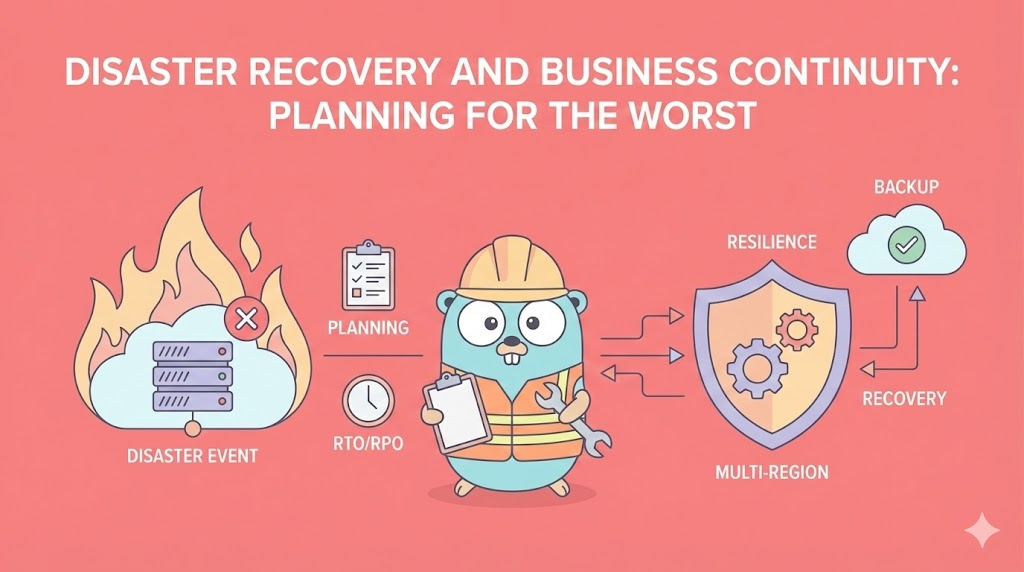
Disaster Recovery and Business Continuity: Planning for the Worst
A comprehensive guide to disaster recovery and business continuity planning. Master RTO/RPO concepts, backup strategies, multi-region deployment, and chaos engineering. Learn how to build resilient systems that survive catastrophic failures.
Disaster Recovery and Business Continuity: Planning for the Worst
Building Systems That Survive Catastrophic Failures
🎯 Introduction: Why Most Disaster Recovery Plans Fail
Let me start with a uncomfortable truth: Most organizations have disaster recovery plans that don’t work.
Not because they’re poorly designed on paper. But because they were never tested, never maintained, and when disaster actually strikes, they fall apart.
The Reality of Disaster
What organizations think happens:
1. Disaster strikes
2. We activate DR plan (written 2 years ago)
3. Everything magically comes back online
4. Life goes on

What actually happens:
1. Disaster strikes (3 AM, everyone's asleep)
2. Person on call doesn't know what to do
3. DR plan is outdated (tech stack changed)
4. Database backups are corrupted
5. Recovery takes 14 hours instead of 30 minutes
6. Customers are furious
7. Company loses $2M
8. Post-mortem reveals plan existed but wasn't tested
This happens because organizations treat DR as a checkbox item (“We have a plan”) rather than a living process (“We practice the plan monthly”).
What This Guide Is About
This is not theoretical. Not “disaster recovery best practices from a textbook.”
This is: How to actually plan for, build, test, and maintain a system that survives disasters.
We will cover:
✅ RTO and RPO - The metrics that matter
✅ Backup strategies - Actually usable backups
✅ Multi-region deployment - Geographic redundancy
✅ Chaos engineering - Testing without breaking production
✅ Recovery procedures - Step-by-step runbooks
✅ Cost-benefit analysis - Trade-offs matter
✅ Compliance requirements - What regulators demand
The perspective: How to build systems you can actually recover from.
📊 Part 1: RTO and RPO - The Core Concepts
Before you design anything, understand RTO and RPO. These are the metrics that define your entire DR strategy.
RTO: Recovery Time Objective
RTO = “How long can we afford to be down?”
RTO is the maximum tolerable downtime before the business is unacceptably harmed.Real examples:
E-commerce site: RTO = 15 minutes
Why? Every minute down = lost sales
If down for 1 hour, could lose $50,000

Bank: RTO = 5 minutes
Why? Regulatory requirement + customers panicking

SaaS startup: RTO = 4 hours
Why? Early stage, revenue low, can't afford HA infrastructure yet

Healthcare system: RTO = 30 seconds
Why? Patient data is accessed constantly, delays dangerous
Key insight: RTO is not technical. It’s business.
Ask: “If our system is down for 1 hour, what happens?”
If answer is “we lose millions,” RTO is very low.
If answer is “it’s annoying but not critical,” RTO is higher.
RPO: Recovery Point Objective
RPO = “How much data can we afford to lose?”
RPO is the maximum acceptable data loss measured in time.Real examples:
E-commerce: RPO = 5 minutes
Why? If we lose 5 minutes of orders, we lose revenue data
But we can probably survive it

Banking: RPO = 1 minute
Why? Every transaction must be recorded
Can't lose even 1 transaction

SaaS: RPO = 1 hour
Why? Users won't lose much work if we recover to 1 hour ago

Healthcare: RPO = real-time (seconds)
Why? Patient data changes constantly, every change matters
Key insight: RPO determines backup frequency.
If RPO is 5 minutes, you must backup every 5 minutes.
If RPO is 1 hour, you can backup every 1 hour.
The Math: RTO and RPO Together
System fails at 3:00 PM
Last backup: 2:55 PM (5 minutes ago)
RPO = 5 minutes, so we lost 0 data (within tolerance)
Recovery time: 20 minutes
RTO = 30 minutes, so we're OK (recovered within tolerance)

Timeline:
3:00 PM - Disaster
3:00-3:10 PM - Detect problem, initiate recovery
3:10-3:20 PM - Restore from backup, bring systems online
3:20 PM - System back up
Total downtime: 20 minutes (within 30-minute RTO)
Data lost: 0 minutes (within 5-minute RPO)
Result: Acceptable recovery
Contrast with failure:
System fails at 3:00 PM
Last backup: 1:00 PM (2 hours ago!)
RPO = 1 hour, so we lost 1 hour of data (UNACCEPTABLE - exceeded RPO)
Recovery time: 90 minutes
RTO = 30 minutes, so we exceeded RTO (UNACCEPTABLE - took too long)
Result: Disaster recovery failed
Determining Your RTO and RPO
Start with business impact:
Question 1: How much revenue do we lose per minute of downtime?
Answer: Determines urgency of RTO

Question 2: How many transactions occur per minute?
Answer: Determines how much data we can afford to lose (RPO)

Question 3: What's the regulatory requirement?
Answer: Minimum acceptable RTO/RPO

Question 4: What does competition do?
Answer: Market expectation

Question 5: What's our budget for DR infrastructure?
Answer: What we can actually afford
Example calculation:
E-commerce site:
- Revenue: $10,000/hour = $167/minute
- Transactions/minute: ~100
- Regulatory minimum: 4 hours RTO

Decision:
RTO = 30 minutes (lose $5,000 max)
RPO = 1 minute (lose ~100 transactions max)

Cost: Requires
- Real-time replication (expensive)
- Instant failover (requires redundancy)
- Estimated cost: $50,000/month for infrastructure
- But loss per hour of downtime: $10,000
- So ROI is clear
RTO/RPO vs Cost Trade-off
Here’s the uncomfortable truth: Lower RTO/RPO costs exponentially more.
RTO/RPO Goals          Infrastructure Needed         Monthly Cost
─────────────────────────────────────────────────────────────────
4 hours RTO            Single region, nightly backup      $1,000
1 hour RTO             Single region, hourly backup       $2,000
15 min RTO             Multi-AZ, real-time sync          $10,000
5 min RTO              Multi-region, active-active       $50,000
30 sec RTO             Multi-region + failover           $100,000+
Real-time RTO          Multi-region, active-active       $200,000+
The costs don’t scale linearly. Each level of improvement gets exponentially more expensive.
This is why you must define RTO/RPO based on business need, not engineering perfectionism.
💾 Part 2: Backup Strategies - Actually Usable Backups
A backup that can’t be restored is worthless. Worse than worthless—it creates false confidence.
The 3-2-1 Backup Rule
This is the industry standard for backups:
3 copies of your data
2 different storage media
1 offsite copy

Example:
- Copy 1: Live production database (primary)
- Copy 2: Backup on separate storage (secondary)
- Copy 3: Backup in different geographic region (offsite)

If production fails: Use Copy 2 (local, fast)
If data center fails: Use Copy 3 (offsite, slower)
If both fail: Recover from one of them

Why this works:
- 3 copies = redundancy
- 2 media = protects against media failure
- 1 offsite = protects against regional disaster
Types of Backups
Full Backup
Backup EVERYTHING (entire database, all files)

Size: Large (database size = backup size)
Time: Long (hours for large databases)
Storage: Lots of disk space
Cost: High (storage is expensive)

When to use:
- Initial backup
- Weekly/monthly full backups
- Archive for compliance

Example:
100 GB database → 100 GB backup
Takes 2 hours to create
Need 200+ GB disk to store multiple copies
Incremental Backup
Backup only CHANGES since last backup

Size: Small (only new/changed data)
Time: Fast (minutes)
Storage: Much less
Cost: Lower

But: To restore, need full backup + all incrementals in sequence

Example:
Monday: Full backup (100 GB) - 2 hours
Tuesday: Incremental (2 GB changes) - 5 minutes
Wednesday: Incremental (1.5 GB changes) - 4 minutes
Thursday: Incremental (3 GB changes) - 7 minutes

To restore to Thursday:
1. Restore Monday full backup (100 GB) - 30 minutes
2. Apply Tuesday incremental (2 GB) - 3 minutes
3. Apply Wednesday incremental (1.5 GB) - 2 minutes
4. Apply Thursday incremental (3 GB) - 4 minutes
Total restore time: ~40 minutes

If any incremental is missing/corrupted, restore fails!
Differential Backup
Backup all CHANGES since last FULL backup

Size: Medium (grows over time until next full)
Time: Medium (faster than full, slower than incremental)
Storage: Medium

To restore, need full backup + latest differential only

Example:
Monday: Full backup (100 GB) - 2 hours
Tuesday: Differential (2 GB changes) - 5 minutes
Wednesday: Differential (3.5 GB changes) - 8 minutes
Thursday: Differential (6.5 GB changes) - 12 minutes

To restore to Thursday:
1. Restore Monday full backup (100 GB) - 30 minutes
2. Apply Thursday differential (6.5 GB) - 5 minutes
Total restore time: ~35 minutes

Simpler than incremental (don't need chain of backups)
Continuous Replication
Every transaction is replicated to backup location in real-time

RPO: Seconds (minimal data loss)
Restore time: Instant (backup is always current)
Cost: Highest (needs dedicated bandwidth, real-time sync)

But: Trade-off is consistency
If primary and replica both get same corrupted data, both are ruined

Example: MySQL replication
Main DB writes transaction → immediately sent to replica
Replica writes transaction
Confirmation sent back to main DB

If main DB crashes:
Replica can take over immediately (seconds)
No data loss (transaction was replicated)
Backup Strategy Decision Matrix
Scenario: Small startup, $10K budget
├─ Full backup: Daily (cost: $500/month)
├─ Incremental: Every 4 hours (cost: $200/month)
└─ Offsite: Nightly copy to S3 (cost: $50/month)
RPO: 4 hours
RTO: 2 hours
Cost: ~$750/month

Scenario: E-commerce, $100K budget
├─ Full backup: Weekly (cost: $1000/month)
├─ Differential: Daily (cost: $500/month)
├─ Incremental: Every hour (cost: $1000/month)
└─ Continuous replication: To secondary region (cost: $80K/month)
RPO: 1 minute (replication) / 1 hour (backup fallback)
RTO: 30 seconds (failover) / 30 minutes (restore from backup)
Cost: ~$82.5K/month

Scenario: Bank, $500K+ budget
├─ Continuous replication: Primary to secondary (active-active)
├─ Hourly backup: To separate storage
├─ Daily backup: Archived for compliance
├─ Geographic redundancy: Data replicated across 3+ regions
RPO: Real-time (< 1 second)
RTO: Real-time (automatic failover)
Cost: $500K+/month
Testing Backups: The Critical Part Most Skip
Rule: A backup that hasn’t been tested is assumed to be corrupted.
❌ What most organizations do:
Take backup daily
Assume it works
Never test restore

❌ What happens when disaster strikes:
Try to restore
Backup is corrupted / incomplete / incompatible
Can't recover
Disaster

✅ What should happen:
Take backup daily
Monthly: Restore to test environment completely
Verify all data is there
Run queries against restored data
After verification: Document "backup tested on [date]"
Annual: Restore to production (planned maintenance window)
Backup Testing Runbook:
Monthly Backup Restoration Test:

1. Schedule test for off-peak time (avoid production impact)
   - Notify team: "Testing backup on Saturday 2-4 PM"

2. Choose a backup from 2-3 weeks ago
   - Not latest (doesn't test recovery from recent changes)
   - Not too old (verifies backups stay valid)

3. Provision temporary environment
   - Same specs as production
   - Cost: Same as running for 2 hours
   - Temporary (delete after test)

4. Restore backup to temporary environment
   - Start timing: How long does restore take?
   - Expected time: Match RTO target
   - If slower: Investigate why, update procedures

5. Run validation queries
   - Count of records: Should match last backup
   - Sample of data: Spot check 10-20 random records
   - Recent transactions: Latest should match backup timestamp
   - Integrity checks: Run database DBCC CHECKDB or equivalent

6. Document results
   - Backup restored successfully on [date] at [time]
   - Restore time: [actual time] (target: [RTO])
   - Data verified: [count of records]
   - Issues found: [any problems]

7. Delete temporary environment
   - Clean up resources
   - Document cost of test

8. Report to stakeholders
   - "Monthly backup test: PASS"
   - Or "Monthly backup test: FAIL - backup corruption detected"

Annual Restore to Production:

During planned maintenance window (1-day downtime):
1. Take final backup of current production
2. Verify latest backup is good
3. Restore production from month-old backup
4. Verify all systems come up
5. Run full validation suite
6. If passes: You can truly say "we can recover"
7. If fails: Fix issues immediately

This proves recovery is actually possible.
🌍 Part 3: Multi-Region Deployment - Geographic Redundancy
When disaster strikes, it often affects a region. Multi-region deployment protects against regional disasters.
Understanding Regional Disasters
What could take down a region?
Infrastructure:
- Data center fire (yes, happened)
- Power grid failure (yes, happened)
- Network failure (entire backbone down)

Natural disaster:
- Earthquake
- Hurricane
- Flood
- Severe weather

Human error:
- Someone deletes entire database
- Configuration error cascades across region
- Security incident

Supply chain:
- CDN provider attacked
- Cloud provider compromised
- Carrier network failure

Probability:
- Any specific disaster: Low
- Some disaster in multi-year period: High
- If you serve millions of users: Practically guaranteed
Multi-Region Architectures
Active-Passive (Primary-Secondary)
Primary Region (Active):
- All traffic goes here
- Database writes happen here
- Full application stack

Secondary Region (Passive):
- Standby copy of everything
- Database replicated from primary
- Not serving traffic (wasted capacity)

If primary fails:
1. Detect failure (health checks, monitoring)
2. Failover to secondary (DNS change, load balancer switch)
3. Secondary becomes primary
4. Users traffic reroutes (30 second to 5 minute delay)

Pros:
- Simple architecture
- Clear "primary" system

Cons:
- Secondary is wasted capacity
- Failover takes time (detected + switched)
- If failover fails mid-way, major problems
Example timeline:
3:00 PM - Primary data center catches fire
3:00-3:05 PM - Monitoring detects failure
3:05-3:10 PM - Team contacts cloud provider, confirms
3:10-3:15 PM - Update DNS to point to secondary
3:15-3:20 PM - DNS propagates globally
3:20 PM - First users hit secondary region
3:30 PM - All users using secondary region
Total downtime: 30 minutes
RTO: 30 minutes ✓
Active-Active (Multi-Master)
Region 1 (Active):
- Serves traffic
- Database writes happen
- Applications running

Region 2 (Active):
- Also serves traffic
- Database also writable
- Applications also running

Traffic split 50-50 between regions

If Region 1 fails:
1. Instant: Region 2 continues serving 100% traffic
2. No failover needed
3. No downtime (users in Region 1 auto-retry → Region 2)

Pros:
- Zero downtime on region failure
- No wasted capacity (both regions active)
- Optimal performance (users hit closer region)

Cons:
- Complex (multi-master replication is hard)
- Eventual consistency (different regions may see different data temporarily)
- Conflicts possible (same record written in both regions)
Complexity: Multi-master replication is the hard part.
Problem: How do two databases stay in sync when both can write?

Scenario: Two regions, same user updates profile
- Region 1: User updates name to "Alice"
- Region 2: User updates name to "Alicia" (same time)

Which is correct?

Solutions:
A) Last-write-wins: Whichever written last "wins"
   - Simple but data loss
   - If Region 1 writes at 3:00:00, Region 2 at 3:00:01
   - Region 1's write is lost

B) Conflict resolution: Application decides
   - More complex
   - User notification: "Your profile was edited in two places, choose version"

C) Distributed consensus: Both regions agree
   - Very complex
   - Slower (requires coordination)
Implementation: AWS Multi-Region Example
Primary Region: us-east-1
├─ EC2 instances running application
├─ RDS Primary database
├─ S3 bucket (primary)
└─ ALB (primary load balancer)

Secondary Region: eu-west-1
├─ EC2 instances (standby)
├─ RDS Read Replica (from Primary)
├─ S3 bucket (replicated from primary)
└─ ALB (standby)

Global components:
├─ Route 53 (DNS, health-aware routing)
├─ CloudFront (global CDN caching)
└─ DynamoDB Global Tables (multi-master)

Traffic flow:
User → Route 53 (which region?)
Route 53 checks health of both regions
Route 53 → us-east-1 (if healthy)
Load Balancer distributes to EC2s
EC2s query RDS primary
RDS replicates writes to eu-west-1 RDS read replica

If us-east-1 fails:
Route 53 detects unhealthy (no response to health checks)
Route 53 → eu-west-1 (automatic failover)
Traffic routes to eu-west-1
If RDS write replica promoted to primary (manual or automatic)
Users continue working (from eu-west-1)
Cost of Multi-Region
Multi-region is expensive because you’re paying for:
Infrastructure: 2x (primary + secondary)
- Servers: $10K/month × 2 = $20K
- Database: $5K/month × 2 = $10K
- Storage: $1K/month × 2 = $2K

Data transfer:
- Replication: $2K/month (between regions)
- Users in secondary: Variable

Subtotal: ~$35K+/month for basic multi-region

For full active-active:
- More servers needed (both regions need capacity for full traffic)
- Could double total: $70K+/month

Budget constraint: Most startups can't afford this.

Trade-off:
- Budget $10K/month: Single region only, good backups
- Budget $30K/month: Single region + multi-region backup
- Budget $70K+/month: Active-active multi-region
When Multi-Region Makes Sense
✅ Use multi-region if:
- RTO < 30 minutes (can't afford downtime)
- Customer base global (users in multiple regions)
- Compliance requires geographic distribution
- Loss per minute of downtime > cost of infrastructure

❌ Don't use if:
- RTO > 4 hours (okay to wait for recovery)
- Users all in same region
- Budget < $50K/month
- Single-region backup sufficient for compliance
🧪 Part 4: Chaos Engineering - Testing Without Breaking Production
Chaos engineering = deliberately breaking things to test recovery.
If you don’t test failure scenarios, you don’t know if recovery works.
The Philosophy of Chaos Engineering
Traditional approach:
- Build system
- Test it with normal workload
- Deploy to production
- Hope failures don't happen

Problem:
- Unknown unknowns (what happens when [weird thing] fails?)
- Recovery procedures untested
- Under stress, processes fail

Chaos engineering approach:
- Build system
- Test with normal workload
- Deliberately cause failures
- Verify system recovers
- Make it boring (failure handled automatically)
Chaos Engineering Principles
Principle 1: Steady State
Define “healthy” first.
What does a healthy system look like?
- Latency < 100ms
- Error rate < 0.1%
- CPU usage < 70%
- Memory usage < 80%
- All instances healthy

Once you know "healthy," you can measure if chaos breaks it.
Principle 2: Hypothesis
Before introducing chaos, predict what will happen.
❌ Bad hypothesis:
"Let's kill a database and see what happens"
(Too vague, no prediction)

✅ Good hypothesis:
"If we kill database 1 of 3, system will:
- Continue serving traffic (load balancer routes to DB 2 and 3)
- Latency increases 10% (fewer resources)
- Error rate stays 0 (redundancy handles it)
- System auto-heals in 5 minutes (replacement instance starts)"

Now you can test and verify.
Principle 3: Minimize Blast Radius
Start small, expand carefully.
Chaos Progression:

Week 1: Test in staging environment
- Kill one non-critical service
- Measure recovery time
- No risk to production

Week 2: Test in production, limited scope
- Kill one instance of non-critical service (others handle traffic)
- During business hours (team nearby if issues)
- 5-minute window (quickly undo if bad)

Week 3: Test in production, broader scope
- Kill database instance (read replicas handle reads)
- Measure failover time
- Verify replication catches up

Week 4: Full chaos scenario
- Kill entire availability zone
- Measure failover to other zone
- Verify users don't notice

Never: Introduce chaos blindly
Chaos Testing Scenarios
Scenario 1: Single Instance Failure
Hypothesis:
"If one app server fails (out of 3), system continues with 67% capacity"

Test:
1. Verify all 3 instances healthy (CPU 40%, response time 50ms)
2. Deliberately kill instance 1
3. Measure:
   - Load balancer routes traffic to 2, 3 (should happen in <1 second)
   - Response time increases to 75ms (67% capacity)
   - Error rate 0 (failover handled)
4. Verify:
   - Auto-scaling launches replacement instance
   - After 2 minutes: 3 instances again
   - Response time returns to 50ms

Result: ✓ System handles single instance failure

If test fails:
- Load balancer doesn't route correctly
- Auto-scaling doesn't trigger
- Error rate increases (requests dropped)
- Investigation: Why? Fix before production chaos
Scenario 2: Database Failover
Hypothesis:
"If primary database fails, read replicas take over within 30 seconds"

Test:
1. Verify primary healthy, 2 read replicas healthy
2. Measure response time: 50ms (all reads from primary or replicas)
3. Kill primary database
4. Measure:
   - Detection time: How long until system knows primary is down
   - Failover time: How long until replica becomes new primary
   - Write availability: Can we still write? (no, until replica promoted)
   - Read availability: Can we still read? (yes, from other replicas)
5. Verify:
   - All reads route to remaining replicas
   - Error rate for writes (primary gone)
   - After promotion: Writes work again

Result: If acceptable, proceed with test
If not: Improve failover procedures, test again
Scenario 3: Region Failure
Hypothesis:
"If entire us-east-1 region fails, users in eu-west-1 get 95% availability"

Test:
1. Baseline:
   - 50% traffic from us-east-1
   - 50% traffic from eu-west-1
   - Both regions healthy
   - Latency: US users 50ms, EU users 50ms
2. Kill us-east-1 (simulate region outage)
3. Measure:
   - How long until Route 53 detects?
   - How many requests fail during detection?
   - Do eu-west-1 resources handle double traffic?
   - CPU usage in eu-west-1? (doubles)
   - Response time in eu-west-1? (increases)
   - Request drop rate?

Result: What you measure determines if RTO is met
Tools for Chaos Engineering
AWS Chaos Monkey:
- Randomly terminates EC2 instances
- Verifies system survives
- Run in non-peak hours
- Automate this

Gremlin:
- Chaos as a service
- Kill processes, degrade network, stress CPU
- Scheduled chaos injection
- Blast radius controls

Custom scripts:
- Kill database process
- Simulate network latency
- Fill disk space
- Generate load spikes

When to use each:
- Automated tools: Continuous chaos (daily, automatic)
- Targeted tests: Important scenarios (weekly, planned)
- Real-world scenarios: Annual full test (manually, in maintenance window)
Frequency of Chaos Tests
Automated (daily):
- Kill 1 random instance
- Verify system recovers
- Report results

Weekly (scheduled):
- Test specific failure scenario (DB failover, region failure)
- Detailed measurement
- Documentation

Quarterly:
- Full chaos exercise
- Multiple failures simultaneously
- Team reviews procedures

Annually (or when DR required):
- Full regional failover
- Planned downtime
- Real recovery to backup
- Verify disaster recovery works
🏥 Part 5: Building Actual Recovery Procedures
A recovery procedure that only exists in someone’s head is useless.
Recovery Runbooks
A runbook is step-by-step instructions for recovery.
Example: Database Recovery Runbook
## Runbook: Recover PostgreSQL from Backup

**Severity:** CRITICAL
**Estimated Recovery Time:** 30 minutes
**Data Loss:** Last 1 hour of transactions

### Prerequisites
- Access to AWS console
- SSH access to recovery server
- Backup file verified to exist
- Team notified via Slack #incidents

### Detection: Is Database Down?

1. Check monitoring dashboard
   - PostgreSQL CPU usage: Should show 0
   - Connections: Should show 0
   - Command: `pg_isready -h production-db.us-east-1.rds.amazonaws.com`
   - Expected: "accepting connections"

2. If not accepting connections:
   - Database is down
   - Proceed with recovery

### Recovery Steps

1. Notify team
Slack #incidents: “@here Database down, initiating recovery from backup”
2. Identify latest backup
```bash
aws rds describe-db-snapshots --db-instance-identifier production-db
# Look for most recent snapshot
# Example: production-db-snapshot-2026-01-10-03-00-
Create recovery instance
aws rds restore-db-instance-from-db-snapshot \ --db-instance-identifier production-db-recovery \ --db-snapshot-identifier production-db-snapshot-2026-01-10-03-00 \ --multi-az # This starts a new RDS instance from the snapshot # Takes ~5-10 minutes -
Wait for recovery instance to be available
watch 'aws rds describe-db-instances --db-instance-identifier production-db-recovery | grep DBInstanceStatus' # Wait for: DBInstanceStatus = available # Takes ~10 minutes -
Verify recovery instance
# Get endpoint aws rds describe-db-instances --db-instance-identifier production-db-recovery \ --query 'DBInstances[0].Endpoint.Address' # Connect psql -h <endpoint> -U admin -d production # Verify data SELECT COUNT(*) FROM users; # Should show expected count SELECT MAX(created_at) FROM transactions; # Should show recent time -
Update application connection string
OLD: production-db.us-east-1.rds.amazonaws.com NEW: production-db-recovery.us-east-1.rds.amazonaws.com Update in: - Application configuration files - Kubernetes secrets - CI/CD environment variables - Restart application servers -
Monitor application
Watch for: - Connection errors - Query performance - Data integrity - Error rates If issues: - Revert to previous connection string - Investigate issue - Try recovery again -
Restore original database name (optional, if time permits)
# Rename recovery instance to original aws rds modify-db-instance \ --db-instance-identifier production-db-recovery \ --new-db-instance-identifier production-db \ --apply-immediately # Warning: This creates downtime # Only if necessary -
Cleanup
# Delete old failed instance aws rds delete-db-instance \ --db-instance-identifier production-db \ --skip-final-snapshot -
Post-recovery
Document:
- Time failure detected
- Time recovery started
- Time recovery complete
- Total downtime: X minutes
- Data loss: X minutes
- Root cause investigation scheduled
Verification Steps
☐ Application can connect to recovered database ☐ User data is intact (spot check 5-10 records) ☐ Recent transactions present ☐ No permission errors ☐ Latency acceptable ☐ No errors in application logs
Rollback Plan
If recovery doesn’t work:
- Revert connection string to old database (if still running)
- Investigate failure
- Try recovery again with different backup
- If all backups fail: Restore from offsite backup (takes 2+ hours)
### Recovery Time Tracking

Every recovery attempt must be timed:
Event Time Duration ───────────────────────────────────────────────── Failure detected 3:00 PM Detection to notification 3:02 PM 2 min Notification to team response 3:05 PM 3 min Start recovery procedure 3:05 PM - Create snapshot from backup 3:15 PM 10 min Wait for restoration 3:25 PM 10 min Verify recovered data 3:30 PM 5 min Update connection strings 3:33 PM 3 min Restart applications 3:40 PM 7 min Verify applications running 3:45 PM 5 min ───────────────────────────────────────────── TOTAL RECOVERY TIME: 45 min Target: 30 min STATUS: FAILED
Post-mortem:
- Snapshot restoration took 10 min (faster than expected)
- Waiting for “available” state took 10 min (longer than expected)
- Restarting applications took 7 min (slow, need to automate)
Improvements:
- Pre-create recovery instance templates (faster provisioning)
- Automate connection string updates (faster)
- Pre-restart applications (faster)
- Goal: Get RTO down to 30 minutes
---

## 🎯 Part 6: Putting It Together - Complete DR Strategy

Here's how to build an actual, workable disaster recovery strategy:

### The Decision Matrix

**Step 1: Define RTO and RPO**
For our business:
RTO = 30 minutes “We can’t afford more than 30 min downtime”
RPO = 1 hour “We can afford to lose 1 hour of data”
**Step 2: Design Backup Strategy**
Given RPO = 1 hour, we backup every 1 hour:
Hourly backup:
- Frequency: Every 1 hour
- Method: Incremental (only changed data)
- Destination: Local storage (fast restore)
- Time to backup: 5 minutes
- Time to restore: 20 minutes (within RTO)
Daily full backup:
- Frequency: Every 24 hours
- Method: Full copy
- Destination: Different region
- Time to backup: 1 hour
- Time to restore: 45 minutes (exceeds RTO but better than nothing)
Weekly archive:
- Frequency: Every 7 days
- Method: Full copy
- Destination: Cold storage (Glacier)
- Time to retrieve: Hours
- Purpose: Long-term compliance, not disaster recovery
Cost:
- Local storage: $500/month
- Regional backup: $300/month
- Archive: $50/month
- Total: ~$850/month
**Step 3: Test Everything**
Monthly:
- Restore hourly backup to test environment
- Verify data is complete
- Document restore time
Quarterly:
- Restore daily backup from other region
- Verify network transfer speed
- Time full restore process
Annually:
- Full disaster recovery drill
- Restore production from backup
- Real users test from recovered system
- Document any issues
**Step 4: Document Procedures**
Create runbooks for:
- Detecting failure
- Initiating recovery
- Restoring each critical system
- Verifying recovery
- Communicating with stakeholders
Store runbooks:
- In git repository (version controlled)
- In wiki (searchable)
- Printed (accessible if network down)
Maintain:
- Review every quarter
- Update when systems change
- Remove outdated procedures
Test:
- Run through annually
- Time the process
- Measure actual vs target RTO
### Compliance Requirements

Different industries have different DR requirements:
Healthcare (HIPAA):
- Backup required: Yes
- Testing required: Annual
- Offsite backup: Yes
- RTO requirement: Usually < 4 hours
- RPO requirement: Usually < 1 hour
Finance (PCI-DSS):
- Backup required: Yes
- Testing required: Annual minimum
- Offsite backup: Yes
- Encryption: Yes
- RTO requirement: Usually < 1 hour
- RPO requirement: Usually < 15 minutes
SaaS (SOC2):
- Backup required: Yes
- Testing required: Annual minimum
- Offsite backup: Yes
- RTO: Customer-dependent (SLA)
- RPO: Customer-dependent (SLA)
Startup (no compliance):
- Backup required: For business continuity
- Testing required: As budget allows
- Offsite backup: Highly recommended
- RTO: Business-determined
- RPO: Business-determined
---

## 🎓 Conclusion: Making Disaster Recovery Boring

The goal of good disaster recovery is to make it **boring**.
Bad DR:
- Disaster strikes
- Chaos
- Uncertainty
- Team scrambling
- 14-hour recovery
- Customer anger
- Post-mortem blame
- Anxiety
Good DR:
- Disaster strikes
- Monitoring detects immediately
- Runbook says “do these steps”
- Team follows runbook
- 20-minute recovery
- Customers don’t even notice
- Post-mortem reviews what worked well
- Confidence in next disaster
The path to good DR:
Month 1: Build backup strategy
- 3-2-1 backups
- Test first restore
Month 2: Write runbooks
- Procedure for each failure type
- Test each procedure
Month 3: Test monthly
- Restore from backup
- Measure recovery time
- Document issues
Month 6: Quarterly drill
- Full recovery test
- Team participates
- Time everything
Year 1: Annual DR exercise
- Full production restore
- Real data recovery
- Identify gaps
- Fix gaps
Year 2+: Continuous improvement
- Monthly tests automated
- Quarterly drills scheduled
- Runbooks maintained
- Tests always pass
- Disaster recovery is boring (good!)
Remember: **A disaster recovery plan that hasn't been tested will fail when you need it most.**

Test your backups. Practice your recovery. Make it boring.

That's the goal.Related articles
By relevance
Go Networking on Azure: Cloud Architecture, VNets, Security, and Production Patterns
Build resilient Go applications on Azure. Master virtual networks, load balancing, service endpoints, managed identities, monitoring, and multi-region deployments for enterprise cloud infrastructure.

Go Architecture for Massive Scale: Microservices, Events, and Distributed Systems
Design systems processing millions of events daily. Learn microservice architecture, event-driven patterns, distributed tracing, circuit breakers, and the architectural decisions that separate prototype code from production infrastructure.